Introduction
Walk onto almost any machine shop floor today and you'll still see it: a machinist pulling a USB drive from a pocket, walking to a CNC control, and loading a program by hand. Meanwhile, the shop next door might push that same file over a wireless network from an engineering workstation—no one leaves their desk.
Neither approach is inherently right or wrong. Beyond convenience, the choice affects security exposure, transfer speed, revision accuracy, operator time, downtime, and the evidence you need in a quality audit or compliance review.
Deloitte's 2025 Smart Manufacturing and Operations Survey found that 46% of manufacturers now report using industrial IoT at the facility level, with 42% using 5G connectivity. That growth still doesn't mean wireless automatically beats USB for CNC file transfer.
The right answer depends on your machine interfaces, network controls, and program-management practices—and on how much security, speed, and compliance traceability your customers or auditors actually require.
Key Takeaways
- USB fits isolated or low-volume shops when drive hygiene, chain-of-custody, and operator checks stay tight.
- Wireless transfer improves centralized file control and scalability, but only with secure network configuration and reliable coverage.
- Total workflow time, not raw transfer speed, determines which method actually saves time on the floor.
- Compliance support rests on documented controls—access permissions, revision history, audit logs, backups, and approvals.
- The best method matches your CNC fleet's age, production volume, network maturity, and security requirements.
USB vs Wireless CNC File Transfer: Quick Comparison
Here’s how USB and wireless compare on the factors that matter most on a production floor.
| Factor | USB | Wireless/Networked |
|---|---|---|
| Setup complexity | Low | Moderate to high |
| Best for | Isolated, low-volume machines | Multi-machine, connected shops |
| Main security risk | Malware, lost drives, wrong revisions | Weak encryption, poor segmentation |
| Traceability | Minimal without added procedures | Stronger with DNC/file-management software |
| Scalability | Difficult past a handful of machines | Built for growth |
Security
USB drives carry real, documented risk. CISA's advisory on the Stuxnet malware identified USB drives as a primary infection path into industrial control environments, alongside network shares and databases.
A related CISA advisory found that simply viewing an infected USB drive in Windows Explorer could trigger malware—even without AutoRun.
Beyond malware, USB introduces:
- Lost or stolen drives carrying unencrypted programs
- Unauthorized copying of proprietary G-code
- Outdated programs mistaken for the current revision
- No built-in scanning unless the shop adds one manually
Wireless transfer shifts the risk profile rather than eliminating it. NIST's SP 800-82r3 guidance for operational technology recommends placing wireless devices in a separate network segment with encrypted communications and mutual authentication between clients and access points.
Done well, that limits exposure. Done poorly—with flat networks, default credentials, and no segmentation—wireless opens attack paths USB never had.

Speed and workflow efficiency
Raw transfer speed rarely tells the real story. A USB copy might take seconds, but the full workflow includes:
- Locating the correct drive and file
- Walking to the machine
- Loading the program at the control
- Confirming it's the right revision
Each step adds minutes. Multiplied across dozens of machines and shifts, that adds up to real labor cost.
Wireless and networked transfer can cut those steps. With a DNC or file-request setup, operators can pull the right program at the control instead of walking back to a PC—the same workflow products like Machine Link™ QUICK Serve are built around.
Wireless speed still depends on real-world throughput, RF interference, and the controller’s serial or Ethernet limits. A fast network won’t help if the machine’s port is the bottleneck.
Reliability
USB is self-contained. It doesn't depend on network uptime, but it does depend on:
- Drive condition, including physical damage and wear
- File-system compatibility with the controller
- Human accuracy at every handoff
Wireless removes physical media risk but introduces its own dependencies: signal loss near metal machinery, industrial interference, access-point outages, and virtual COM-port configuration errors that can silently corrupt a transfer.
Traceability and compliance support
A basic USB copy leaves little evidence. Unless a shop adds manual logs, there's often no record of who approved a file, who copied it, or which revision actually ran on the machine.
Wireless and DNC/file-management platforms can close that gap, if the specific system supports it. Look for:
- User permissions and role-based access
- Revision history tied to each file
- Transfer logs and approval records
- Automated backups
The FDA's 21 CFR Part 11 spells out what electronic-record controls actually require: secure, time-stamped audit trails, authorized-user access, and record integrity controls. Meeting that bar depends on the DNC software and shop procedures around the transfer—not on wireless connectivity by itself.
Implementation effort and scalability
USB scales poorly. It's easy to manage for one or two machines and hard to control past a dozen.
Wireless setup takes more upfront work: compatible CNC interfaces, adapters or serial device servers, Wi-Fi coverage surveys, network segmentation, and software configuration.
Enterprise DNC platforms (for example, systems that bridge RS-232, RS-422, Ethernet, and wireless Ethernet across large port counts) show how much infrastructure sits behind sending a single file wirelessly.
What Are USB and Wireless CNC File Transfers?
USB CNC File Transfer
USB transfer means moving a CNC program, typically G-code or a controller-specific NC file, onto a removable flash drive and loading it directly through the machine control.
It fits naturally in:
- Simple, low-frequency jobs
- Isolated machines with no network interface
- Legacy equipment that predates networking
- Shops that intentionally restrict network access
Benefits:
- Low setup complexity
- Full portability
- Offline availability
- Independence from network outages
Weaknesses:
- Manual file selection
- Duplicate or outdated copies
- Uncontrolled media and malware exposure
- No automatic audit trail
File formats vary by controller. Siemens SINUMERIK documentation requires a three-character file extension, with .MPF as the main-program extension on many systems. Haas controls use more flexible file naming without one mandated universal extension.
ISO 6983-1 defines a data format standard for numerical control, but it doesn't guarantee every controller accepts the same file the same way. Check the manufacturer's manual before assuming compatibility.
Wireless and Networked CNC File Transfer
"Wireless CNC transfer" covers more ground than most people assume. It can mean:
- A wireless USB bridge
- A serial-to-Wi-Fi adapter
- Direct CNC Wi-Fi or Ethernet connectivity
- A DNC or file-management platform running over a wireless network
The typical workflow: an approved file sits in a controlled location, the system authenticates the user or machine, the program transmits over the network, and the transfer gets logged where the software supports it.

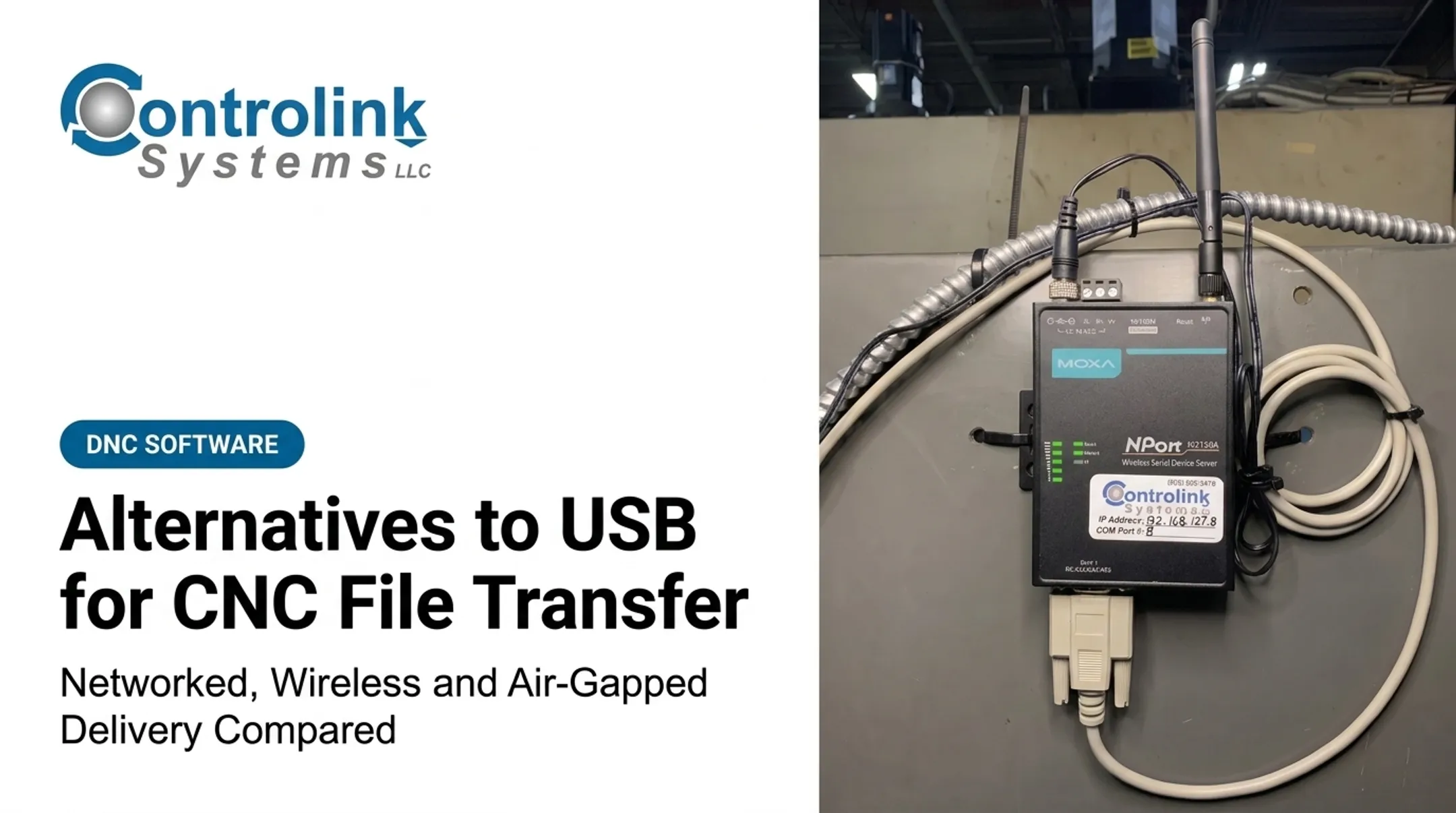
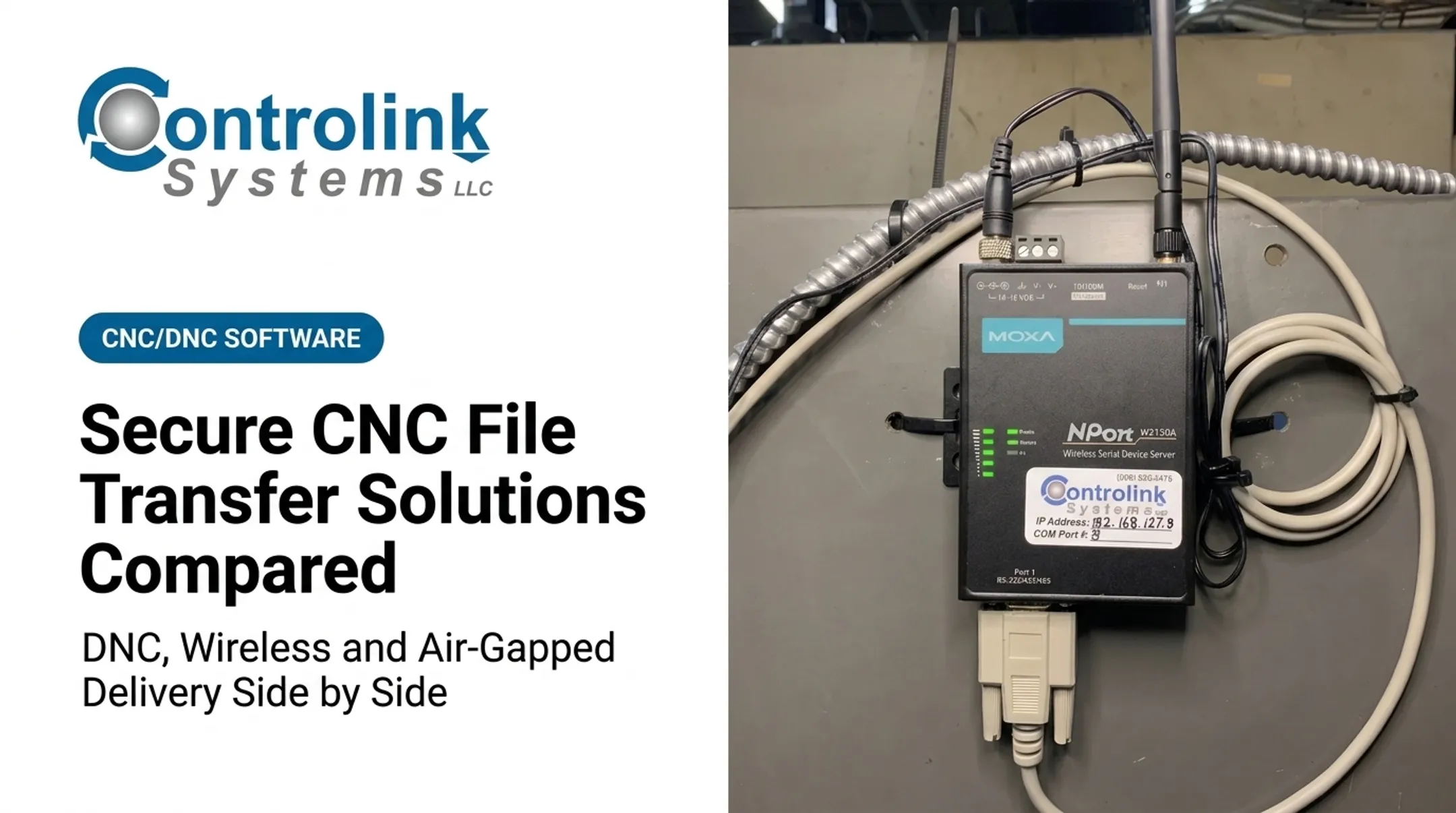
Hardware like the Moxa NPort W2150A, a wireless serial device server, lets shops connect PCs and CNC machines without running RS-232 or Ethernet cable across the floor. A documented setup connects the adapter at an IP address like 192.168.17.8 through a designated COM port, so the CNC control communicates as if it were plugged directly into the PC.
Controlink Systems LLC has used this type of hardware to link entire shop floors in a fraction of the time wiring would take. For very small operations, Controlink's PDADNC™ takes a lighter approach, letting a technician push files from a Pocket PC directly to a machine control.
Benefits:
- Centralized file access
- Less walking between machines
- Easier multi-machine support
- Faster revision distribution
- Ability to connect older CNCs through adapters
Dependencies:
- CNC port type and serial settings
- Virtual COM configuration
- Wi-Fi coverage and industrial interference
- Network segmentation and encryption
- Backup or failover planning
Wireless is not automatically secure or compliant. Its actual security depends on encryption, authentication, logging, update policy, and how well it fits the facility's broader cybersecurity requirements.
Use Cases by Manufacturing Environment
- Small shop, few isolated machines: USB with controlled procedures is often sufficient.
- Multi-machine production floor: Centralized wireless or wired DNC reduces manual handling and revision errors.
- Regulated environment such as aerospace, defense, medical device, or automotive: Needs documented access control, audit trails, and revision history regardless of transfer method.
A hybrid model works for many shops: managed wireless for routine transfers, with a controlled USB fallback for network outages or machines that simply can't be connected. Controlink Systems LLC helps manufacturers link legacy equipment, file workflows, and shop-floor systems when building that hybrid setup.
USB vs Wireless: Which Is Better for CNC Shops?
There's no universal winner. The right choice depends on:
- Number and age of machines
- Controller interfaces and communication protocols
- Program size and transfer frequency
- Operator travel time across the floor
- Network reliability and cybersecurity maturity
- Revision-control and downtime tolerance Choose USB when the shop runs limited transfer volume, uses isolated equipment, or lacks a properly managed industrial network. Pair it with documented media handling, scanning, backups, and revision verification so removable media stays controlled. Choose wireless when you need centralized program management, frequent updates across multiple machines, less manual handling, or stronger transfer traceability. Only commit if the network and security controls are mature enough to support it. One caution: a high-speed wireless link doesn't automatically speed up production. If the CNC controller, DNC software, serial interface, or approval process is the real bottleneck, faster Wi-Fi won't fix it. Measure your end-to-end transfer time before investing in new infrastructure. That tradeoff gets sharper at scale. Snavely's Machine, a Controlink customer, runs more than 30 CNC machine tools across 10 different control types with 40 operators. Getting the right program to the right machine at that scale is a coordination problem first, a bandwidth problem second. Fleet size also shapes cost. Controlink's QUICK Serve line monitors up to 3 machines for $1,700, up to 20 machines for $2,800, or up to 64 machines for $4,000. Pre-deployment checklist:

- Inventory CNC ports and controller formats
- Map current file flows from engineering to machine
- Identify approved storage locations
- Define user roles and permissions
- Segment the network before connecting machines
- Test Wi-Fi coverage and signal strength on the floor
- Validate file integrity after transfer
- Document rollback and outage procedures
- Train operators on the new workflow If you're unsure whether wireless, wired, USB, or a hybrid architecture fits your equipment, Controlink Systems LLC can assess your CNC/DNC communications and shop-floor systems before you commit to a direction.
Real-World Examples and Implementation Scenarios
Centralized file management in practice
Steve Araujo at Ametek, Inc. described a familiar problem before centralizing file management: operators made several trips between machine and computer, and corrected programs often never made it back into the system.
After the change, corrected programs sent from machines were held in an Engineering folder for review before entering the CNC program library. That closed the loop manual handling kept leaving open.
A Managed Solutions case study documented a DNC deployment that connected four Hessapp and five Okuma machines through CIMCO DNC, using seven wireless serial servers alongside barcode readers and MDC clients. The case didn't publish scrap or downtime percentages, but it shows the infrastructure a mixed-fleet shop needs to centralize transfers.
Keeping USB under control
Not every shop needs to go wireless. A small or isolated operation can tighten USB practices instead:
- Assign specific approved drives to specific machines
- Scan every drive before it touches a machine
- Enforce file-naming and revision rules
- Keep a read-only master copy of every approved program
- Require operator verification of the revision before running
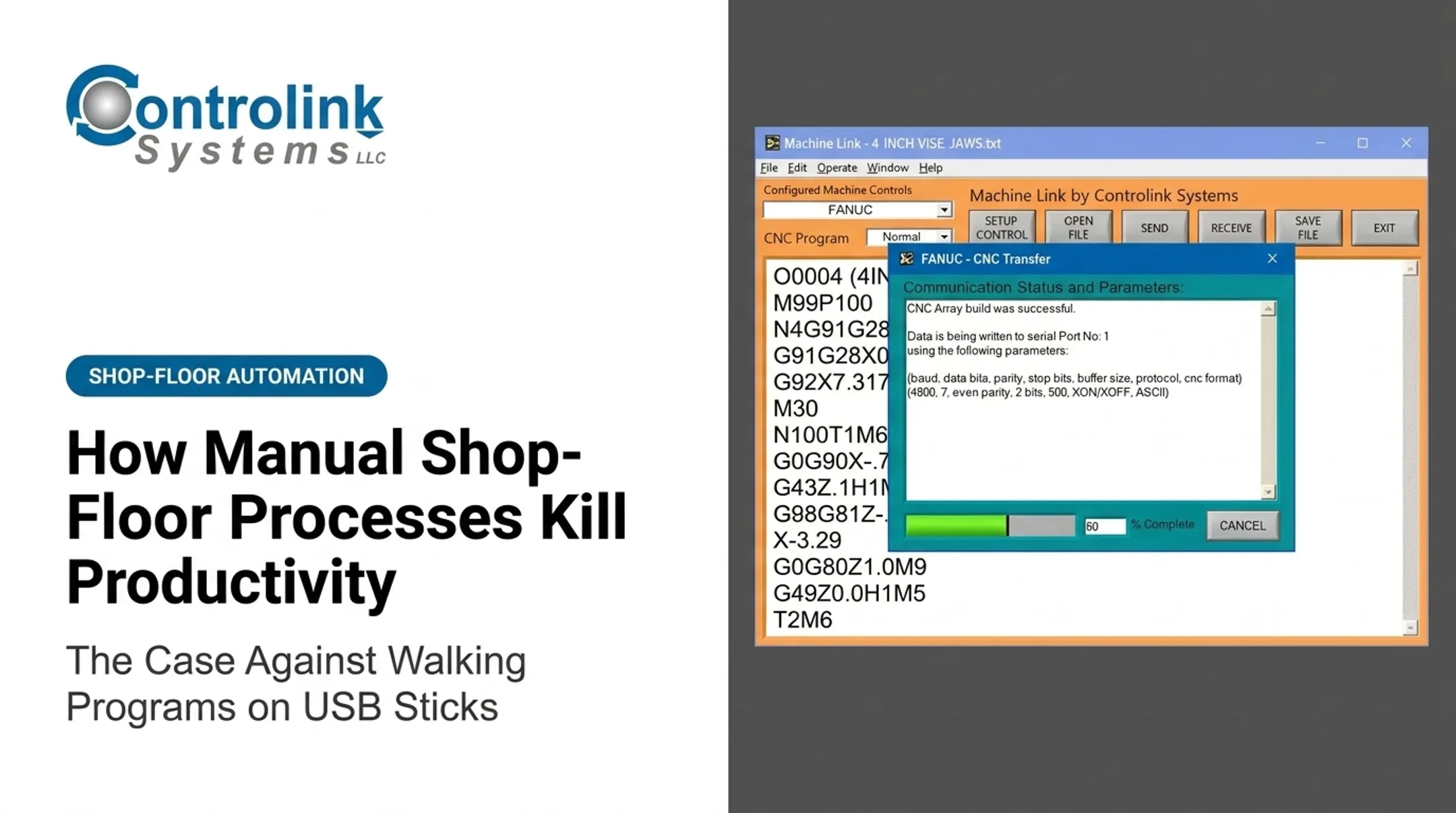
Busche Enterprises used Machine Link™ to back up CNC program files across 46 different machine tools, a reminder that even USB-adjacent workflows benefit from a documented transfer tool rather than ad hoc copying.

Regulated manufacturing considerations
In aerospace, defense, medical device, or automotive work, the transfer method itself doesn't satisfy compliance. What matters is the complete system around it:
- Access control tied to individual users
- Audit trails covering approval and transfer activity
- Retention of records and change history
- Evidence that the file loaded matches the approved revision
Whichever method a regulated shop chooses, prioritize reliable delivery of the approved program, recorded transfer activity, and a tested recovery path when the preferred method goes down.
If your shop needs help with CNC/DNC communication, shop-floor automation, or system linking, Controlink Systems LLC can help evaluate the options. Compliance outcomes still depend on your full documented process.
Conclusion
USB remains a practical choice for simple, isolated, or low-volume CNC workflows. Wireless and networked transfer fit better in connected shops that need centralized access, scalability, and stronger traceability.
Security, speed, and compliance don't come from the transfer medium alone. They come from the complete workflow: hardware, software, network design, permissions, operator procedures, revision control, testing, and recovery planning.
Before switching methods or defending your current one, ground the decision in how work actually runs on your floor:
- Document your file-transfer process end to end
- Measure the delays and errors it produces
- Choose USB, wireless, or a hybrid model based on your machines, network, and compliance requirements
Frequently Asked Questions
What file format do CNC machines use?
CNC machines commonly run controller-specific G-code or NC program files, but exact extensions, syntax, and encoding vary by control brand. Always check your machine manufacturer's documentation before assuming compatibility.
Is wireless CNC file transfer secure?
Security depends on encryption, authentication, network segmentation, permissions, and firmware maintenance, not on wireless connectivity itself. A poorly configured wireless network can be less secure than a well-controlled USB process.
Is USB or wireless faster for transferring CNC programs?
Raw transfer speed usually favors wireless, but total workflow time depends on controller limits, file size, network quality, and manual verification steps. Measure end-to-end time, not just network speed.
Can wireless file transfer work with older CNC machines?
Yes. Serial-to-Wi-Fi adapters or wireless USB bridges often work when the controller's port, protocol, and communication settings match. Some older machines need a wireless serial device server.
How can manufacturers control CNC file revisions?
Maintain a controlled master repository, require release approval, assign unique revision IDs, set user permissions, log transfers, and verify the program at the machine before running it.
Does wireless CNC file transfer support compliance requirements?
Yes, when paired with access management, audit trails, and file integrity checks. Actual compliance still depends on your full documented system and the US requirements for your industry.