Introduction
Walk any machine shop floor and you'll likely find the same disconnect: production data in one spreadsheet, machine programs on another server, work instructions taped to a cart, and quality results logged by hand. Work-order status? Often it's whatever the supervisor remembers from the morning meeting.
This article explains what a Manufacturing Execution System (MES) does, which shop-floor activities it controls or coordinates, and how engineering-approved machine programs feed production execution and traceability.
It also draws a clear line between MES orchestration and the split-second, deterministic control performed by CNC controls, PLCs, and SCADA systems. Confusing the two leads to poorly scoped projects.
Key Takeaways
- MES sits between ERP planning and the shop floor, turning schedules into controlled, real-time execution.
- Core control areas include work orders, dispatching, resources, quality checks, WIP, data collection, and genealogy.
- Program delivery must feed MES with the right revision, machine, tooling, and operator tied to each production order.
- Deployments succeed when integration, program governance, system ownership, and machinist-ready workflows stay disciplined.
What Is an MES and Where Does It Fit?
A Manufacturing Execution System is software that monitors, coordinates, documents, and manages the transformation of raw materials into finished products in real time or near real time.
That definition traces back to a NIST framework: integrated software and hardware that manages production from job-order launch through finished product. It uses current shop-floor data to initiate, guide, respond to, and report on production as it happens, while maintaining two-way communication with engineering and business systems.
The ISA-95 Hierarchy, Explained Simply
Manufacturing software is commonly organized into layers, formalized in the ISA-95 standard for enterprise-control system integration:
- Level 4 (ERP): Business planning and logistics — orders, deadlines, requirements.
- Level 3 (MES): Manufacturing operations management — dispatch, execution, tracking.
- Level 2 (Control): Physical-process monitoring and supervision — PLCs, DCS, and other control devices.
ISA-95 is primarily concerned with the Level 3-to-Level 4 handoff: what information ERP hands to MES, and what MES hands back.
What MES Does Not Do
An MES doesn't replace a CNC controller or PLC's deterministic machine control. It doesn't decide feed rates mid-cycle or trip a safety interlock. It's also not simply a database, a dashboard, or a static production schedule bolted onto a spreadsheet. Those are components, not the system.
MES vs. ERP vs. SCADA at a Glance
| System | Primary Purpose | Typical Data | Users | Timing |
|---|---|---|---|---|
| ERP | Business planning, orders, inventory | Orders, deadlines, requirements | Planners, finance | Days to weeks |
| MES | Manage and track production execution | Work orders, quality, WIP, genealogy | Production, quality teams | Shift, batch, order |
| SCADA | Supervise and control equipment | Raw process data, alarms | Operators, control engineers | Seconds |
Getting these boundaries right matters when you decide where an alarm should surface, who owns a piece of data, or which system triggers a production hold. Blur the lines and you get duplicate logic in three places—or none at all.
What Does an MES Control?
"Control" is a loose word here. An MES rarely actuates equipment directly. Instead, it coordinates, authorizes, records, or escalates activities that other systems execute. Here's what that looks like across a typical shop.
Production planning and dispatch: The MES receives or interprets production orders, sequences jobs, and assigns work to qualified resources. Dispatching specifically decides which queued job runs next, with the stated goal of minimizing lead time and lateness, according to NIST's MES framework. Operators see what should run next instead of guessing.
Process execution: Routings, digital work instructions, required checks, and sign-offs live here. A step might instruct a machinist to load a tool, start a milling cycle, or check a feature dimension before moving on. Exception workflows catch deviations before they cascade.
Resources and materials: MES typically tracks:
- WIP location and material availability
- Tooling status and equipment readiness
- Labor qualifications against operation requirements
- Authorization to begin a specific operation
Quality control: In-process measurements, SPC data capture, nonconformance handling, and hold/release decisions route through MES. When a result falls outside approved limits, the system escalates rather than letting a bad part move downstream.
Machine and production data: Machine states, cycle times, downtime reasons, counters, and alarms get collected here, not to actuate anything, but to give supervisors and engineers real visibility into planned versus actual.
Traceability and genealogy: This is where production history becomes defensible. The record ties together:
- Work order and material lot or serial number
- Operator, machine, and program revision
- Process parameters and inspection results
- Completion status
If a customer asks which machine ran a part with which program on which date, this record answers it.
How Program Delivery Feeds MES Execution
Machine programs are one of the most overlooked inputs to MES execution, and one of the riskiest to get wrong. A single outdated NC file loaded onto the wrong machine can scrap a part, damage tooling, or worse.
The End-to-End Flow
- Engineering approves a revision after a part change or correction.
- The approved program is released into a CNC program library or DNC system.
- The correct machine or controller is selected, matched to the work order.
- An authorized operator initiates or receives the transfer.
- The program executes, and results, including good parts, scrap, and cycle time, get captured.
- The MES record is completed, tying the executed program to the finished operation.
Industrial DNC systems commonly formalize steps two and three. Release and trial-cut identifiers act on NC programs, and file-access permissions restrict who can modify, copy, or move files to which machines.
Why Revision Control Isn't Optional
An MES workflow should make it structurally difficult, ideally impossible, for an outdated, unapproved, or wrong-machine program to get loaded against a work order. This is a governance problem as much as a software one.
Program-delivery events should carry data such as:
- Part number and operation
- Work order number
- Program revision
- Target machine or controller
- Tooling or setup reference
- User and timestamp
- Transfer status and verification result
With that data attached, MES can gate the next production step until the transfer confirms. It can also trigger an alert on a mismatch and link the executed program directly to the quality and genealogy record for that part.

Common Failure Points
Real shops run into predictable problems:
- A transfer fails partway through or the network drops
- A duplicate file gets sent, confusing which version actually ran
- An operator manually overrides a mismatch warning
- A program revision changes after the work order was already released
Reducing these risks takes clear ownership between engineering, IT/OT, DNC administration, and operations, plus permissions, approvals, and file verification where the tooling supports it.
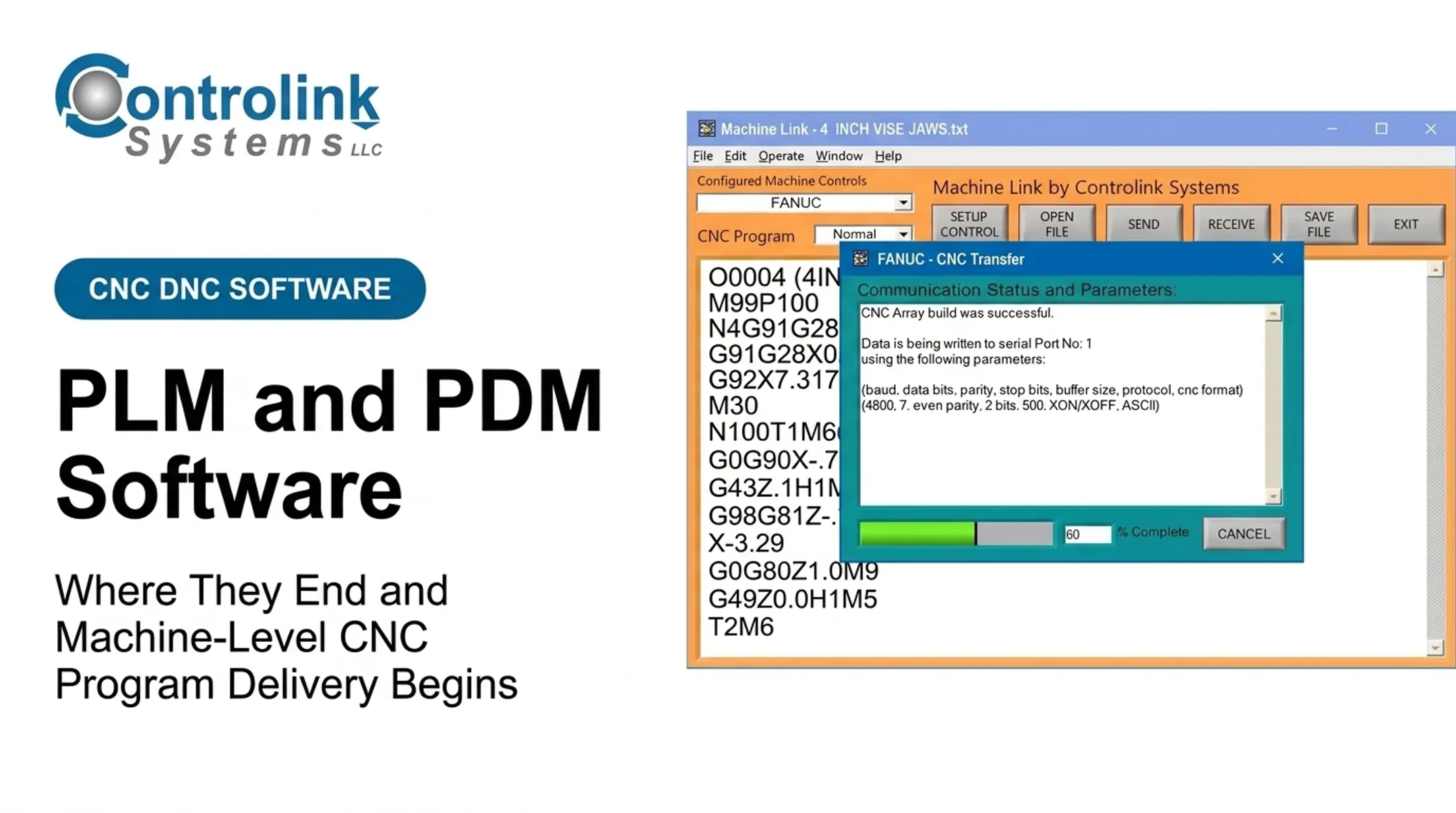
Controlink Systems LLC has focused on this integration work since 1998. Its Machine Link™ QUICK Serve tool returns the latest engineering-approved CNC file directly to the machine control. The file request starts at the shop-floor machine, so machinists are less likely to run from memory or an outdated local copy.
One customer, Ametek, found that corrected programs sent back from machines weren't reliably saved, forcing engineers to fix the same file repeatedly. Routing those returns into a review folder before they reached the production library closed that gap.
Controlink doesn't position this as a full MES implementation. It's the program-delivery layer a broader MES workflow depends on.
How MES Data Moves Across Manufacturing Systems
Data in a connected shop flows both directions. ERP sends down orders and product specs. MES releases and manages execution.
DNC systems, CNC controls, PLCs, SCADA, sensors, and inspection devices feed shop-floor reality back up. MES then returns status, completion, quality, and traceability data to whichever system needs it.

Integration Mechanisms
There's no single right way to connect these layers. Common mechanisms include:
- APIs for application-to-application data exchange
- SQL databases for shared configuration and production data
- Industrial protocols such as OPC UA, Modbus, and PROFINET
- File transfer for program delivery and archiving
- Event messages for real-time status changes
- Operator interfaces for manual data entry and confirmation
Standardized formats like B2MML, an XML implementation tied to the ISA-95 model, exist specifically to give these systems a common language when exchanging production information.
Where Interoperability Pays Off
MES value depends heavily on what it can actually talk to. PLCs, motion controllers, machine protocols, quality and maintenance systems, and enterprise reporting all need a path in and out.
Controlink Systems LLC focuses on that machines-and-controls layer. The company routinely interfaces with SQL databases, PLC hardware, and single- and multi-axis motion controllers using protocols including CAN, Modbus, Serial, PROFINET, and EtherCAT. That integration work supports MES-connected shops; it is not a claim that Controlink offers an MES platform.
MES Benefits, Risks, and Implementation Priorities
Measurable Outcomes
When program delivery, quality, and dispatch actually connect, results show up in production numbers. Siemens' case study on electronics manufacturer Scanfil, running Opcenter Execution Electronics MES, reported clear gains:
- Productivity up more than 10%
- Product loss from poor quality down 20%
- New-product-introduction time cut from 40 hours to 9

Other operational gains commonly tied to tighter MES connectivity:
- Reduced scrap and rework
- Less unplanned downtime
- Better machine utilization
- Faster response to quality issues
- Fewer floor walks chasing production information
What Trips Up Implementations
Those gains stall when the rollout is treated as a software install. Most MES failures aren't technology failures—they're process and ownership failures:
- Unclear ownership of who decides process changes
- Poor or inconsistent master data — part numbers, revisions, routings
- Weak network or machine connectivity
- Excessive customization that turns every update into a project
- Inadequate operator training
- Resistance to workflows that feel slower at first
A Practical Rollout Sequence
Avoid the failure modes above with a narrow, measurable path:
- Pick one high-value production flow. Don't digitize the entire plant at once.
- Define the system of record for programs and orders.
- Standardize identifiers and revision conventions across systems.
- Connect only the machines and data sources that flow actually needs.
- Pilot the workflow with a small group of operators.
- Validate exception handling before expanding.
- Scale using measured KPIs, not gut feel.
Track these KPIs from day one:
- Schedule adherence and first-pass yield
- Scrap rate and unplanned downtime
- Program-transfer failures
- Traceability completeness
- Time spent searching for production information
If those numbers move in the right direction, expand the footprint. If they don't, fix ownership, master data, or connectivity before the next cell.
Frequently Asked Questions
What are Manufacturing Execution Systems?
An MES is the manufacturing-operations layer that monitors, coordinates, documents, and analyzes production activity between enterprise systems like ERP and plant-floor control systems like PLCs and SCADA.
What is the difference between MES and ERP?
ERP manages business planning, orders, inventory, and finance. MES manages floor-level execution, status, quality, materials, and traceability. ERP sends orders down; MES reports status back up.
What is the difference between MES and SCADA?
MES manages manufacturing operations and work execution across shifts and orders. SCADA supervises equipment and process control in real time. They exchange status, alarms, and production data—they don’t replace each other.