This guide is written for U.S. CNC machine shops, defense manufacturers, subcontractors, engineering teams, and IT/OT personnel preparing for a CMMC assessment. Accurate scoping affects assessment readiness, production continuity, documentation burden, and the actual protection of defense-related manufacturing data.
Here's the core principle: a CNC machine isn't classified by its brand or age. Classification depends on the information it handles, how it connects to other assets, whether it can be fully secured, and what protection it provides to the broader CUI environment.
The path forward: identify CUI, trace its movement across the shop floor, classify each asset, document Specialized Assets and boundary controls, and validate the result against current CMMC guidance.
Key Takeaways
- Scope controllers, CAM stations, DNC servers, media, network gear, and inspection paths as separate assets—not one production system.
- CUI-handling machines may be CUI Assets; unsecurable legacy controllers often need Specialized Asset treatment.
- Specialized Asset status doesn't remove a machine from scope or eliminate documentation requirements.
- G-code and inspection data need contract-specific review, not blanket classification by file type.
- Your asset inventory, network diagram, and SSP must tell one consistent story.
What Is CMMC Scoping for CNC Machines?
CMMC scoping is the boundary-setting exercise that determines which assets fall under CMMC requirements and how strictly each one must be controlled. For a machine shop, that boundary rarely stops at the CNC controller. Some assets directly process, store, or transmit CUI: a CAM workstation editing a controlled part program, for instance. Others provide security functions for systems that handle CUI, like a firewall segmenting the DNC network from the rest of the plant. The two get different treatment entirely. Under DoD CIO scoping guidance, "process," "store," and "transmit" cover far more than active computation:
- Process includes program loading, editing, printing, and holding data in temporary memory
- Store includes electronic media, machine memory, and paper records
- Transmit covers any transfer between assets, physical or digital
The DoD CIO's CMMC Level 2 Scoping Guide spells out these definitions precisely, and they apply just as much to a controller's memory as to a corporate file server. Not every defense-related file is CUI. FCI is broader and less restrictive: information not intended for public release, provided by or for the government under a contract. FAR 52.204-21 defines it and sets the safeguarding baseline for Level 1.
CUI carries specific marking and handling requirements set by law, regulation, or government policy. Check the contract's markings, not your assumptions. This is why the CNC machine is often not the only relevant asset, and sometimes not even the most important one. Related assets that may each carry a different classification include:
- CAM workstation
- File server and backup location
- DNC system and network path
- USB workflow
- Inspection computer The goal is the smallest defensible boundary that still accurately contains every point where CUI is processed, stored, or transmitted, plus whatever protects that boundary.
Why CNC Machine Scoping Is Different from Ordinary IT Scoping
CNC controllers break the assumptions baked into standard IT scoping:
- Many controls run 15-20+ years past their original install date
- Proprietary operating systems with no patch path available
- Limited or no authentication beyond a physical keylock
- Manual program entry and vendor-specific interfaces that don't support modern logging Don't declare the machine exempt. Use intentional architecture: segmentation, controlled transfer points, and risk-based treatment where the rules allow it. Which controls apply, and which category the machine falls into, depends on the applicable CMMC level, the contract language, and current scoping guidance, not on how old the spindle motor is.
How to Classify CNC and Connected Shop-Floor Assets
Classification follows a repeatable sequence:
- Identify the data the asset touches — CUI, FCI, or neither.
- Determine the relationship — does it originate, receive, store, or simply pass through the data?
- Evaluate whether it can be fully secured — authentication, logging, patching, access control.
- Check for a security function — does it protect other CUI assets, even without holding CUI itself?
- Document the resulting category with supporting evidence.

Classifying the CNC Controller
A controller that receives or retains programs derived from CUI technical data is a candidate for CUI Asset treatment. Facts supporting that: it stores the program in local memory or on internal storage, an operator can view or print it, and nothing blocks that access.
Facts pointing toward Specialized Asset treatment instead: the controller runs an unsupported proprietary OS, offers no real authentication, and cannot support endpoint logging or receive patches.
That CUI-capable but not fully securable profile is what 32 CFR 170.19 describes for Specialized Assets. OT, IIoT, GFE, and test equipment stay in the Level 2 inventory and SSP without assessment against every other requirement.
Classifying CAM Workstations, File Servers, and DNC Systems
These systems typically run modern operating systems, so a CNC controller's legacy limits do not transfer to them automatically. Classify them by the data they handle and the controls they can support:
- A Windows-based CAM workstation that edits controlled toolpaths is generally a CUI Asset
- File servers and DNC systems that store or distribute those programs follow the same path
- Expect standard access control, patching, and logging—no legacy exception applies
Security Protection Assets on the Shop Floor
Shop-floor infrastructure qualifies as a Security Protection Asset when it provides a security function for the CUI environment, even if it never stores CUI itself. Common examples include:
- Switches and firewalls that segment the DNC network
- Wireless access points and remote-access gateways that control entry paths
- Authentication servers, logging systems, and backup systems that protect CUI hosts
The "Connected but Not Intended" Machine
A machine sharing a network with CUI assets but not meant to handle CUI needs genuine separation, not just intention. That means enforced VLANs or physical isolation, documented policy, and evidence — not a line in the SSP saying nobody uses it for defense work.
Classification Worksheet Fields
Capture each asset with enough detail that an assessor can follow your logic:
| Field | Purpose |
|---|---|
| Asset name & owner | Assign accountability for the record |
| Location & connected systems | Establish physical and network context |
| Data handled | Note CUI, FCI, or neither |
| CMMC category | Record CUI Asset, Specialized Asset, SPA, CRMA, or Out-of-Scope |
| Security limitations | Explain why the asset can or cannot be fully secured |
| Boundary controls | Document segmentation, transfer stations, and access limits |
| Required evidence | List diagrams, policies, and logs that support the call |
Classifying Common CNC and Manufacturing Assets
Different shop-floor assets raise different questions. Here's how to work through the ones that come up most.
Network-Connected CNC Controller
Ask how the program arrives — DNC push, USB, or manual entry. Does the controller retain files locally after the job runs? Who has operator access, and is it logged? Is remote vendor support enabled? The answers determine CUI Asset versus Specialized Asset status, not the machine's nameplate.
USB-Only or Manually Programmed Machines
Removable media shifts the classification questions toward custody and process:
- Who owns and labels the drive?
- Is there a sanitization or destruction procedure?
- Who has physical access to the machine and the drive?
- Are manual transfers logged anywhere?
A machine with no network connection can still be firmly in scope if a USB stick carrying CUI-derived programs moves through it regularly.
DNC Server and Transfer Workstation
This is often the most overlooked in-scope asset. A DNC server that queues, stores, and distributes programs to multiple controllers is frequently a direct CUI Asset, even when the receiving controller is treated as a Specialized Asset.
Controlink Systems' Machine Link™ and QUICK Serve software operate at exactly this layer: scanning machines for file requests and serving approved programs over serial or wireless connections while logging transfer activity. Software performing that function sits squarely in the data path and needs its own evaluation, separate from the controllers it feeds. PDADNC™, which manages communication across many different control types from one point, shows the same pattern—one transfer system, many downstream machines, and potentially several different categories among them.
CMMs, Inspection Computers, and Quality Systems
The CUI path does not end at the controller or the transfer server. Measurement results tied to controlled specifications, inspection reports referencing controlled drawings, and quality databases storing that data extend scope well beyond the machining cell. Don't stop the analysis at the mill or lathe; follow the part through inspection and reporting too.
Vendor Remote-Access Equipment
Modems, cellular gateways, VPN connections, jump hosts, and maintenance links deserve their own line item. For each one, document:
- Who approved the access and why
- How sessions are monitored
- Whether unused access has been disabled or removed
Unused vendor remote-access paths are a common finding, and usually an easy one to close.
How CUI Moves Through a CNC Workflow
CUI enters the shop through a contract or prime transmission and touches every stage of production. Each stage is a potential asset to classify:
- Intake via email or portal
- Engineering and programming in CAM
- File storage
- Transfer via DNC or removable media
- Machine execution
- Inspection and reporting
- Final disposition
For every stage, ask the same question: does this asset receive, generate, transform, display, store, print, or transmit CUI or CUI-derived information? A part program shouldn't be classified by file extension alone. Assess its origin, its link to controlled technical data, embedded metadata, associated setup sheets, and the contract's specific handling instructions.
Step 1: Identify CUI and CUI-Related Manufacturing Data
Start with the paper trail:
- Contract clauses and markings
- Distribution statements on drawings and specifications
- Prime-contractor handling instructions
- Process sheets, inspection requirements, and technical data classifications
Derived information such as toolpaths, setup instructions, process parameters, and measurement results needs the same scrutiny. Don't assume every derived file is automatically CUI, but don't wave it through either. Document anything unresolved and get clarification from the contracting party or a qualified compliance advisor.
Step 2: Trace Every Transfer and Storage Point
Map every path CUI could travel: digital, physical, wireless, removable media, and vendor maintenance connections. Cover the links between engineering, the shop floor, inspection, quality, shipping, and archives. Pay attention to the paths nobody documents on purpose:
- Temporary storage folders on a shared drive
- Backup jobs that sweep machine-adjacent systems
- Controller memory retaining the last program run
- Print stations generating setup sheets and travelers
- Operator workarounds, like the quick USB copy nobody logs
Physical artifacts count too: printed setup sheets, shop travelers, operator screens showing controlled data, and discarded media that wasn't sanitized.
Step 3: Assign the Asset Category and Document the Rationale
Assign each asset one of five categories:
- CUI Asset
- Specialized Asset
- Contractor Risk Managed Asset
- Security Protection Asset
- Out-of-Scope Asset
Write down why.
The rationale needs evidence, not opinion — data-flow diagrams, technical limitation notes, network configuration, and the policies actually in force. Network segmentation, controlled transfer stations, and dedicated work areas can reduce scope significantly without slowing production down.

A practical test: walk one representative defense job through the entire process with engineering, IT, shop-floor supervision, quality, and security personnel in the room. Each person validates the part of the path they own, and undocumented handoffs tend to surface fast.
Key Factors, Common Misconceptions, and Exceptions
Before finalizing any classification, run it against this checklist:
- Data inputs — controlled drawings, specifications, part programs, toolpaths, travelers, inspection data, material records, contract information
- Machine capabilities — authentication, access control, encryption, audit logging, patching, removable-media support, local storage, vendor-maintenance functions
- Connectivity — DNC links, switches, wireless networks, firewalls, jump hosts, cloud or external services, shared workstations
- Operating conditions — unattended cycles, shared operator accounts, manual transfer procedures, mixed commercial/defense work, high-throughput environments
- Physical controls — restricted shop-floor areas, visitor escorting, screen visibility, printed CUI storage, media custody, disposal
- Documentation — asset inventory, network diagram, SSP, risk assessment, transfer procedures, remote-access records, recurring review evidence
Four Misconceptions Worth Correcting
"The old controller is automatically out of scope." Age and technical limitations can support Specialized Asset treatment, but the asset still has to be identified, inventoried, and managed under risk-based policy.
"A firewall makes every connected device out of scope." Separation has to be real, enforced, and backed by configuration evidence and data-flow analysis, not just a box on the network diagram. DoD's own guidance makes a similar point about encryption: it doesn't by itself prevent data transfer or enforce a boundary unless the enclave is genuinely separated.
"Brief or infrequent handling doesn't count." A file that touches a machine for thirty seconds before the operator deletes it still counts as processing.
"Every derived manufacturing file is CUI." Toolpaths and process parameters need contract-specific evaluation, not a blanket label in either direction.

Level 3 requirements, contract-specific clauses, and updates to official CMMC guidance can shift how Specialized Assets and intermediary protections are treated. Verify current rules before publishing a scoping decision or walking into an assessment.
Conclusion
CNC-machine scoping is a data-flow and system-boundary exercise, not a checklist of machine brands, ages, or production roles. The controller on the shop floor is only one piece of a bigger picture that includes the CAM workstation, DNC system, network path, removable-media workflow, inspection computer, backup location, and remote-access gateway around it.
A defensible result depends on:
- Accurate asset classification
- Documented technical limitations
- Risk-based treatment where the rules allow it
- Consistency across the asset inventory, network diagram, SSP, policies, and day-to-day floor practice
Start with a cross-functional walkthrough of one representative defense-production job. Follow the file from intake to disposition, note every handoff, and validate the result against current CMMC rules, official scoping guidance, contract terms, and a qualified compliance advisor before finalizing anything.
Frequently Asked Questions
How difficult is achieving CMMC compliance for CNC machine shops?
Difficulty depends on your CUI scope, how much legacy equipment you run, network architecture, and documentation maturity. Careful scoping keeps unnecessary systems out of the assessment boundary, but it won't make compliance automatic.
Does CMMC only apply to Controlled Unclassified Information (CUI)?
No. Level 1 covers Federal Contract Information under separate, less extensive requirements, while Level 2 addresses CUI. Confirm which clauses and data types apply to your specific contract rather than assuming CMMC applies to every job on the floor.
What is the best software to manage CMMC compliance for CNC machine shops?
No single product determines scope or guarantees compliance. You need an asset inventory, network mapping, and SSP/evidence management — and any CNC/DNC or shop-floor automation system should be evaluated for its own data flows and security interfaces.
Are CNC machines considered Specialized Assets under CMMC?
Sometimes. A CNC controller may qualify as OT or another Specialized Asset when it can handle CUI but can't be fully secured. The determination has to rest on technical facts about that specific machine, checked against current CMMC guidance.
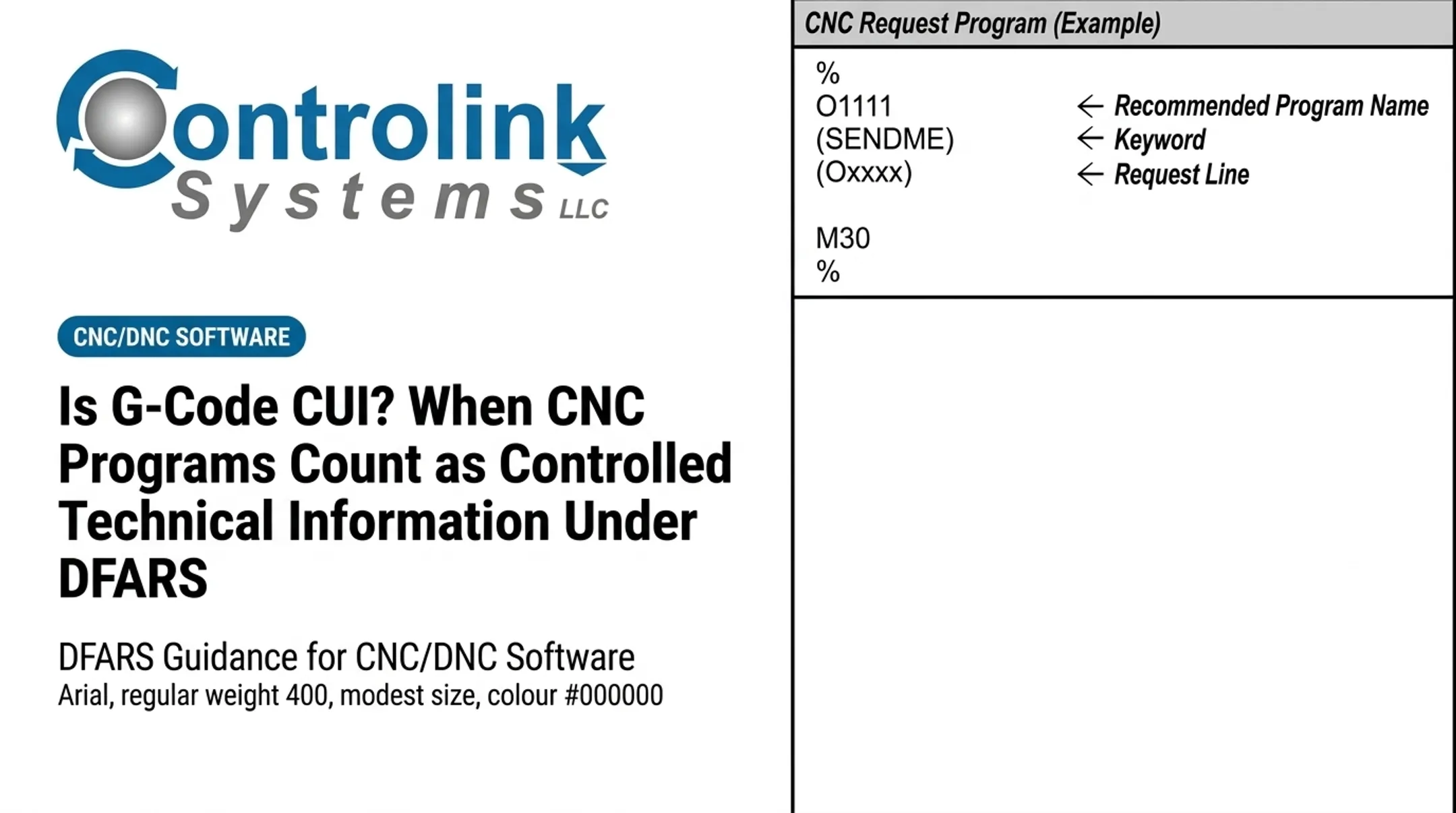
Is G-code automatically considered CUI for CMMC?
No. File format alone doesn't decide it. Look at the program's origin, its link to controlled technical data, any embedded or associated information, and the contract's specific handling instructions.