Introduction
A machine grabs the wrong program revision. A part gets scrapped. The line stops while someone tracks down the "real" file on a USB drive. Every CNC shop has lived through some version of this, and it rarely happens just once.
Manufacturers evaluating a Predator DNC alternative are usually chasing more than newer software. Predator's own documentation confirms it still runs largely as a Windows-based service. Windows 10 reaches end of support on October 14, 2025, which is pushing many IT and quality teams to start looking now.
This article covers why shops are searching for alternatives, what a modern replacement actually needs to do, and how "CMMC-ready" fits into that picture. One clarification up front: no DNC software, by itself, makes a manufacturer CMMC compliant. It can support the practices an assessment looks for. Full compliance still depends on your broader control environment.
Key Takeaways
- Match any Predator DNC alternative to your real controller mix: RS-232, Ethernet, drip-feed, and legacy machines.
- Build CMMC readiness with controlled workflows, permissions, and documented evidence—not vendor marketing claims.
- Modernize delivery with hybrid edge or on-premise setups that keep CNC equipment off the open internet.
- Use Controlink Systems LLC’s 25+ years of CNC/DNC experience, then verify security against your requirements.
Why Manufacturers Are Looking Beyond Predator DNC
Shops don't usually replace DNC software on a whim. It typically starts with a maintenance headache or a customer requirement the old system can't satisfy.
Common Triggers for Replacement
- End-of-life operating systems: Predator's requirements page still lists older embedded and server editions, some no longer receiving Microsoft security patches
- Aging hardware, obsolete drivers, and IT staff unfamiliar with legacy configurations
- No easy way to see what's queued, sent, or stuck across the floor
- Program files scattered across folders and personal drives, with no single source of truth
- Licensing costs and management overhead that climb as shops add machines or sites
Predator Still Has Real Strengths
Predator built a genuine track record supporting legacy controllers and traditional DNC workflows. Its published controller list spans Fanuc, Haas, Heidenhain, Mazak, Siemens, Okuma, and dozens more. For a shop with stable requirements and no governance mandate, replacement isn't automatically necessary.
Warning Signs Worth Watching
A replacement conversation usually starts when a few of these show up:
- Operators carrying USB drives between machines and computers
- Engineering-approved files copied manually, with no record of who touched what
- Unclear ownership of the "current" revision
- Inconsistent or missing backups
- No reliable log of who sent which program to which machine, or when
Defense Contractors Face a Broader Bar
Shops working under defense contracts face a higher bar. Under FAR 52.204-21, Federal Contract Information covers non-public data provided by or generated for the government under a contract, and any system that processes, stores, or transmits it counts as a covered contractor information system.
If your CNC programs or related data touch that category—or Controlled Unclassified Information—file transfer alone isn't enough. You also need evidence of controlled access, not just a claim that it exists.
Replacement doesn't have to be all-or-nothing. Many shops keep a proven connection method for their trickiest legacy machines, then modernize the approval, storage, permissions, and logging built around it.
What a Modern Predator DNC Alternative Must Do
Baseline DNC Capabilities That Can't Be Sacrificed
Before evaluating governance features, confirm the fundamentals still work. A replacement needs:
- Machine-by-machine configuration (COM port, baud rate, protocol, parity)
- Reliable send and receive, with two-way communication where the control supports it
- Drip-feed for programs too large to load into machine memory
- Transfer verification and error handling, not silent failures
- Compatibility across your actual controller mix, old and new alike
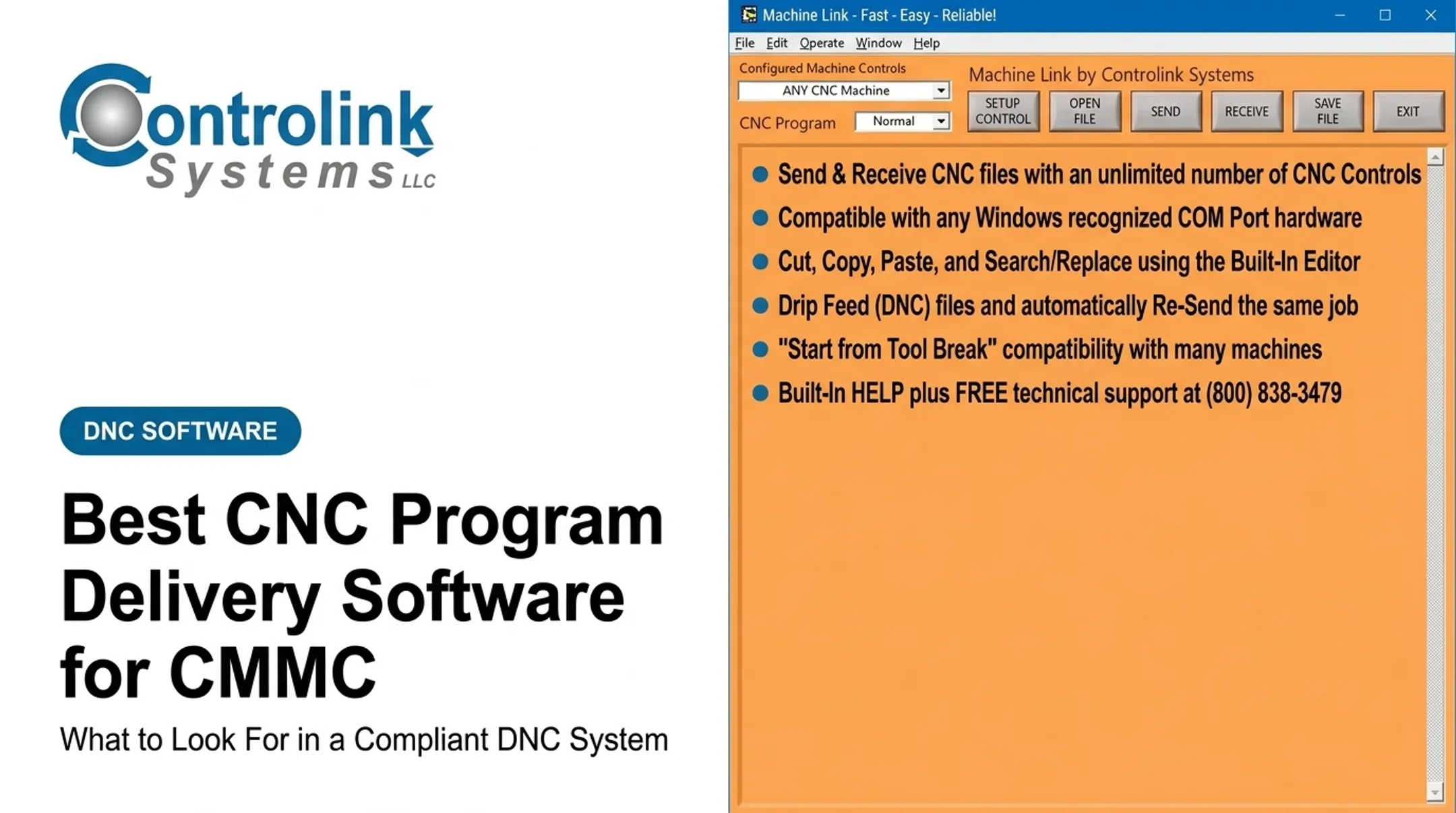
Controlink's Machine Link™ line, for example, communicates with any CNC machine supporting standard RS-232 serial communications and drip-feeds most controls. That's the kind of baseline capability any alternative should match before adding anything fancier on top.
Building an Approved-Program Workflow
Scrap from an outdated revision usually traces back to a broken handoff between engineering and the machine. A sound workflow should:
- Store the controlled master program in a defined location.
- Route it through review and approval before release.
- Make only the current approved revision visible to authorized users.
- Log the destination machine, user, timestamp, revision, and transfer result.
- Flag or block unauthorized local edits and superseded files.
Controlink's QUICK Serve system, for instance, routes machine-side edits back into an engineering review folder rather than letting them silently overwrite the library. One Ametek operator described this as ending the old habit of corrected copies not getting saved, which meant re-fixing the same program more than once.

Choosing a Deployment Model
The right model depends on how your floor is laid out and who will run the system day to day.
| Model | Best For | Trade-off |
|---|---|---|
| Local workstation | Single cell, simple fleet | Limited visibility, no central governance |
| Central on-premise server | Multi-machine shops wanting control | Requires ongoing IT upkeep |
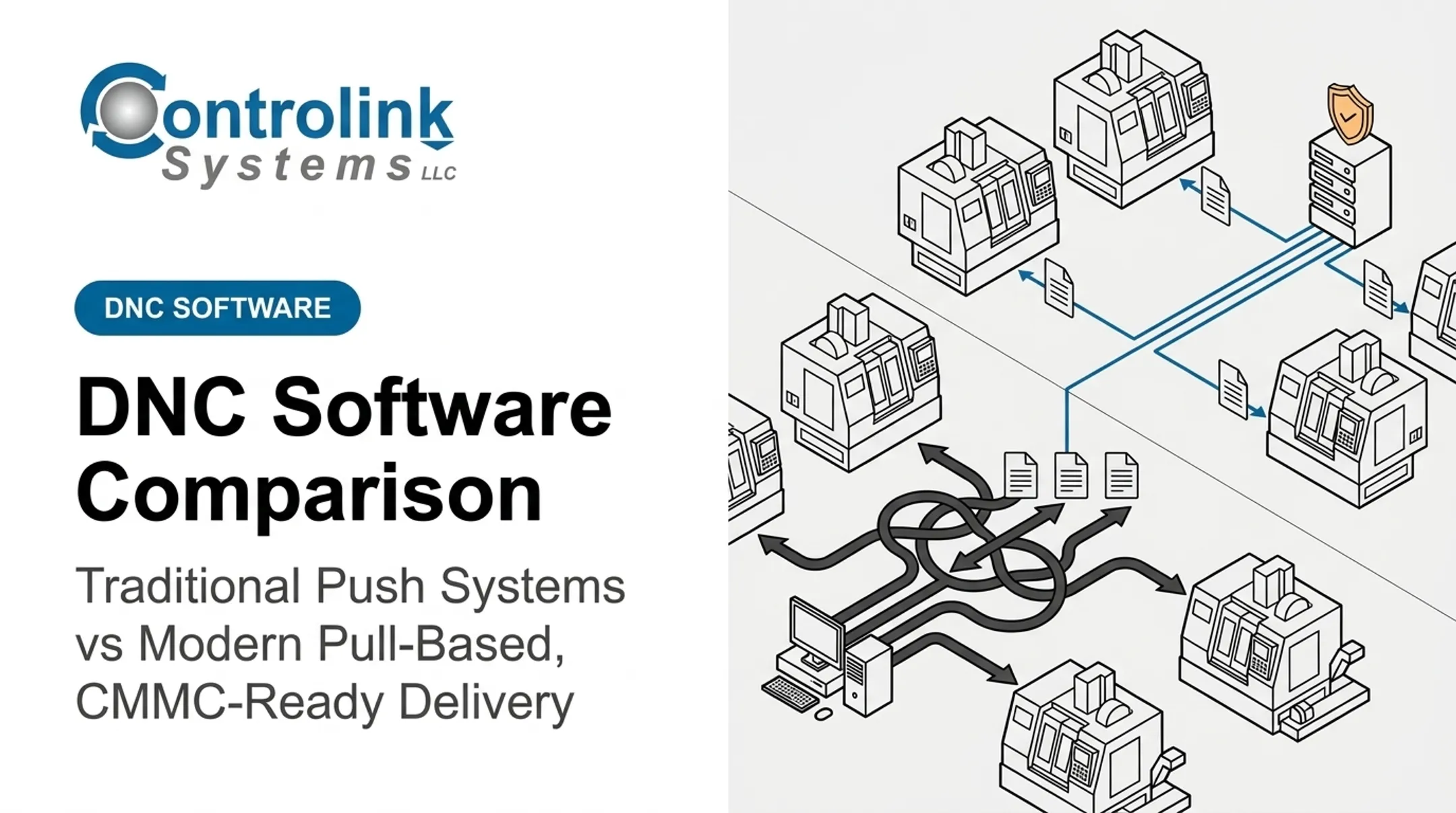
| Edge gateway | Mixed old/new fleets, segmentation needs | More setup complexity |
| Private cloud / hybrid | Multi-site reporting | Internet dependence for some functions |
Whatever you pick, weigh uptime, latency, segmentation from business IT, backup routines, and who on staff can actually administer it.
Integration and the Operator Experience
Beyond the CNC port, check what natively connects to SQL databases, MES/ERP systems, PLCs, identity providers, and reporting tools versus what needs custom engineering. Vendors often blur that line.
On the floor, operators need:
- Clear machine selection at the point of use
- Visible revision and approval status before send
- Safeguards against shipping the wrong program to the wrong machine
- Fewer trips across the shop for disks, sticks, or sign-offs
Every extra walk is time not spent machining.
Designing a CMMC-Ready CNC Program Workflow
What "CMMC-Ready" Actually Means
Get this term right—vendors often blur it. CMMC-ready means a workflow can support the applicable security practices and produce assessment evidence. It does not mean the software is CMMC certified, and it doesn't mean your organization is compliant. Compliance gets assessed at the organizational and environmental level, not the application level.
The DoD's CMMC Model draws its Level 2 security requirements from NIST SP 800-171 Rev. 2, and that's the yardstick any CNC workflow gets measured against.
Mapping the Workflow to Practice Areas
A CNC program delivery system touches several practice families without satisfying any of them by itself:
- Access control — unique accounts, least privilege, role separation, and prompt removal of departed users.
- Audit and accountability — searchable records of access, approvals, changes, and transfers, tied to individual users.
- Configuration management — documented machine configurations, approved software versions, and controlled change approval.
- System and communications protection — segmentation between business IT, engineering, and CNC/OT networks, plus protected transfer paths.
- Media protection — controls on USB devices, exported programs, backups, and removable media.
A Secure Reference Architecture
The most defensible setups keep CNC-facing components close to the machines, while central services handle identity, approvals, revision history, and reporting from a distance. An internet connection isn't a prerequisite for safe, modern production. Plenty of shops run fully governed workflows on segmented local networks with no direct path from the shop floor to the outside world.

Evidence You'll Need to Produce
An assessment doesn't take your word for it. Be ready to show:
- Access logs and approval records
- Documented machine and software configurations
- Written policies covering media handling and change control
- Access review and training records
- Backup test results and incident response procedures
Common Weak Assumptions to Avoid
Watch for these mistakes:
- Assuming "air-gapped" automatically means secure
- Shared operator logins instead of individual accounts
- Administrator access handed out more broadly than needed
- Engineering changes made without a tracked approval trail
- Trusting a cloud vendor's compliance claims without reviewing their security docs and contracts
Those mistakes are easier to avoid when you scope the problem first. Run a risk and boundary assessment early: determine whether your CNC programs contain CUI, where that data lives and travels, which systems can touch it, and whether your DNC platform falls inside CMMC assessment scope. Some shops discover their programs don't carry CUI at all, which changes the entire project.
How to Evaluate and Migrate from Predator DNC
Start With a Full Machine Inventory
Before comparing vendors, document what you actually have. For every machine, capture:
- Controller make and model
- Connection type and baud/network settings
- Drip-feed requirements and typical program size
- Auxiliary devices attached
- Current operating system
- Who owns the program library for that cell CISA's OT security guidance calls for exactly this: a comprehensive asset inventory and mapped network dependencies before any system change.
Set Acceptance Criteria First
With the inventory in hand, decide what "good" looks like before demos start. Your acceptance list should cover:
- Transfer reliability and legacy controller support
- Revision control and approval workflow
- Identity integration and audit detail
- Backup, recovery, and offline operation
- Scalability, support responsiveness, and total cost of ownership
Run a Controlled Proof of Concept
Test on representative equipment, not just the easy machines:
- Include your oldest controller.
- Include the largest or longest-running program you regularly send.
- Simulate a failure/retry scenario.
- Test approved versus unauthorized revisions to confirm the workflow actually blocks the wrong one. NIST's OT security guidance is explicit that live production systems should never double as the test environment. Pilot everything offline first.
Migrate With Data Integrity in Mind
- Export and validate existing program libraries.
- Preserve revision history where possible.
- Map users and permissions before cutover.
- Document current machine settings.
- Keep a verified rollback path—prove it works before you need it in an outage.
Roll Out in Phases
Pilot one cell or machine group first. Run old and new workflows in parallel where practical, validate production results, train operators and engineering staff, then expand once everyone signs off. Build a migration checklist that covers:

- Backups and downtime windows
- Network changes and a cybersecurity review
- User acceptance testing
- Incident procedures and evidence retention
After Go-Live
Governance doesn't stop at cutover. Keep the new system healthy with a steady operating rhythm:
- Schedule periodic access reviews
- Test restores on a real cadence
- Review logs and patch components per policy
- Confirm machine connectivity after any network change
- Reassess the system if CMMC scope or customer requirements shift
When a Predator DNC Alternative Is the Right Fit
Replacement makes sense for shops facing:
- Mixed old/new machine fleets that have outgrown ad hoc file transfer
- Multi-site growth that needs central program governance
- Integration needs with MES, ERP, or SQL-based systems
- Repeated revision-control errors that keep causing scrap
- Customer-driven cybersecurity requirements, including CMMC expectations
Keeping Predator, or running a hybrid approach, can still be the smarter call for a small shop running a handful of stable legacy controllers with no immediate governance mandate. Not every shop needs to rebuild what already works.
Don't Confuse DNC Replacement With an MES Project
These are different scopes, and mixing them up leads to overbuying. DNC replacement solves program delivery, approval, and traceability.
A full MES adds scheduling, quality management, labor tracking, and performance analysis across the production lifecycle. If all you need is approved files reaching the right machine reliably, a full MES project is more than the problem calls for.

Weigh the Full Cost, Not Just the License
Build a documented total-cost comparison covering:
- Software licenses
- Serial or Ethernet hardware
- Implementation and training
- Migration and support
- Cybersecurity work
- Downtime risk during cutover
- Future integration needs
How Controlink Systems LLC Can Support the Evaluation
Controlink Systems LLC has developed CNC/DNC communications, shop-floor automation, and process monitoring software since 1998. Its customer list includes The Timken Company, 3M, and Oak Ridge National Laboratory.
That history doesn't make any specific product CMMC certified or automatically compliant. It's simply the systems-integration background worth knowing before you evaluate a replacement.
The company's engineering work regularly connects CNC equipment to SQL databases, PLC hardware, and single- and multi-axis motion controllers across protocols like Modbus, Profinet, and EtherCAT. For a shop juggling a mix of old and new controllers, that kind of integration experience matters more than a glossy feature list.
What This Looks Like in Practice
Controlink's Machine Link™ QUICK Serve lets machinists request the latest engineering-approved file without leaving the machine. Machine-side edits route back to engineering for review before they reach the library. It's built around practical outcomes:
- Current engineering-approved file at the machine, every time
- Less walking that eats into machining time
- Less scrap from outdated or unauthorized revisions
- Higher machine-tool utilization across the shop

Start With a Discovery Conversation
Before recommending any replacement, Controlink typically walks through:
- Machine fleet and current DNC workflow
- Program-data boundaries and required approvals
- Network setup
- Which parts of that picture fall inside CMMC scope
If your shop is weighing a Predator DNC alternative, contact Controlink Systems LLC at (800) 838-3479 or support@controlinksystems.com for a CNC/DNC workflow assessment. Confirm product-specific security, compatibility, deployment, and support details before you commit to anything.
Frequently Asked Questions
What is the best alternative to Predator DNC?
It depends on your controller compatibility, legacy transfer needs, approval workflows, security requirements, and integrations. Run a proof of concept on your actual equipment rather than trusting a universal "best" claim.
Can a Predator DNC alternative support legacy CNC machines?
Yes, provided it supports RS-232, drip-feed, and older controller protocols, with serial-to-Ethernet hardware bridging gaps where needed. Test your specific machine list before migrating anything.
What does CMMC-ready CNC program delivery mean?
It means the workflow can support applicable access, audit, configuration, and communications-security practices. It does not mean the software itself makes your organization CMMC compliant.
Does CMMC require CNC programs to be stored in the cloud?
No. CMMC doesn't mandate cloud storage. On-premises, edge, private cloud, or hybrid designs can all work, as long as they protect in-scope information and support the required practices.
How do you migrate from Predator DNC?
Inventory your machines, back up existing libraries, validate programs and revisions, map permissions, then pilot and train before a full rollout. Keep a verified rollback path throughout.
Can DNC software alone make a manufacturer CMMC compliant?
No single application can. Compliance also depends on governance, policies, network security, asset management, incident response, and a full environmental assessment.