Introduction
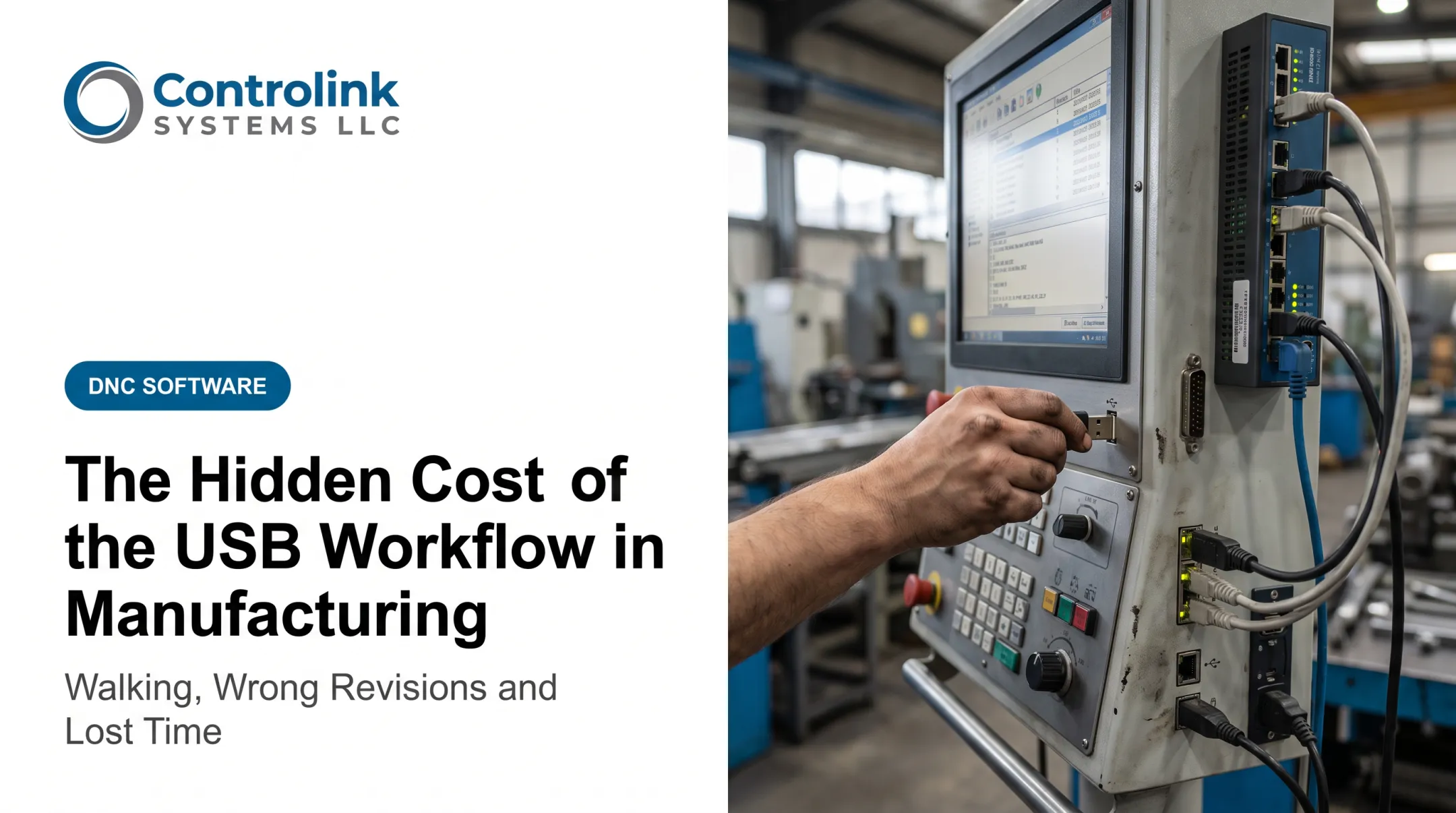
A CNC program gets written and approved in the engineering office. Then what? Often it travels to the machine by USB drive, a manual program-number entry, or a programmer walking it over by hand.
Each handoff is a chance for the wrong revision to load, a cable to fail mid-transfer, or an operator to wait at the control while someone tracks down the right file.
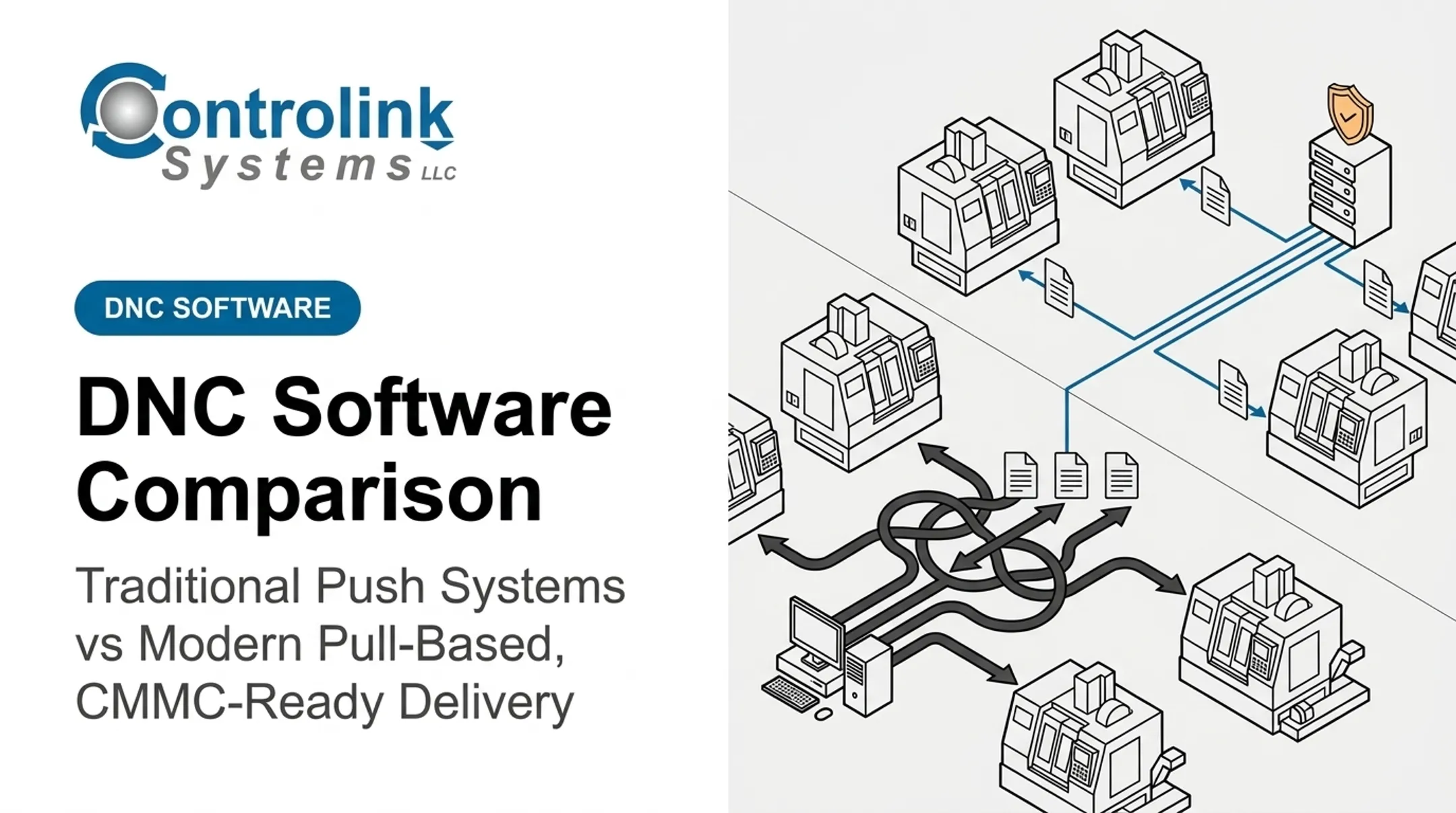
Traditional DNC (Direct/Distributed Numerical Control) typically works as a push: a computer or server selects the file and sends it. Pull-based, or request-driven, delivery flips the sequence. The machine or operator initiates the request, and the system retrieves the approved program.
That shift shows up on the floor: program accuracy, revision control, operator downtime, and whether a shop can prove which file ran on which machine—and when. The sections ahead compare push-style DNC with pull-based delivery on those points.
Key Takeaways
- Push-based DNC sends files from a central source; pull starts on an operator or machine request
- RS-232, Ethernet, and drip feeding still work under pull—only who starts the transfer changes
- A governed release ties job, machine, operator, revision, and permissions before any file goes out
- Pick the model by machine age, file size, machine count, and how much revision risk you can take
- Controlink Systems helps shops vet CNC/DNC connectivity and floor integration before they switch
Traditional DNC vs Modern CNC File Transfer: Quick Comparison
| Aspect | Traditional DNC | Pull-Based Delivery |
|---|---|---|
| Transfer initiation | Programmer, server, or central computer pushes the file to the control, often over a serial line | Operator or machine requests by job, work order, or program number; system returns the matching file |
| Revision control | Files spread across folders or PCs create duplicate names and outdated revisions that need manual checks | Only the approved revision is requestable; system can log what was requested, authorized, and delivered |
| Connectivity | RS-232, serial-to-USB converters, Ethernet, and drip feeding for limited-memory controls | Often uses the same interfaces—verify serial-only controller compatibility before rollout |
| Operator workflow | Search folders, ferry USB drives, or walk to a PC, then confirm the version with a programmer | Request the job file at the machine without leaving the control; approvals and setup checks stay in place |
| Traceability and recovery | Informal transfer records and revision history make post-interruption recovery hard | Audit logs, permissions, transfer-status confirmation, and mid-program restart support recovery (confirm during vendor evaluation; not every system includes all of these) |
What Is Traditional DNC File Transfer?
DNC gets used two ways in machine shops. Direct Numerical Control refers to drip feeding: sending a large program to the control block by block as internal memory frees up. Distributed Numerical Control describes managing and transferring programs across multiple CNC machines from a central source. Both sit under the "DNC" label, and most shops use the term for either.
The traditional workflow is push-oriented. A programmer or computer selects a file and sends it over a serial or network connection. The control receives it, typically through an RS-232 line using handshaking protocols like XON/XOFF to manage data flow.
Modern Machine Shop notes that the core requirement for any usable DNC network is getting the program to the machine without interruption or loss of data integrity. That sounds like a low bar. Electrical noise, buffer starvation, and dropped connections test it constantly.
Those constraints show up on the floor every day:
- Operators wait at the control for a file transfer to complete
- Someone walks across the floor to troubleshoot a broken connection
- A restarted transfer means starting the program over, not resuming it
- The wrong revision loads because two similarly named files sat in the same folder
Scott Cooper at Snavely's Machine described this directly: with 30+ CNC machines, 10 control types, and 40 operators, getting the right program to the right machine had turned into an ordeal.

Traditional DNC still earns its place, though. Older controls with no request capability, very large programs that need drip feeding, and shops with a small, stable machine population all run fine on push-based delivery. Mike Hamonds at M-Tech Machine Products handles daily transfers across Mazak, Okuma, Fadal, and Milltronics controls this way, including Mazatrol conversational files over serial ports.
Before you assume the setup is solid, verify:
- Reliable connectivity across every machine, not just the newest ones
- Error detection and confirmed transfer logs
- A clear revision-control process, not folder-based guesswork
- Defined permissions for who can send what
- A tested backup and recovery procedure
- Mid-program restart support after an interruption
What Is Modern Pull-Based CNC File Delivery?
Pull-based delivery reverses the initiation point. Instead of a central source pushing a file, the machine or an authorized operator requests the program needed for a specific job.
The typical sequence looks like this:
- Identify the machine, job, work order, or part number
- Authenticate the operator or validate the machine's request
- Retrieve the approved program revision from a controlled library
- Transfer the file over the compatible interface and record the transaction
This isn't a cloud or mobile-only concept. Shop Floor Automations documents Predator DNC's remote-request workflow: the operator stores a small request program on the control, edits it with the desired program number, and transmits it back to the DNC computer—over the same RS-232 line traditional push transfers already use.
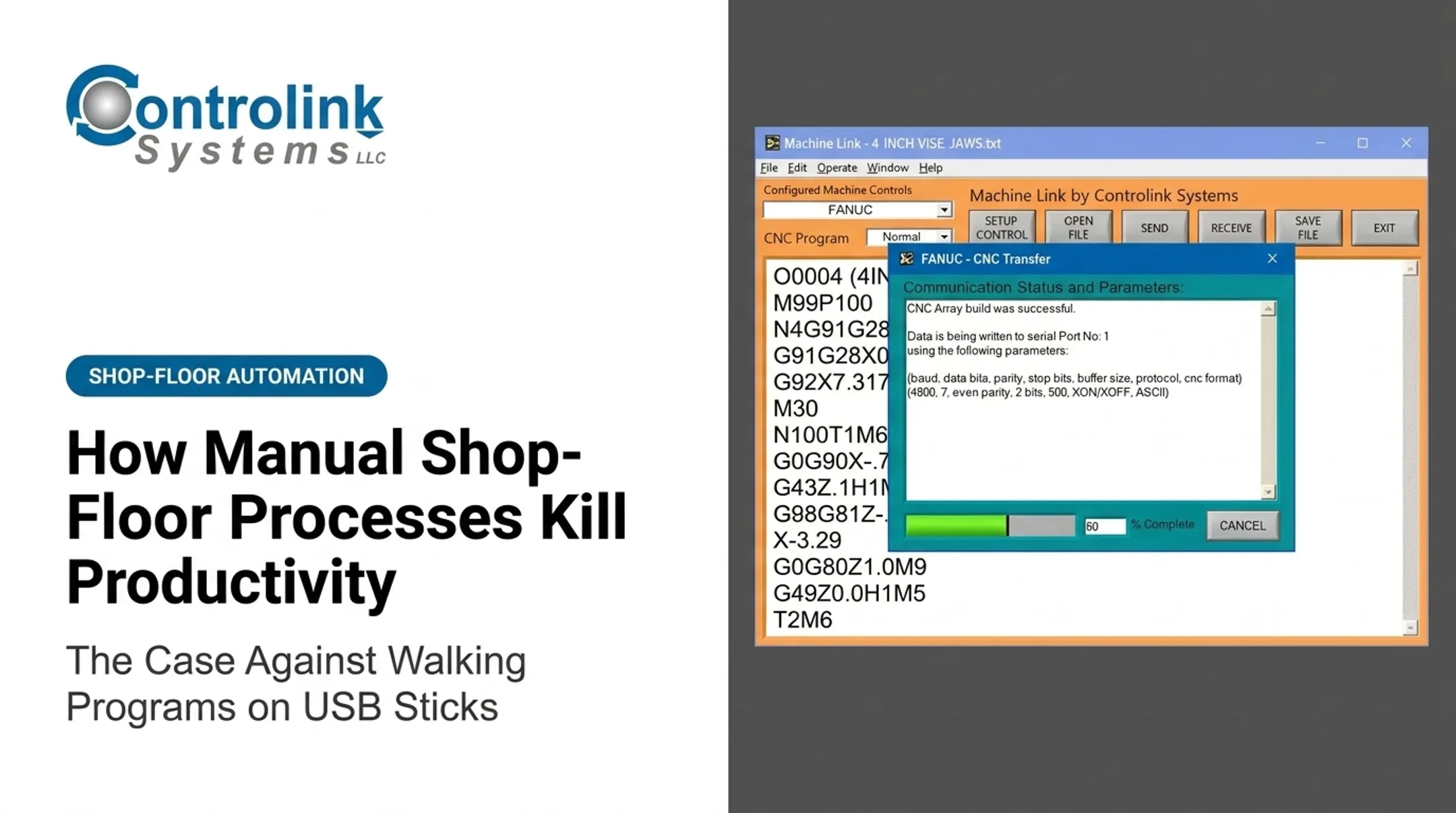
Controlink Systems built Machine Link™ QUICK Serve around this model. The operator enters a filename into a CNC Request Program (O1111). The system scans each connected machine for that request, then serves the latest engineering-approved file after a short delay.

Operators can track and close the loop from the same workflow:
- Active Scan Table status: Requests, Sending, and Sent OK
- Machine-side program edits routed to engineering for review before the next download
Governance features to look for in any pull-based system:
- Role-based permissions for who can request or approve files
- Revision history tied to approval status
- Machine-to-program compatibility checks
- Exception handling when a request doesn't match an approved file
Pull-based delivery isn't automatic once installed. It still depends on:
- Stable connectivity and accurate machine identification
- Clean file naming and metadata
- Trained operators
- A tested fallback plan for outages
Done right, pull delivery ties program transfer to broader shop-floor data. Controlink Systems has done that work since 1998—process monitoring, quality checks, and CNC/DNC integration for shops such as Combi Packaging Systems.
Choosing Between Push and Pull-Based Delivery
Neither model wins outright. The right fit depends on your machine count, file governance maturity, and how much a wrong revision actually costs you.
Stick with (or improve) a push-oriented workflow when:
- You run a small, stable set of machines
- File governance is simple and already reliable
- Someone consistently confirms revisions before running a job
Prioritize pull-based delivery when:
- Multiple machines share the same program library
- Revision mistakes have caused scrap or rework
- Operators need point-of-use access without walking to a computer
- Management needs a record of who requested and ran each file
Consider a hybrid model when older machines still need server-initiated drip feeding, but newer controls can request files through a governed interface. Machine Link™'s tiered lineup reflects this reality: the base version handles push transfers for a handful of machines, while QUICK Serve scales from 3 machines up to 64 for shops that need request-driven delivery at volume.

Evaluate total operational impact, not transfer speed alone. Factor in walking time avoided, revision-error frequency, scrap, downtime, recovery effort, and integration cost.
Migration Checklist
- Inventory every machine control and its available interface
- Map your current push workflows end to end
- Establish one approved program library, not several
- Standardize file naming and revision rules
- Define who can request, approve, and release files
- Pilot the new workflow on one machine or cell
- Validate failure recovery before expanding
- Roll out further only after production testing confirms results
A real-world example: M-1 Tool Works, a CIMCO customer, ran CNC equipment across two buildings on an in-house client-server network, with legacy machines connected through RS-232 hardware like Moxa boxes. After centralizing program management with DNC-Max, programmers could send programs to both buildings from a central server.
Delivery became faster and more reliable, including for large programs. Changes returning from machines could be automatically versioned or quarantined for review, tightening change tracking.
If you're weighing legacy CNC connectivity against a DNC modernization project, Controlink Systems can walk through the machines, protocols, and program controls involved before you commit to either direction.
Conclusion
Push and pull describe different levels of control over how a CNC program gets requested, approved, transferred, and traced back to a job—not competing cable standards.
The practical goal stays the same either way: get the correct, engineering-approved file to the correct machine at the correct time. That cuts unnecessary walking, revision confusion, scrap, and recovery time when something goes wrong.
Choose the model that gives your shop the control and traceability it needs as file volume and revision risk grow.
Frequently Asked Questions
What is the difference between push-based and pull-based CNC file transfer?
Push-based delivery sends a selected file from a central computer or server. Pull-based delivery starts with an authorized machine or operator request, which then retrieves the approved file for that specific job.
Is pull-based CNC file delivery the same as DNC?
No. DNC describes the broader function of managing and communicating CNC programs. A DNC system can support pull-based requests, push transfers, or both, depending on configuration.
Can pull-based delivery work with older CNC machines?
Yes, in most cases. Compatibility depends on the control's available interface. Older machines can still use RS-232 or drip feeding within a request-and-authorization workflow.
Does pull-based delivery eliminate RS-232 cables?
No. Pull-based delivery is a workflow, not a new physical connection type. It can run over existing serial lines, Ethernet, or wireless bridges depending on the machine and system.
How does pull-based delivery reduce the risk of running the wrong CNC program?
Machine, job, and revision checks limit which files an operator can request. The system also logs what was requested and delivered. Correct setup and disciplined program governance still matter.
What should a shop evaluate before switching from traditional DNC?
Review these areas before you switch:
- Machine compatibility and interfaces
- File sizes and transfer protocols
- Program library quality and revision control
- Permissions and cybersecurity
- Outage recovery and operator workflow