Introduction
CNC machine connectivity means using hardware, networks, and software to move approved programs and relevant production data between CNC machines and the business systems that manage them. It's how the right G-code file gets from an engineer's workstation to the correct machine control, without someone walking a USB drive across the shop.
If your floor runs a mix of 20-year-old mills and new machining centers, you already know the pain: wrong revisions, USB runs, and IT/OT staff stuck bridging systems that were never designed to talk. This guide is for CNC machine shops, manufacturing facilities, programmers, engineers, maintenance teams, and the IT/OT staff who keep that mix running.
Reliable program delivery cuts manual file handling, reduces wasted trips across the floor, and keeps operators off outdated revisions. Secure controls protect that data and the intellectual property riding on it.
We'll walk through the connectivity layers, how legacy and modern machines share one program-delivery workflow, what makes automated delivery secure, and when full machine monitoring is worth it—and when it isn't.
Key Takeaways
- Match each controller to the right path: RS-232, Ethernet, USB, wireless bridges, DNC software, or industrial protocols
- Networking a legacy CNC doesn't automatically give you monitoring, alarms, or diagnostics
- Secure delivery requires file governance, permissions, revision tracking, and validated transfers—not just a cable
- A staged rollout beats a full plant-wide push: assess, connect, validate, then expand
What CNC Machine Connectivity Is and Why It Matters
CNC connectivity isn't the same as CNC programming, DNC software, machine monitoring, MES integration, or remote access, though it touches all of them. Connectivity is the plumbing. What flows through that plumbing, and what you do with it, determines which of those other categories you're actually building.
Three layers make up a working connectivity setup:
- Physical interface - the port or adapter, whether that's an RS-232 serial port, an Ethernet jack, or a serial-to-wireless bridge
- Communication software - the DNC or file-transfer application that routes programs, manages machine profiles, and handles drip feeding for controls with limited memory
- Governance layer - the rules controlling which files are approved, who can send them, revision history, and audit records
Legacy Serial vs. Modern Ethernet
Older controls typically rely on RS-232, a point-to-point serial connection that requires matched baud rate, parity, and data bits on both ends. It works, but it's slow and limited to one connection at a time without additional hardware.
Modern controls change that math. Haas, for instance, notes that its Ethernet interface transfers files over the local network faster than RS-232 and lets multiple machines pull programs from a shared network location. That's a different class of capability than a single serial cable, even though both are technically "connectivity."
The Cost of Getting It Wrong
Manufacturers connect machines to deliver current programs from one central source, cut manual transfers, and support drip feeding for large programs that won't fit in machine memory. Unmanaged delivery creates the opposite:
- Duplicate files scattered across the shop
- Obsolete revisions running on the floor
- Programs sent to the wrong machine
- Transfers that look successful but arrive incomplete
Siemens' 2024 downtime research found that an idle line at a large automotive plant can cost as much as $695 million per year, with heavy-industry facilities losing $59 million annually to unplanned stops. Those are global enterprise figures, not a small shop's daily reality. Uncontrolled downtime is still expensive at every scale.
How CNC Connectivity Works
A working connectivity chain runs from an engineering-approved program, through storage and authorization, to transfer, machine receipt, operator confirmation, and finally production use. Skip a step, and you're back to guessing whether the machine is running the right file.

Start With an Assessment
Before connecting anything, document each machine's:
- Manufacturer and controller model
- Interface type (RS-232, Ethernet, USB)
- Cable or adapter requirements and serial settings
- Network capability and supported file formats
- Communication limitations, like maximum program size
This inventory step is tedious, but it's what prevents the "why won't this machine talk to the network" phone call three weeks into a rollout.
Connecting Legacy Machines
Older serial-only controls connect through one of a few paths:
- Direct RS-232-to-PC links — simplest option, one machine per port
- Serial hubs or switchboxes — let one PC manage several machines
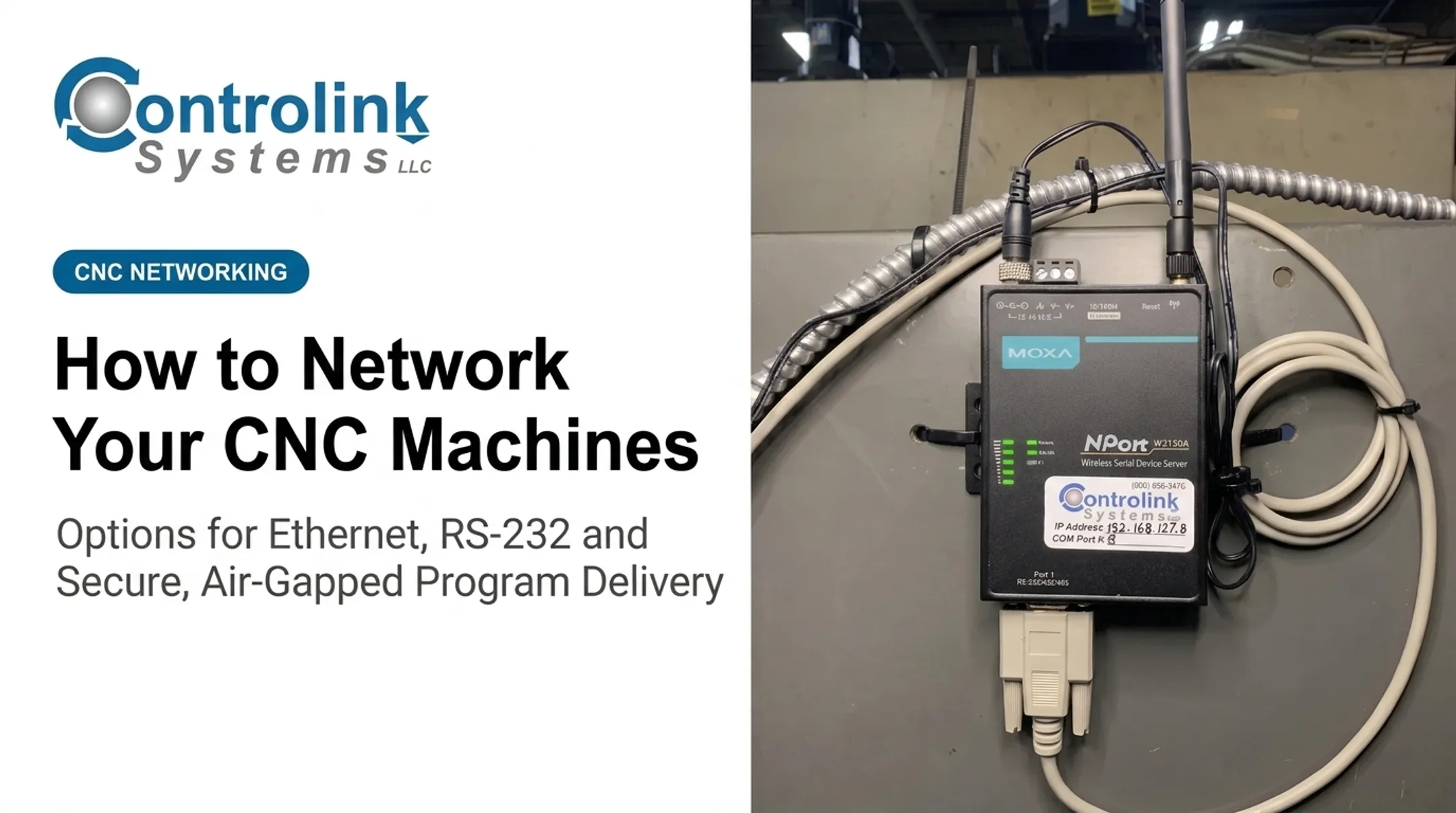
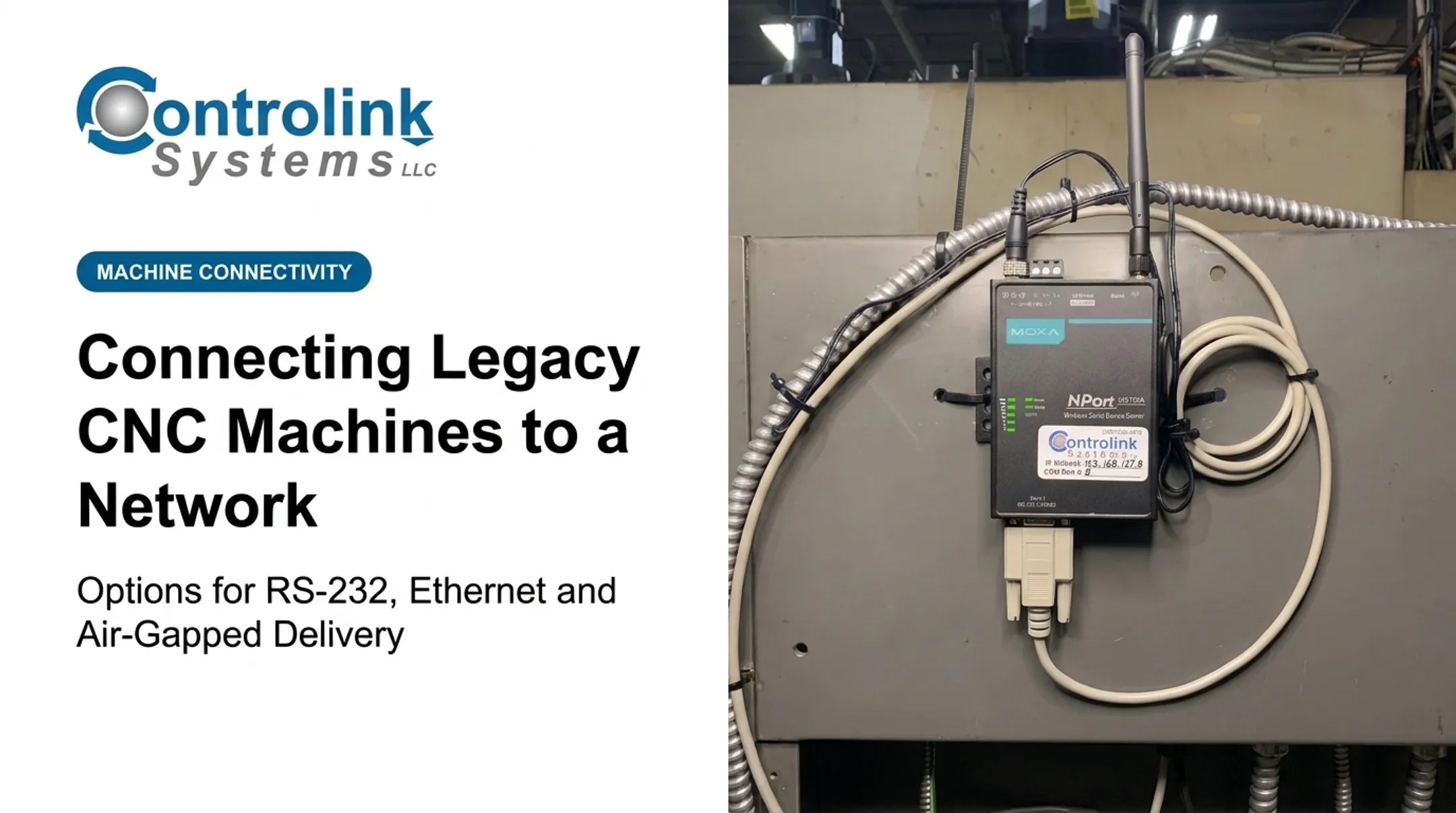
- Serial-to-Ethernet gateways — bridge an old serial port onto the network
- Serial-to-wireless adapters — eliminate cable runs across the floor
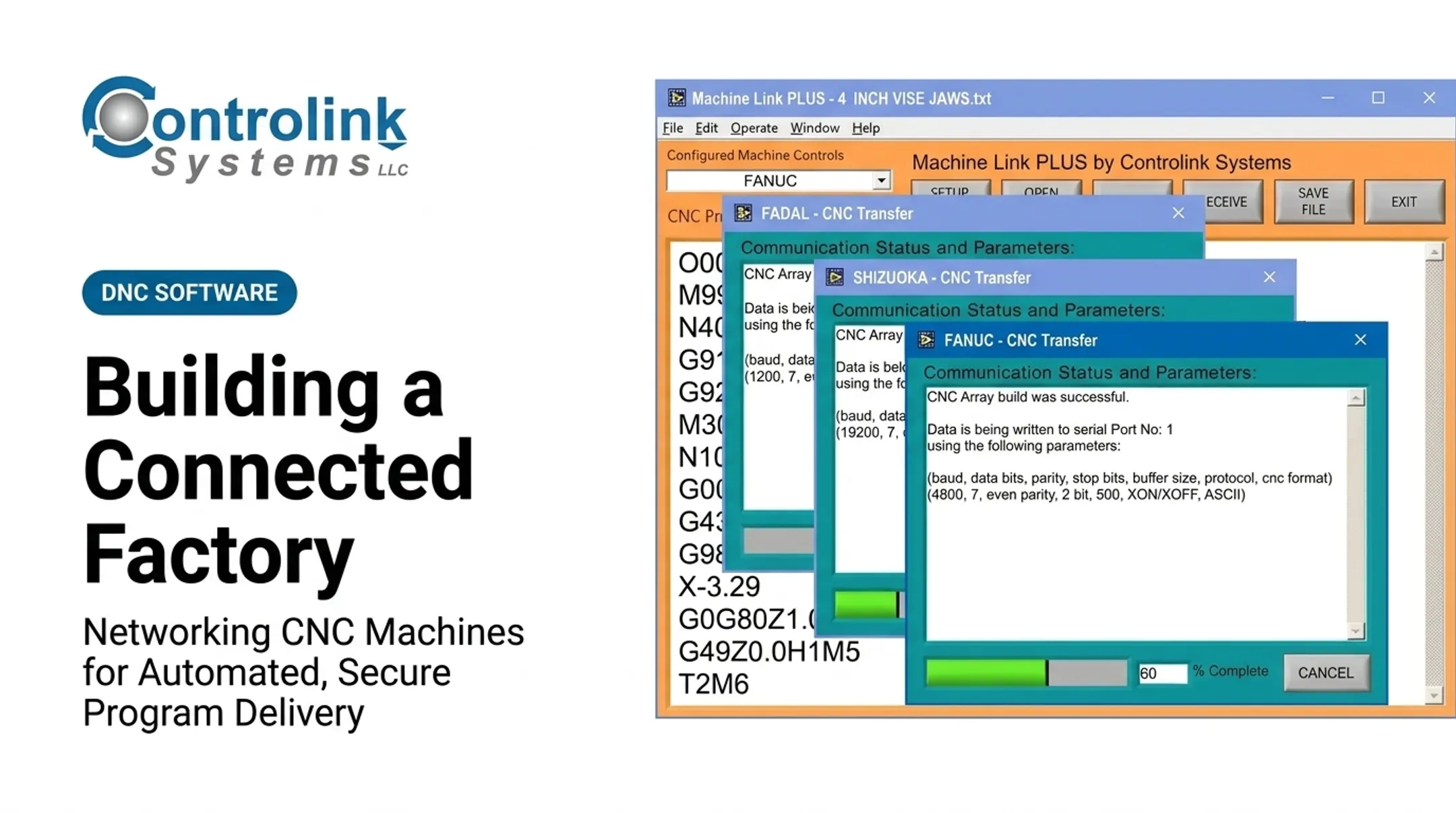
Controlink Systems LLC's Machine Link™ software, for example, communicates with any CNC that supports standard RS-232. It works with Windows-recognized COM port hardware, which covers a large share of the older machines still running on shop floors today.
Connecting Modern Machines
Newer controls typically support Ethernet, USB, FTP, or shared-folder workflows, along with manufacturer-specific interfaces. FANUC documents an embedded-Ethernet program transfer tool that sends large programs to data-server storage and can communicate with up to 255 FANUC controls, no separate FTP application required. Exact capabilities always depend on the specific controller documentation.
The Role of DNC Software
DNC or CNC communication software sits between the file server and the machines, routing programs to the correct destination, managing machine profiles, and drip feeding code line-by-line to controls that can't store the whole file in memory. Modern Machine Shop's coverage of drip feeding notes that serial transfer errors during this process can produce part errors and scrap if the connection isn't validated properly.
Validate Before You Trust It
Before relying on any new connection for production:
- Confirm serial parameters match on both ends
- Send a small, non-production test file
- Verify the received file against the source, byte for byte
- Test what happens if the transfer is interrupted mid-stream
- Document the working settings for that specific machine
A shop with an older RS-232 mill and a newer Ethernet-enabled machining center can route both through the same DNC software — the mill on a serial cable, the machining center over the network. Both get controlled program delivery.
Neither gains the same monitoring depth automatically. That still depends on what each controller exposes.
Where Connectivity Is Applied and What Affects It
Connectivity shows up in several forms on a real shop floor:
- Centralized G-code delivery
- Distribution to multiple machines
- Drip feeding for oversized programs
- Remote access within a controlled network
- Status and alarm collection
- Integration with databases or shop-floor systems
It fits into nearly every stage of production:
- Engineering release and initial job setup
- Active production runs
- Revision changes when a program gets updated
- Quality investigations that need to confirm which program actually ran
- Maintenance and audit or traceability reviews
What Determines Reliability
These details decide whether a connection holds up day after day:
- Controller age and port type
- Cable wiring and pinout
- Baud rate, parity, data bits, stop bits, and flow control
- File size versus available machine memory
- Supported communication protocols
Environmental factors matter too. Electrical noise near servo drives, metal enclosures blocking wireless signal, network congestion, and physical cable routing all affect transfer reliability.
A single-machine transfer setup also has very different requirements than a multi-machine deployment running simultaneous transfers with centralized storage and automated routing.
Security Controls That Belong in Every Connectivity Project
Reliable transfers still fail the shop if the path is wide open. NIST's guide to operational technology security recommends segmenting and isolating IT and OT devices, using a DMZ as an enforcement boundary between business networks and the shop floor. Practical measures worth building into any connectivity project include:

- Network segmentation between business and industrial systems
- Least-privilege access for anyone touching machine files
- Encrypted connections where the equipment supports them
- Patching cadence and regular backups
- Controlled, logged remote access rather than open exposure
One caveat: compliance obligations like CMMC, NIST 800-171, or ITAR vary by industry and customer contract. Following good connectivity practices doesn't automatically satisfy any of these frameworks. If your contracts require them, get a specific assessment rather than assuming general best practices check the box.
Building a Secure Automated Program Delivery Workflow
Automation should control how programs move, not expose every CNC machine directly to the internet. Keeping machine access inside a managed shop-floor or industrial network is the safer default, and it's consistent with the segmentation approach NIST recommends for OT environments.
The Engineering Release Workflow
A sound workflow starts with a single source of truth:
- Store the approved master file centrally, with clear revision identification
- Restrict editing and sending permissions to authorized users
- Let operators select only programs approved for their assigned machine Controlink Systems LLC's Machine Link™ QUICK Serve applies this directly. It monitors machines for file requests and serves the current engineering-approved version to the control, so operators aren't digging through local folders for the right file.
Machine-Specific Safeguards
Every program needs to land on the correct controller and work center. Beyond routing, build in these checks:
- Validate units and offsets through your normal shop procedures
- Require operator confirmation before the program runs
- Keep a rollback path if something goes wrong
Transfer Integrity
Don't assume a transfer succeeded just because the software says so. Where supported, use:
- Checksums or file comparison against the source
- Receipt confirmation from the machine side
- Transfer logs for traceability
- Automatic alerts for failed or interrupted transfers Connectivity moves files. It doesn't run the machine safely. Automated delivery still needs proper setup, tooling verification, workholding checks, and operator sign-off before a cycle starts.

A Sensible Rollout Sequence
- Inventory every machine and controller
- Pick a pilot cell, ideally one legacy and one modern machine
- Test non-production transfers first
- Document results and train operators
- Expand into monitoring or broader integration only after the basics are solid Before hiring a vendor or integrator, ask about:
- Supported controllers and required adapters
- Protocol compatibility
- User management and revision control
- Audit logging and offline operation
- Backup, recovery, and cybersecurity responsibilities
- Ongoing support For shops that need CNC/DNC communication tied to databases, PLCs, or process monitoring, Controlink Systems LLC works in that mixed-machine, mixed-generation space.
Common Issues and When Connectivity May Not Be Appropriate
An Ethernet port or Wi-Fi adapter doesn't automatically give you machine status, alarms, diagnostics, tool data, or two-way control. Those depend entirely on what the controller exposes and what software is built to read it. Plenty of shops discover this the hard way after buying hardware based on a sales pitch, not a spec sheet.
Where Things Typically Go Wrong
Common failure points include:
- Mismatched serial parameters or incorrect null-modem wiring
- Incompatible protocols between the PC and controller
- Unstable wireless coverage in metal-heavy environments
- Duplicate IP addresses or COM port assignments
- Unapproved local copies of files sitting on machine PCs
- Missing backups and loose file permissions
Those failures often trace back to a scope mismatch: program delivery and machine monitoring are separate goals. A reliable DNC transfer setup might be all a small shop needs. A larger operation with dozens of machines and mixed controls will usually need data collection, database integration, or MES connectivity on top of basic file transfer.

When to Hold Off
Connectivity projects should be delayed or redesigned when:
- Controller settings are undocumented and unknown
- The proposed network exposure looks unsafe
- No one owns file approval responsibility
- The machine hardware itself is unreliable
- The business case is "it would be cool" rather than a real problem
Security research backs up the caution. A CISA advisory on a Haas controller vulnerability found that Ethernet Q Commands lacked authentication, so anyone on the same network segment could write unauthorized macros. Mitigations include firewalls, network isolation, and strong authentication. No confirmed incident was tied to it, but the exposure was real.
When full connectivity isn't the right fit yet, use a narrower approach until the groundwork is in place:
- Controlled local transfer station
- Wired links instead of wireless
- Phased pilot before plant-wide rollout
- Manual removable-media procedures with strict revision control
Conclusion
CNC machine connectivity links physical interfaces, communication software, networks, and operating procedures. Done right, programs move from an approved engineering source to the correct machine every time. Legacy equipment doesn't need replacing to make that happen. Adapters, DNC software, and gateways can extend a serial-only mill's usefulness for years when the integration is done properly.
Secure, validated program delivery should come first, before broader monitoring or remote access. If your shop runs a mix of old and new controls, Controlink Systems LLC can help build a connectivity plan around your actual equipment and evaluate what's realistic for your floor.
Frequently Asked Questions
What is CNC machine connectivity?
CNC machine connectivity is the hardware, software, and network setup that moves approved programs and production data between machines and business systems. It differs from machine monitoring or full shop-floor integration, though it can support both.
What is the best CNC machine monitoring software?
It depends on controller compatibility, the data you need, security requirements, scalability, and whether your priority is monitoring, DNC delivery, or both.
How can I connect a legacy CNC machine to a modern network?
Options include RS-232-to-PC links, serial-to-Ethernet gateways, serial-to-wireless adapters, or a controller retrofit. Document the machine's settings and test thoroughly before relying on it for production.
How do I securely send G-code programs to multiple CNC machines?
Centralize your approved files, route them by machine, and restrict permissions with revision control. Add transfer validation, audit logs, backups, and network segmentation between business and shop-floor systems.
Can legacy CNC machines be connected without replacing the controller?
Yes, in most cases, through serial adapters, gateways, or DNC software. The specific capabilities depend on the controller, available ports, connection reliability, and how much monitoring you actually need.