Introduction: Why Shops Are Looking for a CIMCO DNC Alternative
A CNC program can move from your engineering PC to a machine control in under a minute. Confirming that it's the right file, sent by the right person, to the right machine, at the right time, is a different problem entirely. Many shops running CNC/DNC transfers over USB drives, shared folders, or informal network paths hit a familiar wall: fast delivery, weak accountability. Typical breakdowns look like this:
- An operator grabs a local copy that looks current
- A programmer overwrites a production file with no trail
- Nobody can say who sent what, when, or why Small and mid-size shops don't need every module in a sprawling manufacturing software suite to fix this. They need a DNC workflow machinists will actually use. It has to work with the controls already on the floor, tighten accountability, and stay simple enough that nobody needs a side project to manage it. This article evaluates CIMCO DNC alternatives against six practical criteria: program delivery, revision and user traceability, machine compatibility, implementation effort, support, and fit with how your shop actually works.
Key Takeaways
- Judge a CIMCO DNC alternative on controlled delivery and daily usability, not the length of its feature list.
- Traceability should show which file went where, who sent it, and when.
- Compatibility with your current controls matters more than a wide software ecosystem.
- Controlink Systems LLC, a CNC/DNC and shop-floor automation provider since 1998, is one option worth evaluating against your requirements.
What Should a CIMCO DNC Alternative Do for a Small or Mid-Size Shop?
File Transfer Isn't the Same as Program Control
Sending a CNC file and controlling a CNC file are two different jobs. Basic DNC transfer moves a program from point A to point B. Controlled delivery adds everything around that transfer: confirming which revision is approved, tracking who has permission to send it, verifying the transfer completed, and keeping a record you can pull up later.
Skip that second layer, and you're left with a fast pipe and no visibility into what's actually flowing through it.
Core Requirements to Check Before You Buy
Before evaluating any vendor, confirm the software handles these basics:
- Central access to approved programs, so operators aren't searching local folders, USB drives, email attachments, or shared drives.
- Clear naming and status conventions, so released, superseded, test, and archived files never look identical.
- A record of relevant transfer events, including user, program, machine, date, time, and result, where the software supports it.
- Machine and control compatibility, across older serial-connected equipment and newer network-capable controls.
- Permission and recovery options that prevent unauthorized edits while letting the right people restore a known-good file fast.
Why the Interface Decides Whether Any of This Sticks
A system can check every box on a spec sheet and still fail on the shop floor. If a workflow feels slower or more confusing than what an operator already knows, expect workarounds: a saved local copy "just in case," a program passed around instead of pulled from the approved source. Those shortcuts are exactly what erode traceability.
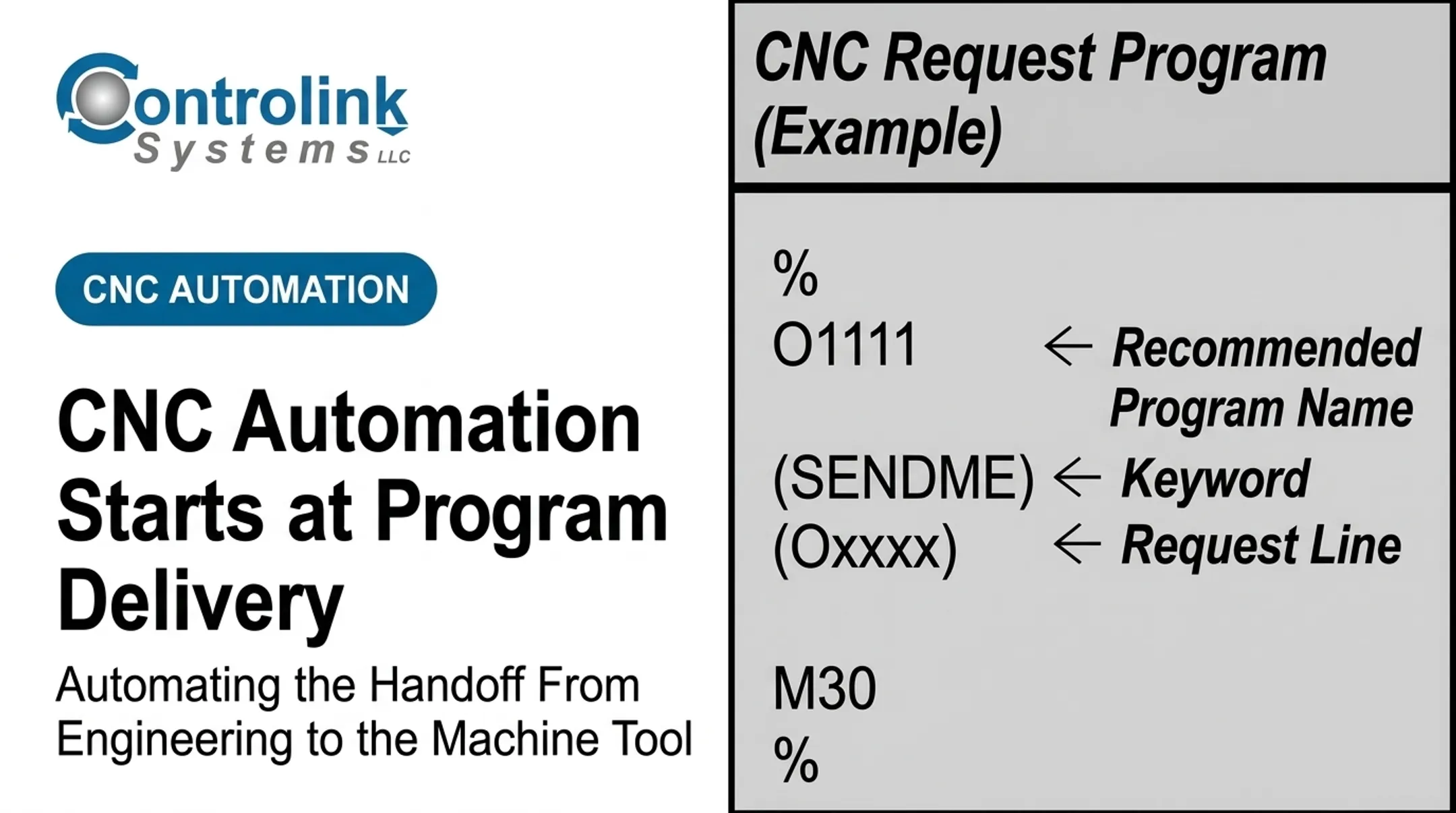
Controlink Systems built Machine Link™ QUICK Serve around a request initiated at the machine control itself, keeping the operator's side of the workflow close to what they already do rather than adding new steps.
When you compare systems, separate what protects program control from features you may never use.
Must-have:
- Controlled central program access
- Revision and status clarity
- Transfer record retention
- Compatibility with your actual machine fleet
Optional (unless you specifically need it):
- Full production monitoring dashboards
- Job scheduling
- CAD/CAM integration or simulation
- Enterprise data management across multiple sites
How Simpler, Traceable CNC Program Delivery Improves Shop-Floor Control
From Engineering Release to Machine Execution
A controlled program lifecycle typically runs through six checkpoints:
- A programmer creates or revises the CNC program.
- Engineering or quality reviews and approves the revision.
- The approved file becomes the only version available for that job.
- An operator sends it to the intended machine.
- The system confirms the transfer completed.
- The event, including file, machine, user, and timestamp, gets logged for later reference.

What Traceability Actually Protects Against
Manual file handling tends to fail in the same few ways, over and over:
- An operator runs an outdated local copy instead of the approved revision.
- A programmer overwrites a production file with no record of what changed.
- A file lands on the wrong machine or control.
- Nobody can say who made or approved a change after the fact.
When a part fails inspection, traceability helps a quality team reconstruct which revision ran, when, and on which machine, instead of guessing.
A Documented Payback From Moving Off Manual Transfer
When Rockwell's Fairfield division moved off punched Mylar tape onto a DNC network connecting 14 machines, the system paid for itself in roughly three months through saved engineering time, following an initial investment of about $35,000.
That network was built specifically to keep obsolete programs from reaching machines by mistake—the same wrong-revision risk small shops manage today, just at scale.
On a smaller scale, Ametek, Inc. reported eliminating the repeated trips operators made between the shop floor and the computer just to send a program. That is the kind of dead time a centralized request system removes without a bigger software platform.
Where Traceability Stops
An electronic transfer record confirms a file moved. It doesn't validate tool offsets, prove a program is safe to run, or replace engineering approval, simulation, and machine-specific verification. Traceability tells you what happened. It doesn't tell you that what happened was correct, and those two checks need to stay separate.
CIMCO DNC Versus a Focused Alternative: Compare Workflows, Not Just Feature Lists
CIMCO's DNC-Max is a broad, well-documented platform. Per CIMCO's DNC-Max overview, it supports RS-232, Ethernet, and wireless serial device servers, plus client/server architecture and a web client for remote transfers. Optional upgrades add file management and machine-monitoring modules.
That breadth helps shops that need the full stack. The question is whether yours does.
| Category | Focused DNC alternative | Broader platform (e.g., CIMCO) |
|---|---|---|
| Learning curve | Operator screens most machinists pick up in minutes | Wider feature set, more to learn upfront |
| Deployment | Usually installed on shop PCs, licensed per seat | Often client/server, more IT setup involved |
| Machine connections | Strong fit for serial/RS-232-heavy fleets | Broad protocol support, including wireless serial servers |
| Revision and audit | Approval and transfer logging built for DNC use cases | Quarantine, versioning, and activity logging as part of a larger system |
| Best fit | Reliable transfer, controlled delivery, limited IT staff | Integrated monitoring, editing, scheduling, or multi-site data management |
A focused alternative usually fits better when:
- Reliable DNC communications and controlled delivery are the core need
- IT resources are limited or nonexistent
- Machinists need a short learning curve
- A wider manufacturing management platform isn't needed right now
A broader platform earns the added complexity when you need integrated program editing, machine monitoring, and production data management in one system. It also fits when simulation, scheduling, or multi-site standardization is already part of the plan.
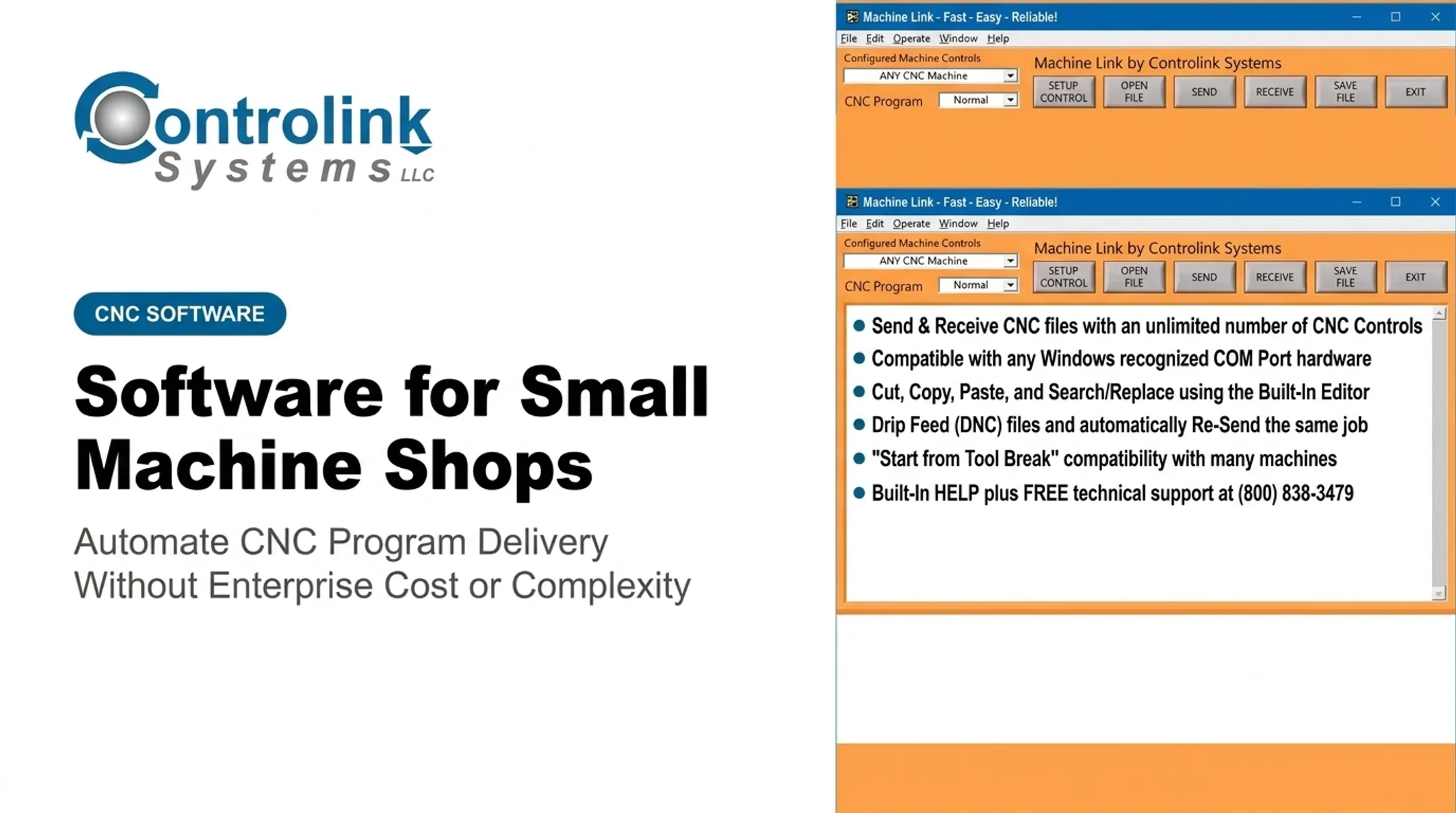
Pricing structures also differ by design intent. Controlink's Machine Link™ starts at $195 for single-machine transfer software and scales to $395 for the PLUS version with six simultaneous connections—pricing built around focused, per-need DNC use.
Don't take pricing or feature-limitation claims about CIMCO at face value from any third-party blog, including this one. Check CIMCO's current documentation and request a demonstration before comparing costs.
Who Benefits Most From a Simpler DNC Workflow?
The clearest fit is a shop running a mixed fleet: legacy serial-connected machines alongside newer network-capable controls, frequent program revisions, and a history of moving files by USB stick because nothing else was in place.
A 2022 survey of more than 400 US job shops by Gardner Business Intelligence found a median of 16 CNC machines per shop and a median machine age of seven years—exactly the mixed-age environment where manual file handling creates the most confusion.
Respondents skewed heavily toward aerospace, machinery, military, automotive, and medical work. Those sectors overlap directly with Controlink's customer base in precision machining, medical device, and industrial equipment manufacturing.
Scott Cooper of Snavely's Machine described running Machine Link™ across a shop with 30+ CNC machine tools, 10 different control types, and 40 operators, some with little computer experience—proof of how varied a "small shop" fleet can get.

Who should be at the evaluation table:
- Shop leadership, who owns the rollout decision
- CNC programmers, who define revision and approval rules
- Machinists, whose adoption determines whether it works
- Quality personnel, who need usable audit records
- Maintenance or controls staff, who handle machine-side connections
- IT, even informally, to weigh in on backups and network needs
Once that group is in the room, walk the shop against this qualification checklist:
- Number and age of machines
- Control types in use
- Current connection methods
- Where program files currently live
- Existing approval practices
- Audit records that quality actually requires
- Any future integration needs
How to Evaluate and Implement a CIMCO DNC Alternative
Start With a Discovery Pass, Not a Demo
Before watching any vendor demo, map your current program lifecycle: where files originate, how they're approved (if they are), and every machine connection type on the floor. This step alone usually surfaces the real failure points any purchase needs to solve: informal naming, undocumented legacy ports, and no clear approval owner.
Pilot on Real Machines, Including Your Oldest One
Run the pilot on machines representing your actual fleet, not just the newest ones. Include at least one legacy control. Test sending a new revision, resending a known-good file, handling a failed transfer, and pulling up history afterward.

Acceptance criteria for the pilot:
- A machinist can locate and send the intended program without extensive training.
- Engineering or quality can identify the released revision and its change history.
- The system handles your required connection methods and file formats.
- Administrators can manage users, permissions, backups, and recovery.
Common Implementation Risks
Watch for these issues during discovery:
- Incomplete machine documentation
- Inconsistent file naming
- Network or serial-connection problems
- Unclear ownership of approvals
- Inadequate backups
- Resistance to changing familiar manual habits
Caught early, they rarely become go-live blockers.
Where Controlink Systems Fits
Controlink Systems LLC has developed CNC/DNC communications and shop-floor automation software since 1998. That includes Machine Link™ and Machine Link™ QUICK Serve for remote file requests started at the machine control.
Machine Link™ QUICK Serve's PLUS and PRO tiers include a 45-day free evaluation, so you can run the pilot above without a long procurement cycle. Confirm current capabilities and pricing directly with Controlink before you decide.
If your shop fits this profile, request a workflow discussion with Controlink Systems LLC to see what a simpler DNC setup would look like on your floor—focused on your actual requirements, not a generic pitch.
Frequently Asked Questions
What is a CIMCO DNC alternative?
A CIMCO DNC alternative is another software solution for managing CNC program communication and delivery instead of CIMCO's DNC-Max platform. The right choice depends on machine compatibility, traceability, ease of use, support, and how your shop actually operates.
What should a small machine shop look for in DNC software?
Look for compatibility with existing controls, a workflow machinists learn quickly, controlled program access, clear revision handling, and transfer records. Backups, support responsiveness, and total ownership cost matter as much as the feature list.
How does CNC program traceability work?
Traceability links a program revision and transfer event to the user, machine, timestamp, and result, when the software records those details. It doesn't replace engineering approval, simulation, or machine-specific verification. Those checks still happen separately.
Can a DNC alternative support older CNC machines?
It depends on the machine's control, available ports, connection hardware, and communication settings the software supports. Test your actual legacy equipment during a pilot rather than assuming compatibility from a spec sheet.
Is a simpler DNC system better for a small shop?
Simplicity tends to improve adoption and cut administrative overhead when your core need is reliable program delivery and control. A broader platform makes more sense if you also need integrated monitoring, simulation, or enterprise data management.
How should a shop compare DNC software before switching?
Audit your current workflow, build a requirements checklist, and request vendor demonstrations. Test compatibility with your real machines, review backup and security practices, and run a pilot with actual programs before committing.