Introduction: When Shop-Floor Shortcuts Become CMMC Risks
Picture this: a CNC operator's machine throws an alarm mid-shift, and the file needed to restart the job sits three network folders away.
Rather than wait for IT, the operator grabs a personal USB drive, copies the program from a coworker's laptop, and has the spindle running again in five minutes instead of forty.
Production keeps moving. Nobody logs it as a security event. But Controlled Unclassified Information (CUI) just left its intended path.
CMMC compliance isn't confined to servers and firewalls. Anyone touching files, machines, or credentials tied to CUI shapes the organization's security posture — including the person standing at the machine.
Workarounds like this rarely start as recklessness. They usually reveal a gap between what the procedure says and what production actually demands. This article breaks down why shop-floor shortcuts happen, which CMMC practices they put at risk, and how manufacturers can close that gap.
Key Takeaways
- Recurring workarounds signal workflow, training, or system-design gaps, not just employee misconduct.
- Common shortcuts map to CMMC areas such as access control, media protection, authentication, and incident response.
- Approved processes must be faster than the workaround, or employees will keep finding their own path.
- A no-blame reporting culture surfaces mistakes early, before they become larger incidents.
Why Shop-Floor Shortcuts Create CMMC Compliance Risk
Manufacturing environments push people toward shortcuts more than most offices do. Downtime is visible and expensive: a stopped machine costs money by the minute, and a supervisor is usually asking about it before the operator finishes typing an escalation ticket.
The security consequence of using a personal thumb drive, on the other hand, might not surface for weeks. That asymmetry matters.
Policy Violation or Control Failure?
When an employee repeatedly bypasses an approved process, the first question shouldn't be "why did they do that?" It should be "why was that the easier option?" A pattern of workarounds often points to:
- Approved tools that are too slow, unreliable, or unavailable on the shop floor
- Access permissions set too restrictively for the job actually being done
- Instructions that are unclear, outdated, or buried in a binder nobody reads
- Supervisors who reward speed over adherence during performance reviews
One-off mistakes are individual problems. Repeated ones are system problems.
What Falls Inside CMMC Scope
CMMC scoping doesn't stop at the IT closet. The CMMC Level 2 Scoping Guide identifies operational technology (manufacturing, industrial control, and SCADA equipment) as specialized assets that can process, store, or transmit CUI even when traditional IT controls can't fully secure them.
That means engineering workstations, file servers, CNC/DNC systems, test equipment, and removable media can all fall inside the environment an assessor examines, depending on how the organization defines its boundary.
Small exceptions compound. An unofficial file copy here, a shared login there, an unlogged configuration change on a machine controller: none of these single events automatically fails a specific assessment objective. But each one chips away at traceability, making it harder to prove that approved controls actually operate consistently across the shop floor.
Operational cybersecurity and CMMC compliance are related, but they are not the same. A control might reduce real-world risk and still fall short of the exact evidence an assessor needs. No single tool or workflow guarantees certification. That requires documented scope, policy, configuration, training, and consistent evidence across the organization.
Common Employee Workarounds and the CMMC Practices They Can Undermine
Most shop-floor shortcuts fall into a handful of recurring patterns. Here's how each one connects to specific CMMC practice areas.
Unapproved USB Drives, Personal Laptops, or Removable Media
When the approved file-transfer method is slow or down, operators reach for whatever works: a personal USB drive, a phone cable, or a laptop from home. They use these to move CNC programs, drawings, or test results onto a machine. NIST SP 800-171 Rev. 2 requires organizations to control the use of removable media (MP.3.8.7), prohibit portable storage devices with no identifiable owner (MP.3.8.8), and sanitize or destroy media before disposal or reuse (MP.3.8.1, MP.3.8.3). An unmanaged drive with no owner, no scan history, and no log entry checks none of those boxes. Banning every USB drive rarely sticks. Make the approved path fast enough that nobody needs a backup plan:

- Encrypted, authorized media only
- Documented authorization before each use
- Malware scanning before and after transfer
- A clear, fast route for urgent production needs
Shared Accounts, Borrowed Credentials, and Unattended Sessions
"Just use my login" is one of the most common phrases on a shop floor with a shared terminal. It's also one of the hardest habits to unwind, because it feels harmless in the moment. Shared credentials make it nearly impossible to establish who accessed a file, changed a setting, or triggered an event. That undermines identification and authentication, least privilege, and audit-event traceability at the same time. You can't investigate what you can't attribute to a person. Practical replacements include:
- Individual accounts for every operator, not just engineers and supervisors
- Role-based permissions matched to actual job functions
- Badge or MFA workflows where operationally feasible
- Automatic session locking after inactivity
- A documented emergency-access process for when credentials genuinely fail
Using Old, Local, or Unofficial Engineering-Approved Files
If the current approved program is hard to find, operators use whatever's easiest to reach: a desktop file, an email attachment from three revisions back, a personal folder. It works until it doesn't. Version confusion is both a compliance problem and a quality problem. Running the wrong revision can scrap a part, and it breaks the evidence trail that only authorized changes reached production. A solid workflow needs:
- Clear revision control and visible approval status
- Consistent file naming operators can trust at a glance
- Documented change authorization
- A reliable check that the file on the machine matches the current engineering-approved version
Bypassing Network, Application, or Device Restrictions
Sometimes a shortcut looks like connecting an unmanaged laptop to get a machine running again, disabling endpoint protection because it's "slowing things down," or installing unapproved software to fix an immediate problem. These actions touch configuration management, system integrity, boundary protection, and flaw remediation at once. A 2018 incident at TSMC shows the risk at scale. The company reported that a software-installation error on a new tool spread a virus once that tool connected to the company network, affecting fab tools across multiple sites and cutting an estimated 3% off that quarter's revenue. The trigger was a routine, undocumented network connection, not a stereotypical hacker. Reduce the need for that kind of bypass:
- Keep a documented path for emergency machine recovery
- Require approval before connecting unmanaged devices
- Log configuration changes and software installs on production systems
Failing to Report a Mistake
Maybe someone plugged in the wrong drive, sent a file to the wrong address, or noticed a configuration change nobody remembers making. If production or disciplinary pressure discourages speaking up, that delay costs the organization its best chance to contain the event, preserve evidence, and meet incident-response obligations before the problem grows. A workable reporting path usually includes:
- A no-blame channel for flagging mistakes quickly
- Clear first steps for containment and evidence preservation
- Defined owners for incident intake on every shift
- Follow-up that focuses on process gaps, not public blame
How to Prevent Workarounds Without Slowing Production
Design Controls Around the Actual Workflow
Get operations, engineering, quality, IT, and security in a room together and map where people actually lose time or hit access walls. Redesign the process based on what you find. Don't just bolt another policy onto the existing one.
Prioritize the friction points you uncover:
- Reliable file repositories
- Clear machine-to-system communication paths
- Role-based access
- A defined escalation path for urgent jobs
Make the Approved Path Easier Than the Workaround
If the sanctioned process takes longer than the shortcut, people take the shortcut. Every time.
Make the approved path the path of least resistance:
- Centralized CNC/DNC communications
- Controlled file distribution with visible revision status
- Audit logging on file access and transfers
- A shop-floor interface people can actually use
Those pieces cut the temptation to grab a personal drive or email a file to yourself.
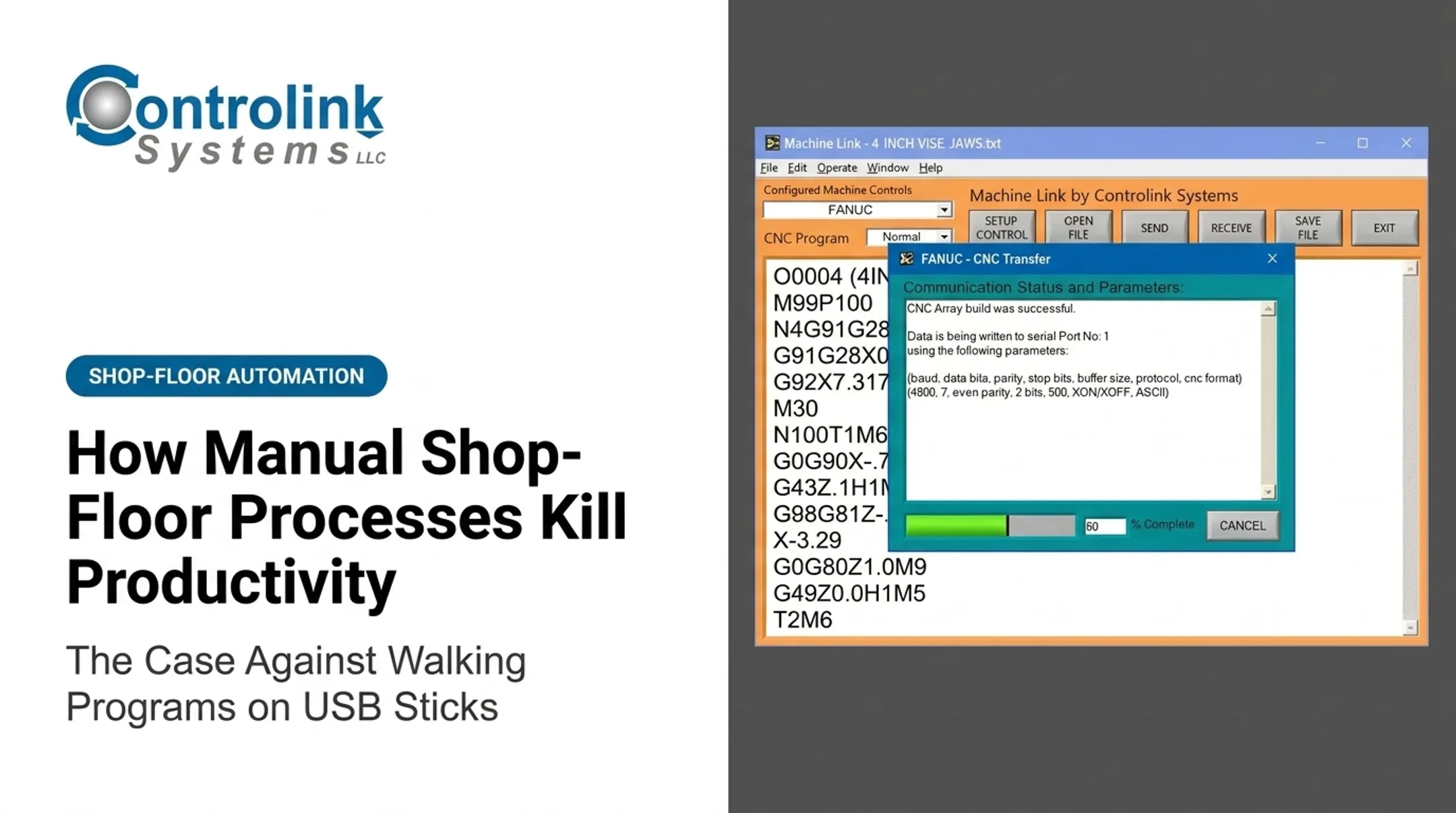
Controlink Systems has built for this problem since 1998. Its Machine Link™ QUICK Serve system monitors CNC machines for file requests and serves the current engineering-approved file directly to the machine control. No walking across the floor, no hunting through folders, no guessing which revision is current.
A tool like this reduces manual file-transfer friction. It does not hand you compliance. Manufacturers still have to:
- Configure and govern permissions
- Define system boundaries and authorize users
- Review logs and manage change control
- Handle CUI under their own documented policies
Layer Technical and Procedural Controls
No single control carries the whole load. A workable combination looks like:
- Managed devices and removable-media restrictions
- Malware scanning and network segmentation between IT and OT where appropriate
- Least privilege and MFA for applicable systems
- Regular patching, backups, and centralized logging
Pair every technical control with a documented exception process, supervisor training, and a plan for restoring production safely when a control blocks legitimate work. Controls that can't flex for real emergencies get worked around, not followed.

Test Controls Under Realistic Conditions
Run tabletop exercises built around real shop-floor scenarios:
- A missing file at shift change
- Suspected malware on removable media
- A lost credential
- An emergency machine repair
- An employee spotting an unauthorized configuration change
These drills show whether people know who to call and whether the approved process survives contact with a real deadline.
Measure Both Compliance and Usability
Track the signals that show whether controls are working in practice:
- Access-denied events
- Unapproved-media detections
- Exception requests
- Shared-account activity
- Outdated file use
- Reporting speed
One caution: a drop in detected exceptions might mean better compliance. It might also mean people have simply stopped reporting them.
Building a Shop-Floor Culture That Supports CMMC
Treating security and production as opposing goals sets up a fight nobody wins. Protecting CUI, maintaining product quality, and keeping the plant eligible for defense contracts are the same objective.
Training works best when it's role-specific:
- Operators: CNC files and removable media
- Maintenance: vendor access and machine alarms
- Supervisors: urgent production requests colliding with credential rules
A no-blame reporting culture matters more than most manufacturers realize. Verizon's 2026 Data Breach Investigations Report manufacturing snapshot found a human element in 56% of manufacturing-sector breaches, drawn from over 3,600 incidents in the sector.
How the organization responds to human error decides whether a mistake stays small or becomes a breach.
When someone reports a mistake, the first priority is containment and fact-finding, not blame. Save the disciplinary process for repeated or deliberate violations, and make sure people know the difference before they need to. Supervisors carry this culture day to day, reinforcing approved behavior during shift handoffs and production emergencies.
A Practical Action Plan for Identifying and Reducing Workarounds
Turning this into action doesn't require a massive program. It requires a focused process:
- List the top five shop-floor workarounds. Have a cross-functional team identify the business pressure behind each one, the systems or CUI involved, and the CMMC practice it could affect.
- Rank each workaround. Score by likelihood, operational impact, CUI exposure, detectability, and ease of fix. Separate immediate containment steps from longer-term system changes.
- Assign owners and evidence. Every corrective action needs a named owner and documentation: revised procedures, access lists, configuration changes, training records, exception approvals, logs, and validation results.
- Recheck after implementation. Interview operators and pull system data to confirm people can actually complete the approved workflow under normal conditions and under pressure.

Employee judgment still matters. Make the secure, documented path the most practical way to finish the job, so nobody has to choose between hitting a deadline and following the process.
Frequently Asked Questions
What cybersecurity habits should shop-floor employees follow?
Use strong individual authentication, approved devices and file-transfer methods only, and handle removable media with care. Report issues immediately, keep software updated, and follow your role-specific CUI procedures.
What is a shop-floor workaround in a CMMC environment?
It's an informal action taken to bypass an approved process to keep production moving. Its compliance impact depends on the specific systems, data, access, and control involved.
Can using a USB drive cause a CMMC compliance issue?
Yes. An unauthorized or unmanaged USB drive can raise media-protection, malware, access-control, and auditability concerns. Always follow your organization's approved removable-media process instead.
Why do employees bypass cybersecurity procedures?
Usually it's production pressure, unavailable files, excessive access friction, unclear ownership, or gaps in training, not intentional disregard. Fixing the underlying cause works better than just tightening rules.
What should an employee do after making a cybersecurity mistake on the shop floor?
Stop the activity if it's safe to do so, preserve any relevant information, and notify your designated security or supervisory contact right away. Don't attempt to conceal it or clean it up yourself.
Can shop-floor automation make CMMC compliance easier?
Connected automation, controlled file distribution, and logging can support your security processes and reduce manual risk points. Full compliance still requires documented scope, policies, training, and assessment evidence.