Introduction
A G-code handoff is the path a machine program travels after it leaves CAM post-processing: verification, approval, transfer, and finally, execution at the machine control. Each stop matters. Skip one, and the wrong or unapproved program can reach the control.
It matters most to CNC machine shops, manufacturing engineers, programmers, production managers, and quality or IT/OT teams charged with keeping obsolete or unauthorized programs off the floor.
Here's the risk that trips up even experienced shops: a file that runs on a machine is not proof it's the correct file. It might be an old revision or an operator's edited copy. The machine doesn't know the difference—and often neither does the operator until scrap or rework shows up.
This article walks through every point between CAM output and machine execution, and what it takes to control each one so only approved programs run.
Key Takeaways
- A post processor generates controller-specific G-code, but generating code is not the same as approving it
- Reliable handoffs separate creation, verification, approval, transfer, and execution into distinct, traceable stages
- Version control, permissions, and transfer logging stop stale or unauthorized programs before they reach production
- DNC communications link approved program storage to CNC machines and cut uncontrolled file movement
What the Post Processor Does—and Why the Handoff Needs Governance
A CNC post processor is the CAM component that converts toolpath or cutter-location data into G-code suited to a specific machine and controller. Most CAM systems work independently of any single machine; the post processor is what bridges that gap. Mastercam describes this well: the post accounts for each machine's kinematics and should produce output that runs without further modification.
Why Machine-Specific Details Matter
Every machine and controller pairing has its own quirks. A post has to get these right:
- Controller dialect and syntax variations
- Axis configuration and kinematics
- Canned cycles specific to that control
- Tool change sequences and offset handling
- Formatting rules, safety blocks, and program-ending commands
Get any of these wrong, and the program either fails outright or, worse, runs incorrectly without an obvious error.
Post-Processing Isn't Program Governance
Here's where a lot of shops get tripped up. The post processor determines how code gets generated. It says nothing about whether that code has been verified, approved, released, transferred, and cleared to run. Those are separate questions, and a well-configured post processor doesn't answer any of them.
What Happens When the Handoff Breaks Down
An uncontrolled handoff creates specific, recurring problems:
- Operators grab an old revision because the new one wasn't clearly marked
- Engineering changes get made but never reach the machine
- Files get renamed in ways that make version status ambiguous
- An operator's edited copy at the machine no longer matches the approved source
None of these require a dramatic failure to cause damage. A quietly outdated file running for a full shift can scrap an entire lot.
How the G-Code Handoff Works
The full path from CAD/CAM data to a finished part follows a consistent sequence, whether a shop realizes it or not. Making each stage deliberate, instead of accidental, is what separates a controlled handoff from a risky one.
- Generate and identify the program. Tag each file with part number, operation or setup, target machine and controller, material and tooling, revision, author, and generation date. A filename alone tells you almost nothing once three revisions exist.
- Post-process and verify the output. Verify against the actual posted G-code, not just the CAM toolpath. Siemens notes that its NC-code-driven simulation displays motion driven from the actual NC output, including the machine model, fixtures, and tooling. Use this step to catch motion errors, collisions, travel limits, tool and offset mismatches, cycle behavior, and controller compatibility.
- Approve and release the program. An authorized person reviews the verified file, confirms revision status, and locks the released copy from further edits. Clear this checkpoint before anything moves downstream.
- Transfer only the released file to the intended CNC. Controlled retrieval, correct machine identification, appropriate operator permissions, and a transfer log all reduce the odds someone grabs a similarly named or outdated file by mistake.
- Execute and retain evidence. The machine confirms the load, the operator acknowledges the run, and the shop retains program and transfer history for troubleshooting, quality review, and future repeat jobs.

A quick example: An engineer revises a fixture offset mid-production. Under a controlled handoff, that revision goes through posted-code verification and formal approval, then replaces the previous production revision in the release location. The old revision is not left beside the new one under a similar filename, waiting to be loaded by mistake.
Some shops bake that same gate into program review. At Ametek, Inc., corrected programs sent back from the machine land in an Engineering folder for review before a CNC Engineer moves them into the program library, keeping unreviewed edits from quietly becoming production files.
Controls That Keep Unapproved Programs Off the Machine
Controlling the handoff comes down to a handful of concrete practices, not one big system purchase.
Establish a Single Source of Truth
Separate your files by status:
- Work-in-progress CAM files
- Verified-but-unreleased files
- Approved production files
- Archived revisions
- Temporary machine edits
If these all live in the same folder with similar names, you don't have a source of truth. You have a guessing game.
Program Identity, Revision Control, and Permissions
Every program needs a unique identifier and a clear revision status attached, not buried in a filename convention only one person remembers. New revisions should supersede old ones through a documented process, not a silent overwrite.
Layer on role-based permissions:
- Programmers create files
- Engineers or quality staff approve them
- Operators retrieve and run approved files only
- Administrators manage the system itself
Technical Integrity Checks
Where feasible, add:
- Read-only status on released files
- Checksums or file comparison to catch mismatches
- Locked release records
- Machine-specific routing so files can't land on the wrong control
- Alerts if a transferred file differs from the approved source
Keep an Auditable Handoff Record
Track who created, reviewed, approved, transferred, edited, or ran each program, along with the revision, machine, timestamp, and any exception reason. When something goes wrong later, this record is what tells you why.

Release checklist to run before every job:
- Correct post and controller confirmed
- Toolpath verified against posted output
- Revision formally approved
- Intended machine identified
- Setup documentation attached
- Transfer authorized and logged
- Machine confirmed not running an older local copy
Authorized, logged transfers matter most when approved storage connects directly to the CNC. That link is what keeps operators from pulling files from wherever they happen to find them.
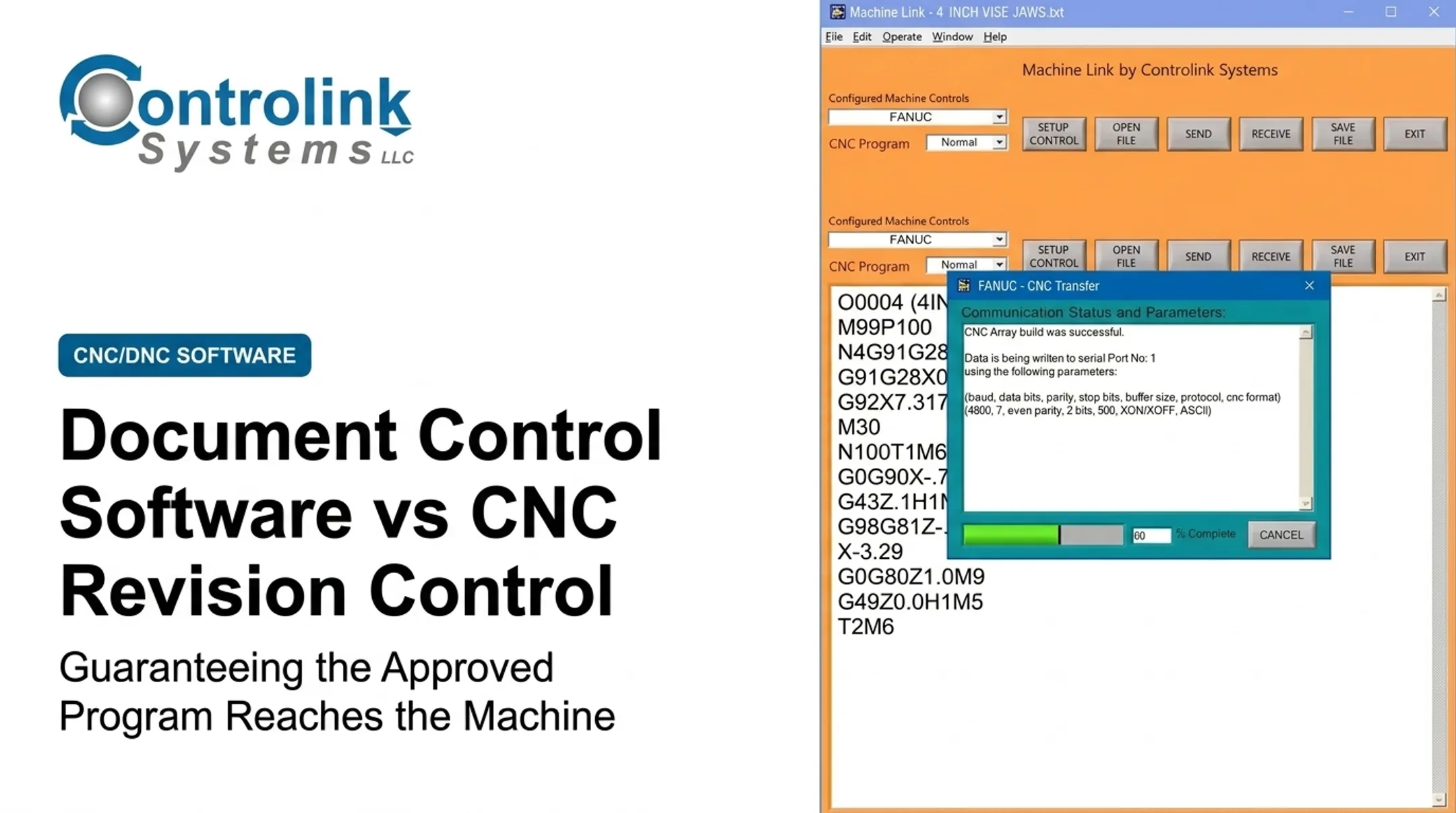
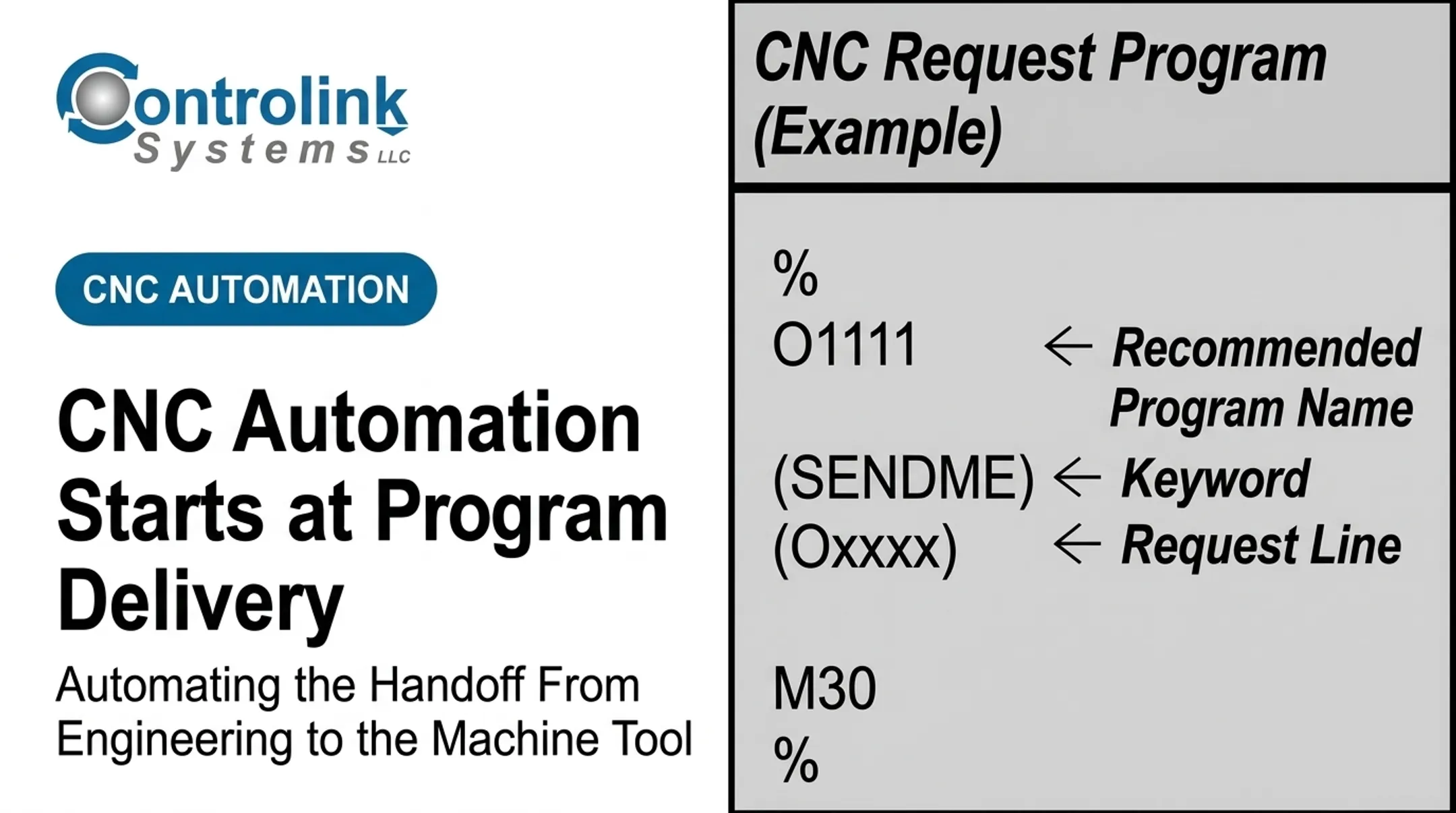
Controlink Systems LLC builds that connection through CNC/DNC communications and shop-floor automation. Machine Link™ QUICK Serve monitors machines for file requests and serves the approved program straight to the control, so the handoff stays consistent and traceable.
Where the Handoff Fits and What Affects It
Each stage of the handoff happens somewhere specific: CAM or engineering workstations, verification tools, a controlled server or DNC repository, communication infrastructure, and finally the CNC controller and operator interface.
Different shops move files between those points in different ways:
| Method | How It Works | Control & Traceability |
|---|---|---|
| Manual USB transfer | Operator carries a file on a USB drive | Easy to bypass release controls unless media and file selection are managed |
| Shared-folder retrieval | Operator pulls from a network folder | Storage, not proof of approval or correct machine targeting |
| Direct DNC transfer | File sent over serial or Ethernet connection | Becomes a real control point only when paired with approved files and logging |
| Drip-feeding | Large programs fed in sections during the run | Needed when programs exceed machine memory; continuous feed without data loss |
| Centrally managed communication | Software links a controlled repository to machines automatically | Highest traceability when programs are validated before distribution |
Modern Machine Shop notes that DNC gets programs to the machine without interruption or data loss, which matters most for drip-feeding.
Factors that affect reliability include:
- Machine make, model, and controller dialect
- Network or serial connection quality
- File-size limits and available machine memory
- Connectivity interruptions
- Post-processor version
- Whether operators can edit local files without oversight
Certain events should always trigger re-verification or re-approval:
- A changed post-processor or controller update
- A machine retrofit
- Tooling or fixture changes
- An engineering revision
- New material or altered workholding
- Changes to feeds, speeds, offsets, or probing routines
Regulated sectors add their own layer here. Aerospace suppliers working to AS9100D standards need documented change-review results and authorizer identification.

Medical device manufacturers face FDA's Quality Management System Regulation, which incorporates ISO 13485:2016 requirements for production records. Automotive suppliers under IATF 16949 face similar change-control expectations.
None of these make centralized control mandatory for every shop, but they raise the stakes considerably for shops that fall under them.
Common Failure Modes and Misconceptions
The biggest misconception in CNC programming is simple: a file that runs is not automatically an approved file. Technical compatibility, simulation success, engineering approval, and production release are four separate things, and confusing them causes real damage.
A CAM simulator alone won't catch problems specific to the post-processed output or the controller itself. Modern Machine Shop identifies formatting, process, and setup mistakes as distinct CNC program failure categories, including something as small as confusing an "O" with a zero, which can cause the control to load an entirely different program.
That's why verifying the actual posted G-code, through a proper simulator, a dry run, or single-block review, matters more than trusting the CAM preview alone.
Other recurring problems include:
- Operators making uncontrolled edits directly at the machine
- USB copies and shared folders that bypass the release process entirely
- Duplicate filenames that make version status unclear
- Old programs still sitting in machine memory after a new revision ships
DNC software improves transfer reliability, but it doesn't replace sound post-processor configuration, verification discipline, or operator training. It strengthens one link in the chain; the rest still has to hold.
Warning signs a shop needs stronger controls:
- Repeated scrap traced back to old revisions
- No clear owner for a given program
- Unexplained edits showing up in production files
- No transfer history to check when something goes wrong
- Operators regularly walking files between systems by hand
- Manual corrections required before nearly every run
When the Handoff May Not Need Full Centralized Control
Not every shop needs an enterprise-grade release system. A single machine, one trained programmer-operator, a low-risk prototype, or a nonrecurring experiment can reasonably run a lighter process, as long as basic verification and safe machine practices stay in place.

Some constraints genuinely reduce the value of a fully centralized workflow:
- Legacy controllers that don't support modern communication
- Disconnected or air-gapped machines
- Unreliable network infrastructure
- Limited staffing to manage a formal system
- High-mix prototype work where machine-side adjustment is legitimately part of the process
NIST's Manufacturing Profile backs this up, describing a risk-based approach with LOW, MODERATE, and HIGH security tiers depending on the potential impact of a failure. A prototype shop isn't the same risk category as an aerospace supplier.
That doesn't mean skipping controls entirely. Reasonable alternatives include:
- Controlled removable media with logged usage
- Signed release sheets for each program
- Simple revision register (even a shared spreadsheet)
- Read-only folders for released files
- Witnessed first runs on new programs
- Manual transfer logs
As the shop grows, a staged path toward DNC communications can replace ad hoc transfers without jumping straight to a full enterprise release system.
The key distinction: an exception should be documented and bounded. It shouldn't quietly become the permanent way a shop skips approval, revision tracking, or safety checks.
Conclusion
A post processor's job ends the moment it produces machine-specific G-code. Verification, approval, transfer, and execution determine whether the right program reaches the machine.
The strongest shops treat the NC program as a controlled production record, not an interchangeable text file that anyone can rename, copy, or edit without a trace.
If your shop is looking to connect approved program storage directly to CNC equipment, Controlink Systems LLC has spent more than 25 years linking manufacturing systems and machine tools together. Reach out to talk through what a more consistent, traceable handoff could look like for your floor.
Frequently Asked Questions
What is G-code?
G-code is the common industry term for the numerical-control programming language that directs CNC machine movements and functions. Most CNC programs combine G-code commands with M-code commands to control the full machining operation.
Can G-code be edited?
Yes, G-code is plain, editable text. Production edits should still be restricted, documented, re-verified, and formally re-approved before the machine runs them. That keeps uncontrolled revisions out of production.