Introduction
A CNC program that never reaches the machine, or arrives as the wrong revision, is expensive. It means scrapped stock, a stalled spindle, or a part cut to last week's print instead of today's approved one.
Getting an approved program from engineering to the controller without interruption or lost data integrity is the whole point of a DNC setup. Across a fleet with mixed controller ages, that is harder than it sounds.
Ethernet, RS-232, and secure air-gapped delivery each solve a different piece of that puzzle. The right choice depends on your controller's age, your shop layout, your IT/OT policy, and how tightly you need to control program revisions.
This guide walks through how to assess your machines, configure each connection type, verify delivery, and avoid treating a cable or a locked door as a substitute for real process controls.
Key Takeaways
- Ethernet scales best on modern controls; RS-232 keeps legacy CNCs productive.
- Use air-gapped delivery when security policy blocks network-connected transfers.
- Confirm the controller's communication method, serial settings, file format, and transfer protocol before buying adapters.
- Secure delivery with revision control, file verification, access limits, and backups—not just a live connection.
- Test with a low-risk program, verify at the machine, and document the final setup.
How to Network CNC Machines and Deliver Programs
Step 1: Inventory the CNC Control and Define the Workflow
Before touching a cable or a setting, document what you're actually working with:
- Machine make and model, controller generation, and available Ethernet or serial ports
- Supported file-transfer methods, memory capacity, and existing DNC hardware
- Where programs originate, who approves them, and where the master files live
- Whether the machine needs drip-feeding, full-file transfer, or two-way transfer of programs and production data
- Whether plant-network connection is permitted, or the machine must stay isolated from business and internet-facing systems
That last point drives everything else. A machine that's not allowed on the network eliminates Ethernet as an option regardless of what the controller supports.
Step 2: Select and Prepare the Connection Method
Each approach has its own prep work:
Ethernet – Confirm the controller's supported protocol, IP configuration needs, physical cabling, and whether the control requires a dedicated interface or option package.
RS-232 – Match the CNC port to the computer or DNC interface: cable pinout, null-modem versus straight-through wiring, connector type, and handshaking.
Air-gapped delivery – Define the approved transfer medium (controlled removable media or a dedicated isolated workstation), including malware scanning and custody controls for that media.
Step 3: Configure the Source, Transfer System, and CNC Control
Configure only what's needed. Broad network access or shared folders that expose every machine on the floor create risk without adding convenience.
Match settings on both ends:
- Baud rate, data bits, parity, stop bits, flow control, and end-of-block characters for serial connections
- IP addressing, routes, and file permissions for Ethernet
- File naming and revision conventions so operators can tell an approved file from an outdated one at a glance
Our Machine Link™ QUICK Serve software records each machine's name alongside its COM port, baud rate, data bits, stop bits, and parity. Once saved, it marks the machine "Active in Scan List" so those settings apply automatically every time that machine communicates.
Step 4: Test, Verify, and Document Delivery
- Transfer a test file and compare source and received copies for program number, revision, comments, offsets, and tool data.
- Run a controlled validation (simulation, graphics check, or single-block review) before cutting material.
- Document the configuration: wiring, IP addresses or serial parameters, approval steps, backup location, and recovery procedure.

For shops running a mixed fleet of old and new controls, a CNC/DNC communications specialist such as Controlink Systems LLC can help integrate controllers with DNC software, serial devices, and databases so the workflow stays consistent machine to machine.
Choosing the Right Connection Approach
Ethernet, RS-232, and air-gapped delivery aren't competing standards — they're design choices. Many facilities run Ethernet on newer machines while keeping serial or isolated delivery for older or higher-risk equipment.
| Approach | Best for | Main trade-off |
|---|---|---|
| Ethernet | Multiple machines, centralized management, frequent revisions | Requires network segmentation and ongoing security maintenance |
| RS-232 | Legacy controls, point-to-point transfer | Slower, manual setup, cable-length limits |
| Air-gapped | Strict OT policy, sensitive programs | Still needs media control, scanning, and logging |
Ethernet Networking
Ethernet makes sense when you're managing several machines, pushing frequent revisions, moving larger files, or integrating with production and engineering systems. Modern Machine Shop notes that for shops not expecting frequent rearrangement, a hard-wired Ethernet connection is the recommended approach, since Ethernet ships on most newer machines while older ones can still connect through RS-232.
The trade-offs are real, though:
- Controller compatibility varies by manufacturer and option package
- Network segmentation and cybersecurity maintenance become ongoing responsibilities, not one-time setup tasks
- Switch and cabling dependencies add points of failure
- An internal network isn't automatically a trusted one — treat it accordingly
RS-232 Serial Communication
RS-232 remains the right call for legacy controls, machines without modern network options, or simple point-to-point setups that already work reliably. It's not glamorous, but it's predictable.
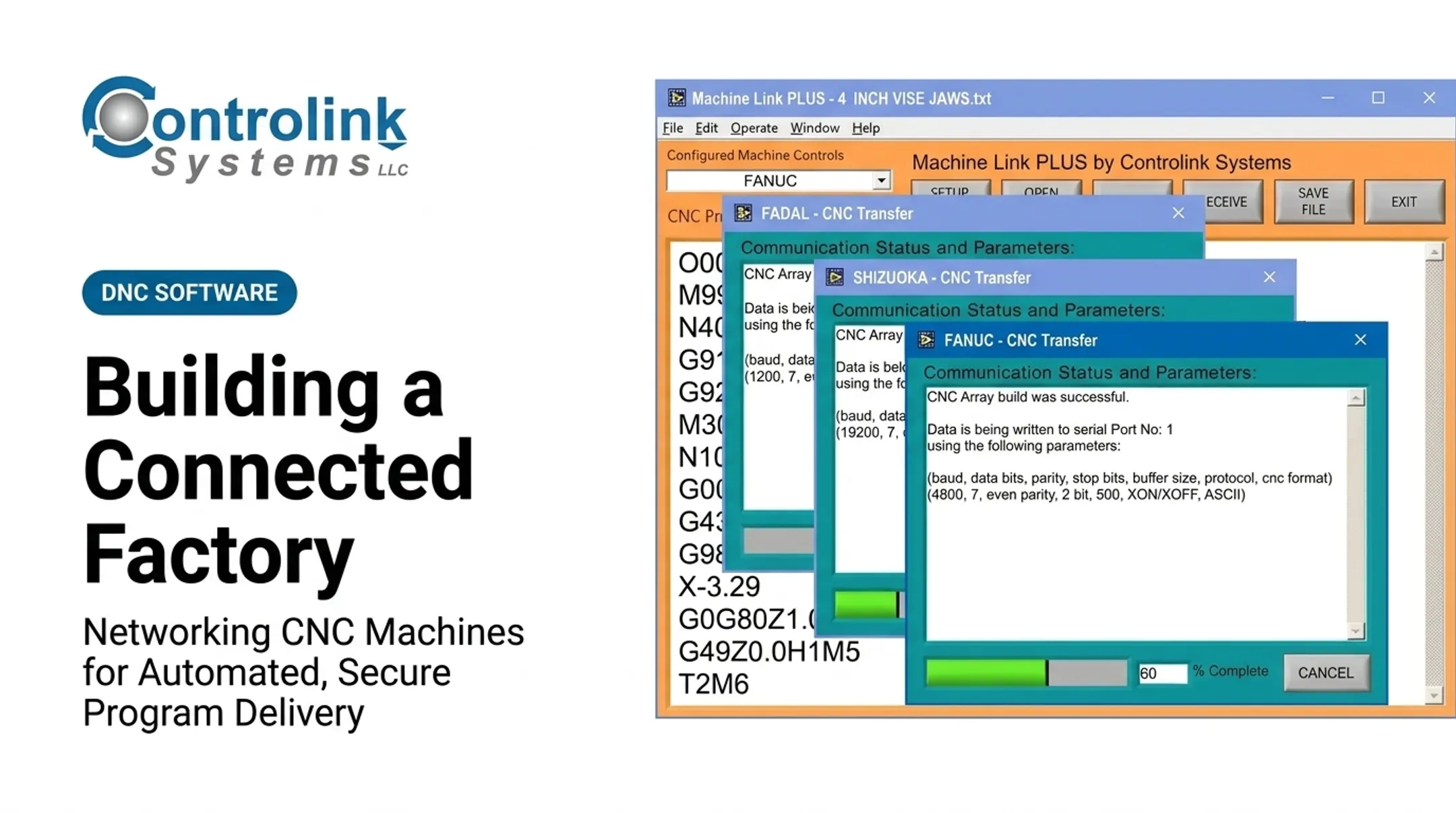
A typical Controlink Machine Link™ transfer runs at 4800 baud, 2 data bits, even parity, and XON/XOFF flow control. Get any one of those wrong and the transfer fails outright or arrives garbled.
Common trade-offs include:
- Slower transfer speeds
- Cable-length limitations
- Connector and pinout mismatches
- Manual setup for every machine
- Limited built-in diagnostics compared to networked options
Secure, Air-Gapped Program Delivery
Isolation fits environments with strict OT security rules, machines that can't touch the plant network, or programs sensitive enough to warrant a physically separated transfer process.
Here's the part that gets overlooked: an air gap changes your workflow. It doesn't eliminate risk. NIST's guidance on operational technology security is blunt about this, noting that relying on traditional measures such as air gaps is no longer enough on its own. Isolation also doesn't stop malicious code from spreading once it's inside a segment.
Even with no network cable on the machine, you still need controls for:
- Removable media
- Transfer workstations
- Insider access
- Outdated files
- Undocumented approvals
What to Prepare and Which Parameters Matter
Reliable CNC networking comes down to three things: compatibility, configuration accuracy, and process control. Before implementation, list out your machine, controller, communications interface, program type, and security requirements.
Equipment and System Requirements
Get these confirmed before you buy anything:
- CNC communication option (Ethernet interface or serial port)
- Compatible cable or adapter
- DNC or file-transfer software
- Managed network equipment where appropriate
- A verified backup location
Older controls sometimes need a protocol converter, serial server, drip-feed interface, or memory upgrade. Confirm the device is actually supported by the control manufacturer first.
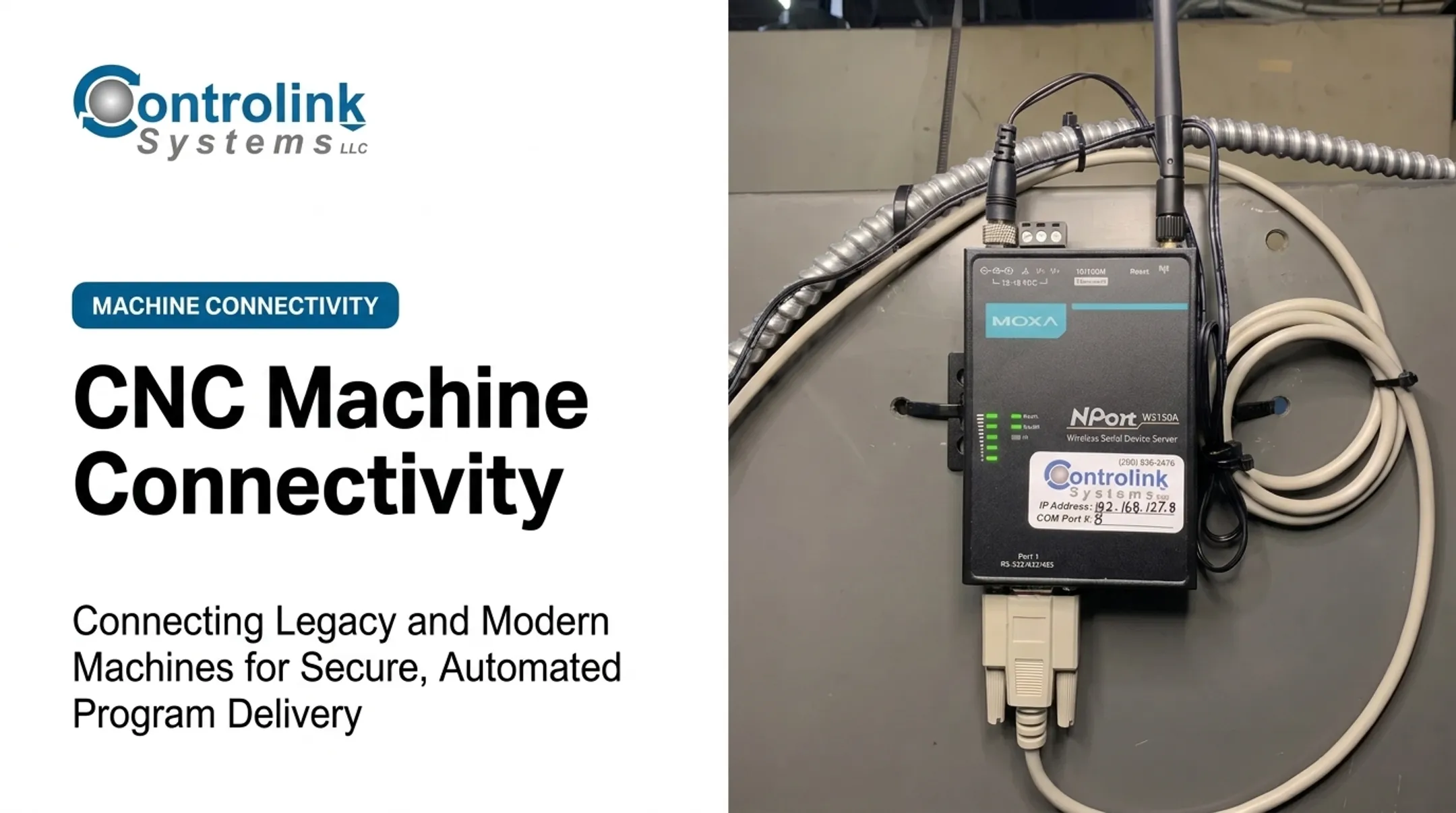
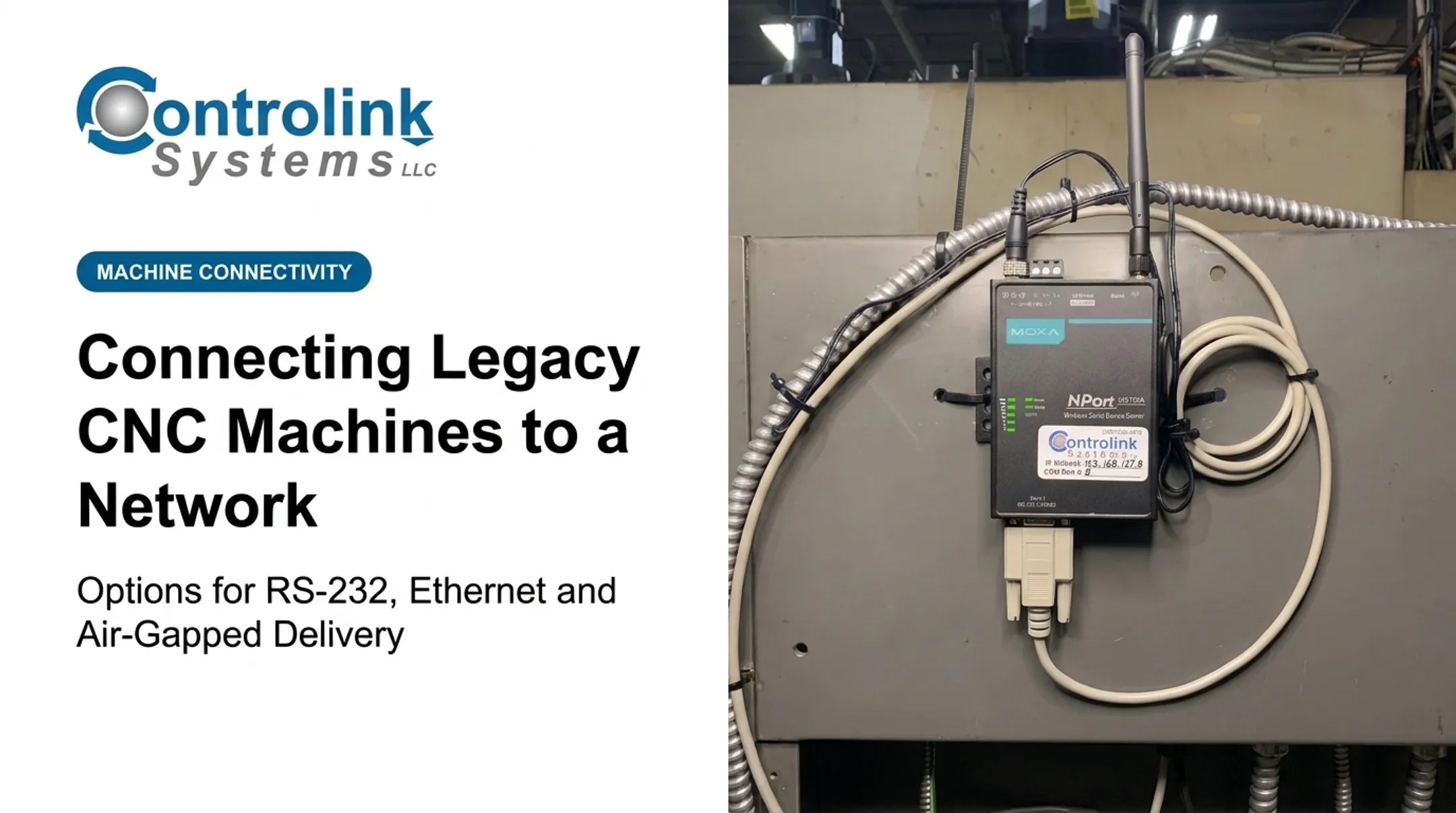
For serial-to-network bridging, hardware like the MOXA NPort device server can pair a machine's RS-232 port with an assigned IP address and COM port number. That lets older controls join a networked DNC workflow without controller modifications.

Network and Serial Parameters
For Ethernet, set:
- Static or reserved addressing
- Subnet and routing design
- Firewall rules, VLAN or OT segmentation
- Authentication, timeouts, file permissions, and logging
For RS-232, match:
- Baud rate, parity, data bits, and stop bits
- Flow control and handshaking
- Cable pinout and signal grounding
- Buffer behavior and end-of-block formatting
Mismatches in any of these are the single biggest cause of "the transfer just doesn't work" calls.
Program Integrity and Security Controls
A cable or network connection isn't a program-control process. You still need:
- A controlled master repository with approval status and revision history
- File naming rules and least-privilege access
- Malware scanning for any transferred media
- A method to confirm the machine actually received the intended file
Shops under ITAR, CMMC, or FDA electronic-records rules face extra requirements. Build access logging, media custody, and audit trails on top of the basics above.
Common Mistakes and Troubleshooting
Most transfer failures aren't the CNC control's fault. They come from mismatched assumptions about ports, cables, protocols, or permissions.
Configuration and Connection Problems
Ethernet won't connect? Work through the basics first:
- Physical link status and cable integrity
- IP address and subnet configuration
- Firewall or VLAN rules
- Whether the controller supports the transfer mode you're using
RS-232 transfer fails? Verify both ends match on:
- Pinout and null-modem requirement
- Connector adapters
- Baud rate, parity, and stop bits
- End-of-block characters
A practical rule of thumb: if the status bar doesn't flash during reception, insert a null-modem adapter and resend. If it flashes but the file comes through garbled, adjust the communication parameters—not the cable. (This is the same diagnostic path built into Controlink's Machine Link™.)
Security and Process Failures
Incomplete or rejected programs usually trace back to one of these:
- Interrupted transfers
- Incorrect file delimiters
- Unsupported characters
- Edits made after approval but before transfer
Compare source and received files when you can, and verify the program number and revision directly at the control.
On the security side, two habits cause the most damage:
- Connecting a CNC directly to an unrestricted business or internet-facing network instead of using segmentation and access control
- Assuming a USB drive or air-gapped workstation is safe without scanning it
CISA's Stuxnet advisory identified USB drives as the primary infection path in that incident—which is why removable-media policies still matter in isolated environments.

Keep a known-good backup of control settings, parameters, approved programs, and cable details so a failed change can be reversed quickly. For recurring multi-machine or protocol issues, escalate to the control manufacturer or a CNC/DNC engineering provider rather than repeatedly changing undocumented settings.
Conclusion
Ethernet, RS-232, and air-gapped delivery can all work well when each option matches the controller, workflow, and security requirements it must meet. The strongest setups share a few fundamentals:
- Accurate machine inventory and compatible hardware
- Correctly matched communication settings
- Controlled revisions with file verification
- A documented recovery path
Controlink Systems LLC has built CNC/DNC communication software since 1998, and our Machine Link™ product line handles everything from single-machine RS-232 transfer to managing 20 simultaneous sessions across a mixed fleet. If your shop is juggling old and new controls and needs a consistent, controlled program-delivery workflow, reach out at (800) 838-3479 or support@controlinksystems.com.
Frequently Asked Questions
What does CNC stand for?
CNC stands for Computer Numerical Control. It refers to machines whose movements and operations are directed by programmed instructions rather than manual controls.
Is Ethernet better than RS-232 for CNC program transfer?
Ethernet is more scalable and convenient for compatible modern controls. RS-232 is often the better-supported, more dependable option for legacy equipment that was never built with a network port.
Can CNC machines be networked without connecting them to the internet?
Yes. Machines can run on an isolated or segmented plant network for local program delivery without any internet access. That's different from a complete air gap, which removes network connectivity entirely.
How do I securely transfer CNC programs in an air-gapped environment?
Use an approved isolated workstation or removable-media process with malware scanning, controlled access, and revision approval. Log every transfer and verify the file at the machine before running it.
What hardware do I need to connect an older CNC machine?
Requirements vary, but often include a compatible RS-232 cable, serial adapter, DNC software, or a protocol converter for drip-feeding. Confirm your controller's specific requirements before purchasing anything.
How can I verify that the correct CNC program reached the machine?
Check the program number, revision, and file contents against your transfer log and the machine's display. Follow up with a simulation, graphics check, or dry run before cutting material.