Introduction
Walk onto the floor of almost any US machine shop and you'll see the same pressures at work. Schedules shift daily, customers expect delivery in days rather than weeks, and machine tools each speak their own language.
Snavely's Machine in Wabash, Indiana runs more than 30 CNC machines across 10 different control types with 40 operators on the floor. That kind of complexity is normal, not exceptional.
Throughput, revision control, and compliance aren't separate problems. An operator running an outdated program creates scrap. A missing approval record makes it impossible to prove the right process was followed during an audit. These issues feed each other.
This article lays out a practical framework. Measure your current state, remove the real bottlenecks, control your engineering data, and build compliance evidence into the work you're already doing on the floor.
Key Takeaways
- Treat throughput, revision control, and compliance as one connected system, not three separate projects
- Baseline utilization, schedule adherence, yield, scrap, and revision incidents before buying software
- Use a single controlled source for drawings, CNC programs, and inspection plans
- Choose systems with role-based access, approvals, revision history, and live floor visibility
- Roll out changes in phases, starting where delays or compliance risk are highest
Diagnose the Biggest Machine Shop Management Constraints
You can't fix what you haven't measured. Before adding equipment or software, map the actual flow of work through your shop.
Map the Flow From Quote to Shipment
Trace a job from quote and engineering release through scheduling, machining, inspection, nonconformance handling, and shipment. At each handoff, ask a simple question: where does information or a part sit waiting? Those wait points, not the machines themselves, are usually where time disappears.
Baseline Your Operational Indicators
The 2025 Top Shops benchmarking survey from Modern Machine Shop, reported by AMT, gives a useful reality check. Comparing top-performing shops against the rest of the industry:
| Metric | Top Shops | Other Shops |
|---|---|---|
| Spindle utilization | 74% | 60% |
| On-time delivery | 94% | 86% |
| First-pass yield | 95% | 90% |
| Scrap and rework | 0.9% | 2.4% |

These gaps are worth studying closely, according to AMT's coverage of the 2025 Top Shops results. A shop running at 60% utilization with 2.4% scrap isn't failing. It's leaving real capacity on the table.
Track these alongside setup time, queue time, and time spent searching for the right file revision. That last one rarely shows up on a dashboard, but ask any machinist how often they've hunted for a program on a shared drive.
Separate Symptoms From Root Causes
A late job might look like a scheduling problem when the real cause is a bottleneck machine sitting idle waiting for tooling. Use these approaches to dig past the surface:
- Bottleneck analysis to find the true constraint in the routing
- Value-stream mapping to visualize wait time versus process time
- Pareto analysis to rank downtime and defect causes by impact
- Corrective-action reviews to uncover why an issue happened, not just what
Improve Throughput Without Sacrificing Quality
Adding a machine or a second shift feels productive. It's also expensive, and it rarely fixes the actual constraint in a high-mix shop.
Find the Real Constraint First
Before spending on capacity, check where work actually stalls. Common candidates include:
- Programming backlog (parts wait for CAM work, not machine time)
- Setup and changeover time eating into run time
- Material availability or late outside processing
- Inspection capacity that can't keep pace with output
- Unplanned maintenance downtime
Fixing the wrong constraint just moves the bottleneck somewhere else.
Scheduling and Setup Reduction
Realistic scheduling beats optimistic scheduling every time. Prioritize jobs by due date and customer requirements, and build in actual setup and run times instead of estimates from three years ago.
One shop-scheduling system built on real run times and setup rates across six plant lines replaced daily reactive dispatching with a predictable production rhythm.
Reduce changeover time with:
- Standardized, preset tooling
- Repeatable workholding fixtures
- Written setup checklists
- First-piece verification built into the routine
- Documented setup knowledge captured from senior machinists
Maintenance, Monitoring, and Machine Utilization
Idle spindles are invisible until someone measures them. Real-time production monitoring—the kind of process-monitoring systems Controlink Systems builds for machining environments—exposes queue time, cycle-time drift, and recurring stoppages that would otherwise go unnoticed.
A Scytec case study involving CNC monitoring across a shop floor, distributed through Mitsubishi Electric, reported utilization gains of 10% to 30% after implementing automated data collection. Those figures are vendor-reported rather than independently audited, but the direction matches what most shops see once idle time is visible.

Quick escalation matters too. If a machine goes down, the right person needs to know immediately, not at the end-of-shift meeting.
Tie throughput gains to quality—not around it. Require in-process checks and first-piece approval on new setups. Record scrap and rework the moment it happens instead of letting a bad part travel three more operations before someone catches it.
Establish Revision Control From Engineering Release to the Machine
Fast throughput means nothing if the machine is running the wrong revision. Wrong-revision runs are where many shops lose money on scrap, rework, and missed ship dates.
What Needs Revision Control
Controlled information typically includes:
- CAD drawings and CAM files
- G-code or CNC programs
- Setup sheets and tooling instructions
- Bills of material
- Inspection plans and customer specifications
The Controlled-Release Workflow
ISO guidance on documented information (clause 7.5) requires organizations to control the information their quality system depends on, and to retain evidence that it was actually used. In practice, that means:
- Identify the current approved revision
- Assign approval to a named role, not "whoever's around"
- Publish to one source of truth—not a shared folder with five copies
- Notify affected roles when something changes
- Deliver at the point of use—the machine, not the office
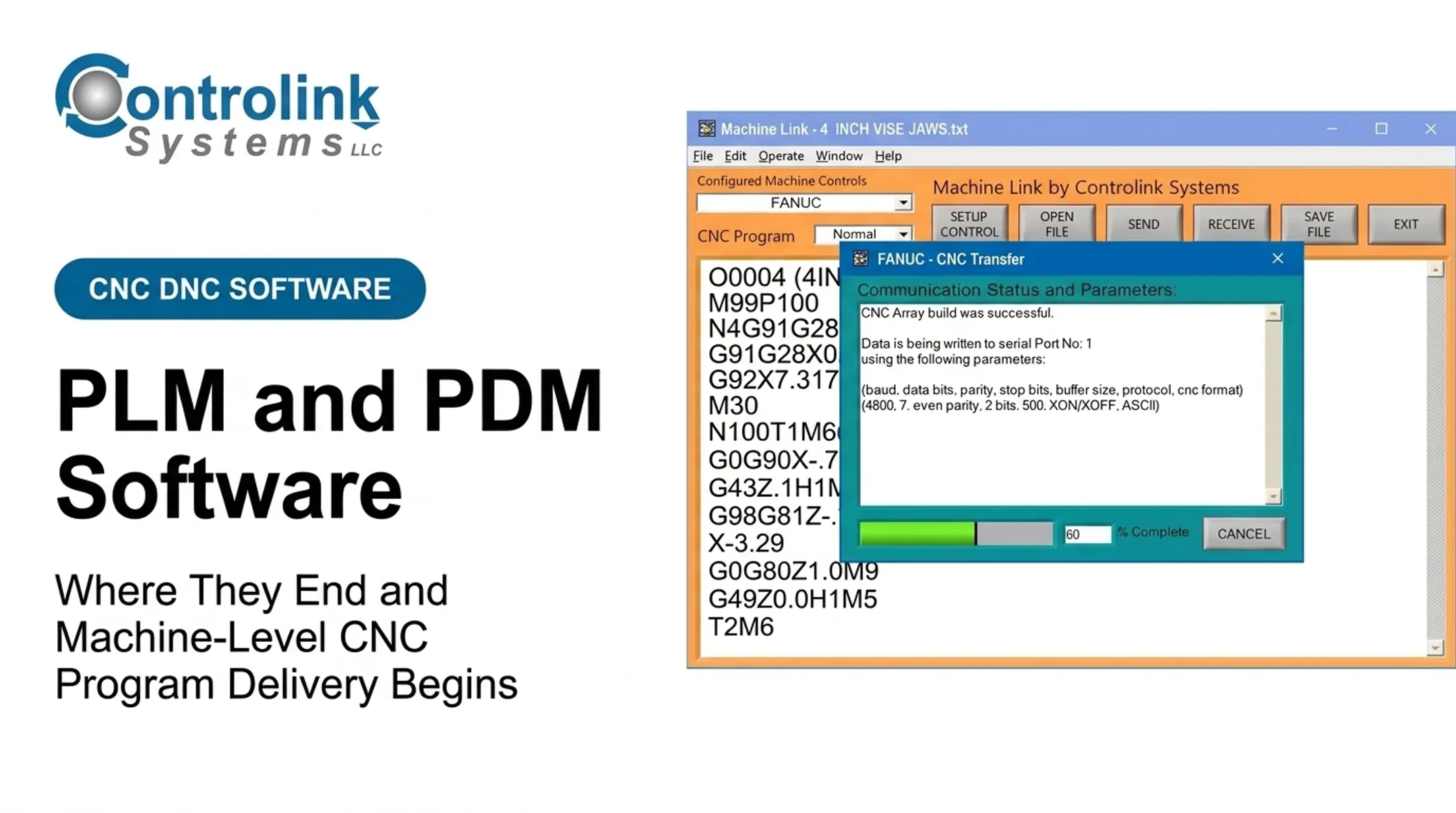
- Retire or restrict superseded versions so they cannot be run by mistake That last mile—approved program to the control—is the gap Machine Link™ QUICK Serve was built to close. Its three-machine configuration scans for file requests and delivers the current engineering-approved CNC program straight to the control, so operators are not pulling files from a USB stick or shared folder. Shops using it have reported concrete gains:
- Combi Packaging Systems LLC improved record accuracy and process control
- Sharn Enterprises cut manual program-entry work from about 30 minutes to seconds, with minimal training
Access Control and Engineering Change Response
File naming and access rules should clearly separate draft, approved, obsolete, and customer-released files. Every work order should link the exact file revision used, along with operator, date, machine, and material lot where relevant. When an engineering change is discovered mid-production:
- Pause or contain the affected work immediately
- Assess whether material already produced is impacted
- Route the change through approval
- Update every linked document, not just the master file
- Communicate the new revision to every affected machine
- Retain a record of the decision and who made it
Build Compliance Into Daily Operations
Compliance requirements aren't universal. They depend on your customers, your industry, and your existing quality system.
Match Your Framework to Your Actual Obligations
- ISO 9001 applies broadly to shops needing to demonstrate consistent conformity to customers and regulators
- AS9100 covers aerospace design, production, and servicing, typically required by aerospace or defense primes
- IATF 16949 governs automotive suppliers, with customer-specific requirements layered on top
- FDA's Quality Management System Regulation, effective February 2026, incorporates ISO 13485 for medical device work
- ITAR requires registration when manufacturing or handling defense articles and technical data; keep records five years from the transaction
- CMMC applies to contractors processing Federal Contract Information under DoD contracts
Don't treat every standard as universally required. Map what actually applies to your contracts.
Turn Compliance Into Daily Records
Most audit findings trace back to missing or unverifiable records, not bad processes. Build these into routine work:
- Approved drawings and programs actually in use
- Training and competency records
- Calibration status and inspection results
- Material certificates and lot traceability
- Nonconformance reports and closed corrective actions
- Maintenance and supplier documentation
Role-based permissions, time-stamped approvals, and audit trails reduce the scramble when a customer shows up for a surprise review.
Make Quality Part of the Process, Not the Final Gate
Contract review, risk-based inspection planning, and in-process measurement catch problems while they're still cheap to fix.
Run periodic internal reviews that ask:
- Is the released revision actually being used at the machine?
- Are gauges current?
- Do employees follow the work instructions in front of them, or work from memory?
In a 2007 Quality Magazine case, stronger traceability helped a Tier Two bearing supplier catch defects before shipment. That discipline supported a Tier One contract win and avoided costlier recalls later.
Select and Implement Connected Management Software
Not every shop needs to rip out its systems and replace them with one platform. Often, integration beats replacement.
Know What Each System Actually Does
Under the ISA-95 model, these layers serve different jobs:
- ERP handles business planning and logistics — quoting, purchasing, invoicing
- MES manages shop-floor operations — schedules, work instructions, machine status
- DNC is narrower still: archiving, controlling, and transferring NC programs to CNC controls
- QMS governs quality records, approvals, and nonconformance tracking
A shop running solid ERP and MES systems often just needs a reliable DNC layer connecting engineering-approved files to the actual machines, rather than a full platform swap.
Evaluation Checklist
When comparing options, check for:
- Revision and approval control with full audit history
- CNC/DNC connectivity across your existing control types
- Scheduling and dispatch tied to live machine status
- Material and job traceability
- Inspection and nonconformance recordkeeping in one place
- Role-based access and cybersecurity
- Backups, APIs, and compatibility with your PLCs and shop-floor protocols
Phased Implementation
- Document your current workflow, warts and all, so gaps are visible before you buy
- Choose one high-impact pilot area—ideally your worst bottleneck
- Clean up master data before you automate bad habits into the new system
- Define clear ownership and permissions for files, releases, and machine access
- Train the people who will use it daily, not just the project team
- Validate machine communication and quality records before going live
- Measure before-and-after KPIs, then expand only after the pilot is stable

Phased rollouts succeed when the new layer actually talks to the machines and systems you already run. Controlink Systems LLC has spent over 25 years connecting CNC/DNC communications, process monitoring, SQL databases, and PLC hardware in machining environments—from single-machine shops to plants with dozens of control types.
That integration work is what turns a pilot into stable throughput gains, whether you are cutting manual file transfers or adding real-time machine-status visibility.
Frequently Asked Questions
What is the typical profit margin for a machine shop?
Margins vary widely based on utilization, pricing discipline, labor costs, customer mix, and overhead. NTMA benchmarking shows wide gaps between typical and high-performing shops. Use your own cost accounting rather than a single industry average.
What does a machine shop manager do?
A machine shop manager handles scheduling, capacity planning, staffing, and safety, while overseeing quality, maintenance, materials, and customer commitments. This role also maintains compliance records and drives continuous improvement across the floor.
What is the best machine shop management software?
There's no universal winner. The right system depends on your shop's size, production model, existing equipment, revision-control needs, and budget. Evaluate candidates against the checklist above rather than picking based on brand recognition alone.