Manufacturers are under real pressure right now. Labor is tight, delivery windows keep shrinking, and every scrapped part or unplanned stoppage cuts into margin. A 2024 study cited by the National Association of Manufacturers found the industry may need up to 3.8 million workers through 2033, with more than 1.9 million of those roles potentially going unfilled.
Automation looks like the obvious answer. And it is, partly. There's a practical gap most shops discover after installation: the robot can move a part into the machine, but if the wrong CNC program is loaded, or an outdated revision runs unnoticed overnight, unattended production turns into unattended scrap.
This article covers what automated program delivery actually means, why it's a prerequisite for reliable lights-out operation, what breaks down when it's missing, and how to build the workflow correctly.
Key Takeaways
- Automated program delivery links the approved CNC file to the right machine, job, and revision.
- Machine tending moves parts; lights-out still needs program control, verification, and exception handling.
- Revision control prevents machinists and robots from running outdated or unauthorized files.
- Consistent program delivery drives higher utilization, less scrap, and fewer manual interruptions.
- Lights-out readiness needs integrated controls and escalation—not only a robot beside a CNC.
What Is Automated Program Delivery? (Brief Context)
Automated CNC program delivery is the controlled movement of the correct machining program from an approved source directly to the intended CNC control, without an operator hunting through folders, USB drives, or a network share.
It's a specific stage in the machine-tending workflow, and it typically looks like this:
- Engineering or CAM approval – the program is finalized and released for production use.
- Storage – the approved file lives in a managed location, not scattered across local hard drives.
- Job identification – the system matches the file to the correct part number, work order, and machine.
- Transfer to the CNC – the file moves to the control automatically, often triggered by the machine itself.
- Confirmation – the system verifies the correct file arrived intact.
- Machining, then feedback – production status flows back to engineering and the shop floor.

Machine tending controls physical parts. Automated program delivery controls the information that tells the machine what to make and how to make it. One robot arm and one file-transfer system solve two completely different problems.
Beyond simple file copying, it is a control and traceability layer connecting engineering, CNC machines, operators, robots, and shop-floor databases into a single accountable chain.
Key Advantages of Automated Program Delivery
The real value here goes beyond convenience: it prevents the wrong program from running, cuts avoidable interruptions, and builds a repeatable path to unattended production. Below are the three advantages that matter most, along with the metrics and situations where each carries the most weight.
Reliable Program Selection and Revision Control
A properly built workflow ties each program to the correct part number, work order, machine, material, tooling configuration, and revision level automatically. No guessing which "final_v3" is actually final.
Naming conventions, approval status flags, version history, and access permissions all reduce the odds of an operator (or an automated cell) selecting an obsolete, duplicated, or unauthorized file.
One vendor illustration makes the risk concrete. A shop copies files and instructions to a USB drive for second shift, an engineering change lands unannounced, and the result is a rejected $75,000 prototype part, scrap, and project delay (Shop Floor Automations, 2024). It's an illustrative scenario rather than a formal statistic, but it will feel familiar to anyone who has run second shift off a thumb drive.
KPIs affected:
- First-pass yield
- Scrap and rework rate
- Setup time
- Engineering-change compliance
- Program-related stoppages
- Traceability completeness
This advantage carries the most weight in high-mix shops, regulated or high-precision production, jobs with frequent revisions, and any facility running multiple machines or shifts.
More Consistent Machine Utilization and Production Continuity
Automated delivery removes the dead time between jobs. Instead of waiting on someone to manually walk a file to the machine, the approved program and its job data arrive exactly when needed.
Done well, delivery coordinates with machine status, part loading, tooling readiness, work offsets, and job sequencing rather than functioning as a separate manual chore that happens to run in parallel.
The payoff shows up directly in unattended hours. Modern Machine Shop reported that Custom Tool's lights-out work grew from 30% of total production hours in 2017 toward a projected 45% in 2018. That kind of growth doesn't happen if machines are sitting idle waiting on files.

KPIs affected:
- Machine utilization and spindle uptime
- Cycle-to-cycle delay
- Changeover duration
- Queue time and throughput
- Unattended run time
This matters most for shops running multiple machines, overnight or weekend production, long cycle times, or recurring part families with limited operator coverage.
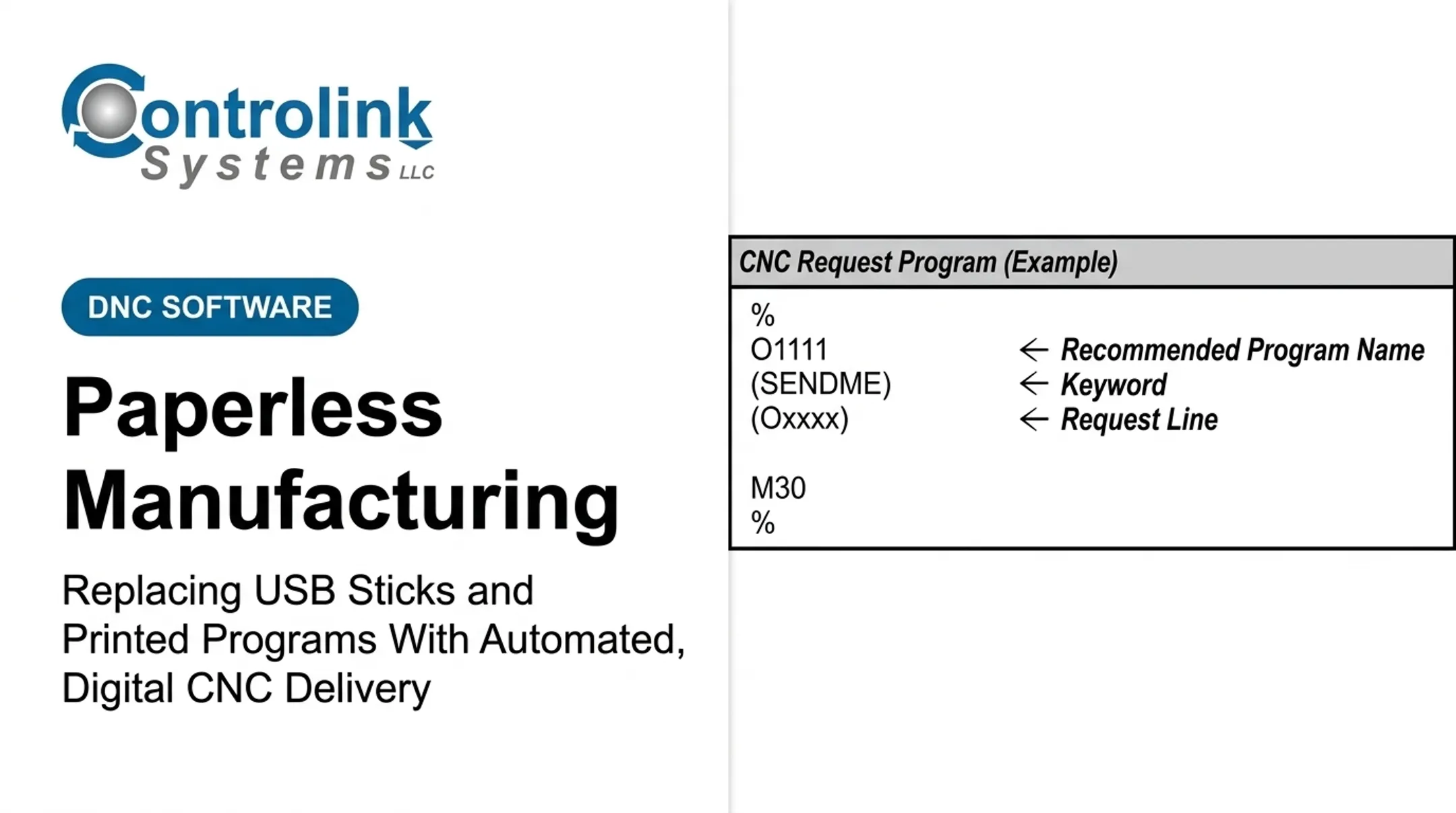
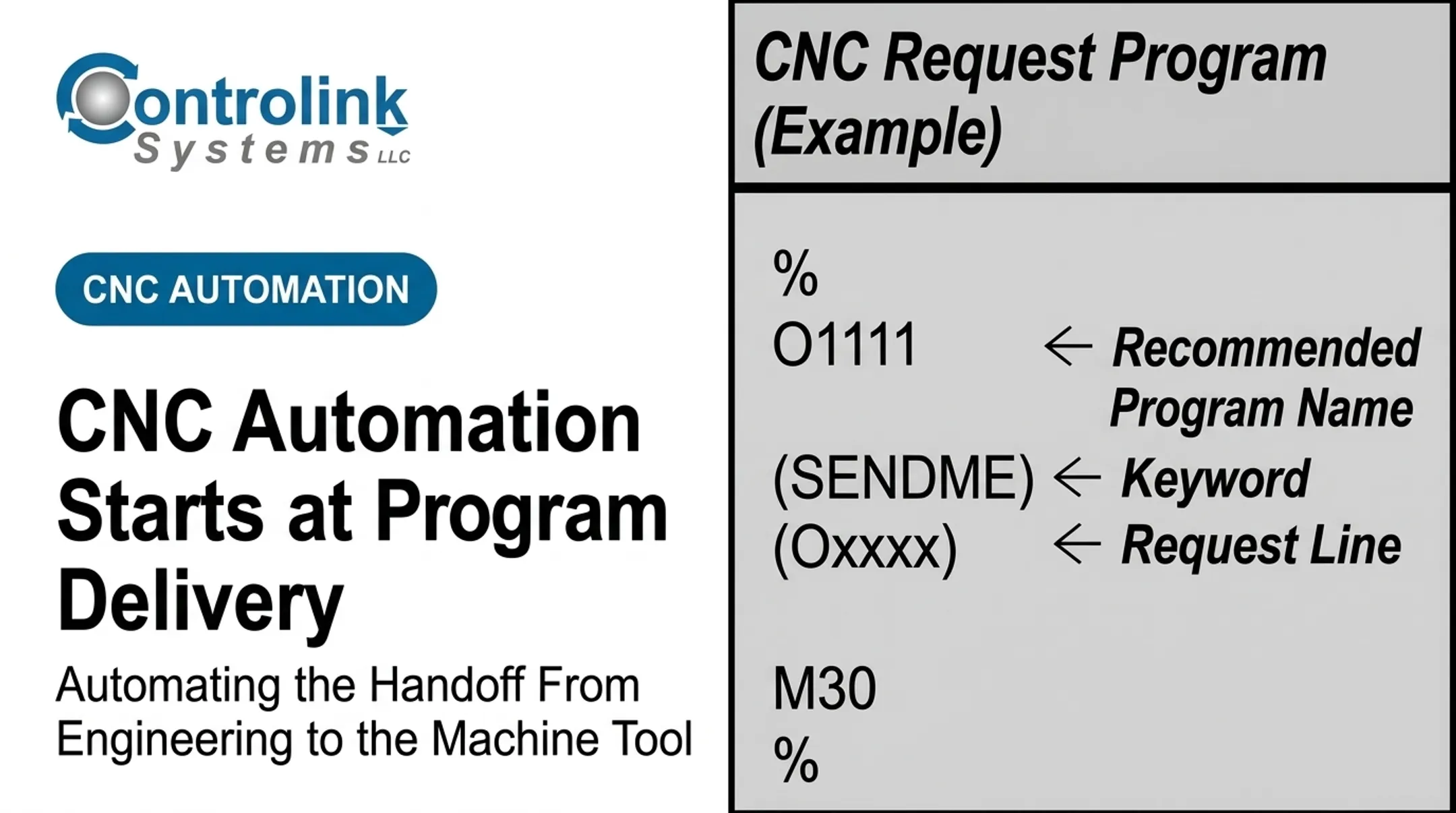
Reliable program availability also frees operators to focus on setup, inspection, and troubleshooting instead of file-chasing. Controlink Systems LLC's Machine Link™ QUICK Serve is built around that shift, delivering the requested file directly to the control without the operator leaving the machine.
Safer, More Traceable Integration Between People, Machines, and Automation
Automated program delivery creates a defined communication path between approved engineering files, CNC controls, PLCs, robots, databases, and shop-floor interfaces. That path needs acknowledgements: confirmation that a file was received, selected, loaded, accepted, or rejected.
Those status signals turn into an audit trail. When something goes wrong, troubleshooting doesn't rely on memory or a verbal "I think Dave changed that program Tuesday." Access controls, validation checks, backups, and alarm handling all shrink the fallout when a communication failure or an unexpected machine condition occurs.
KPIs affected:
- Alarm response time and mean time to recovery
- Unplanned downtime
- Program-related incidents
- Audit completeness
- Operator intervention frequency
This is critical in aerospace and defense, medical device manufacturing, automotive supply chains, and precision machining environments where documented process consistency isn't optional.
What Happens When Automated Program Delivery Is Missing or Ignored
A robot can load parts perfectly for eight hours straight while the machine repeats the wrong process the entire time. That happens when program selection, revision control, and machine confirmation are still manual.
Common consequences of skipping this layer:
- Outdated files sitting on local CNC controls, never synced with engineering's latest revision
- Inconsistent naming across machines, making the "right" file a guessing game
- Duplicated programs with no clear record of which one is current
- Programs assigned to the wrong machine or control type
- Operators walking the floor hunting for files instead of running parts
- No reliable way to prove which revision actually produced a finished part
One customer, Ametek, reported a specific version of this problem: corrected program copies often weren't sent back and saved, so the same fix had to be made again every time the file went back out.
This creates a chain reaction. The wrong program causes scrap or tool damage. That interruption undermines whatever unattended run was scheduled. Troubleshooting then slows to a crawl because there's no central record of which file and revision actually ran.
A practical reality check for any shop scaling automation:
- Results vary between shifts or machines, even on the "same" job
- Overnight and lightly staffed hours carry the highest scrap and crash risk
- Interrupted unattended runs erase the labor savings automation was supposed to deliver
- Scaling from one automated cell to several connected machines gets harder, not easier
- Traceability gaps surface during audits, customer complaints, or root-cause work
If any of this sounds familiar, program delivery is still being treated as a side task instead of a controlled process.
How to Get the Most Value from Automated Program Delivery
Program delivery pays off when it's designed into the full machining workflow, not bolted on as a disconnected file-transfer utility.
Start with a Controlled Source of Truth
Engineering or CAM teams should approve, identify, store, and revise CNC programs before those files ever become available to production. Every revision needs a clear link to its part number, routing, tooling, work instructions, and production order.
Connect Delivery to Machine and Cell Conditions
The system should confirm the intended machine, control type, job, and tooling requirements — and verify the machine is actually ready — before the program is allowed to run. Mixed fleets make this harder: older CNC controls, networked machines, PLCs, robots, and different protocols each need individual verification—don't assume universal compatibility.
Build Verification, Feedback, and Recovery into the Workflow
Transfer acknowledgements, program identity checks, machine status feedback, alarm visibility, and backups all need to exist before you trust a machine to run alone overnight. Lights-out operation also needs clear escalation rules for:
- Tool wear
- Quality concerns
- Material shortages
- Power or network interruptions
Measure Outcomes and Improve the Process
Before rolling anything out, establish a baseline for:
- Utilization
- Scrap and rework
- Setup time
- Program-related downtime
- Time operators spend walking or intervening
After deployment, review those same numbers and use them to refine job sequencing, interfaces, approval rules, and how far automation coverage extends.

Those practices only hold if program delivery stays tied to approved files and live machine conditions. Since 1998, Controlink Systems LLC has built CNC/DNC and shop-floor automation tools for that job—including Machine Link™ QUICK Serve, which scans machines for file requests and serves the correct engineering-approved program to the control.
A member of the NI Partner Network since 2000, Controlink routinely interfaces with SQL databases, PLCs, and industrial equipment over Modbus, Serial, Profinet, EtherCAT, and related protocols.
Conclusion
Lights-out machining isn't achieved by parking a robot next to a CNC machine and walking away. It needs coordinated control across the cell—not hardware sitting side by side.
That control covers:
- Parts and material flow
- Program delivery and revision visibility
- Machine status and quality checks
- Exception handling when something drifts
Automated program delivery is what makes the rest of the cell trustworthy. It gives you the control and repeatability to put the right instructions on the machine at the right time, every time—whether anyone is watching or not.
Before you expand machine tending, audit your CNC/DNC communication and shop-floor automation workflow. Controlink Systems LLC has connected manufacturing systems since 1998 and can help you pinpoint the program delivery and automation gaps standing between your shop and reliable lights-out machining.
Frequently Asked Questions
What is automated CNC program delivery?
It's the controlled, automated transfer and verification of an approved CNC program to the correct machine, job, and revision, without manual file hunting or ad hoc transfers.
Is machine tending enough to achieve lights-out machining?
No. Tending automates loading and unloading, but lights-out machining also requires program control, machine monitoring, safety systems, quality checks, and defined exception handling.
Why is revision control important for CNC programs?
It prevents outdated or unauthorized files from running and gives you a clear record for investigating scrap or quality issues after the fact. Without it, you're often guessing which file produced a part.
Can automated program delivery work with older CNC machines?
It depends on the control, its communication interface, available protocols, and network setup. Older machines with RS-232 serial ports can often be connected, but each control should be assessed individually before implementation.
How does automated program delivery reduce CNC scrap?
By ensuring the correct, approved program is selected, verified, and transferred consistently, with a traceable record of what ran. This reduces avoidable program-related errors, though results vary by shop and shouldn't be assumed as a fixed percentage.
What should a shop check before implementing lights-out CNC automation?
Review program governance, machine and robot compatibility, tooling and workholding, safeguards, monitoring and alarms, quality verification, recovery procedures, and baseline performance measures before scaling up.