Introduction
A machinist can have the correct setup sheet and still load the wrong program. Or the right NC file with no idea which fixture, tool offsets, or material it was written for. Either mistake stops production and puts scrap on the floor.
Unplanned downtime cost U.S. discrete manufacturers $245 billion in 2024, consuming 8.3% of planned production time, according to NIST's Annual Report on the U.S. Manufacturing Economy. Documentation and setup errors feed that total, even when reports don't break them out on their own.
Digital work instructions become useful when they're linked to the approved CNC program, the correct machine, the current part revision, tooling, workholding, and inspection criteria.
This article covers how that connection works, what belongs in a synchronized job packet, and how to build the workflow without turning your shop floor into a science project.
Key Takeaways
- Give machinists one trusted source for setup instructions and the correct NC file together
- Revision control, machine compatibility, approval status, and operator confirmation all need to live inside the same workflow
- CNC/DNC communications and shop-floor automation connect engineering data to machine execution
- High-mix, low-volume shops hit this hardest as program variants multiply fast
Why Machinists Need the Setup and Program Together
Digital work instructions and CNC programs answer two different questions. Instructions tell an operator how to prepare, run, inspect, and troubleshoot a job. The program tells the machine where to move and what to cut. Neither one is complete without the other.
Here's what goes wrong when they're separated:
- The correct program runs, but with the wrong workholding or an unapproved fixture
- Tool offsets don't match what the program expects, and nobody catches it until the first piece fails
- The setup sheet references a material that isn't what's actually staged at the machine
- An operator runs an outdated instruction because it's the one taped to the machine, not the one engineering just revised
Where Setup and Program Information Get Separated
Most shops don't lose this connection on purpose. It happens through everyday shortcuts:
- Paper setup sheets that don't get updated when the program changes
- Shared network folders with multiple similarly-named file versions
- USB drives carried between the office and the machine
- Email attachments buried in someone's inbox
- Files saved locally on the machine control, outdated the moment engineering issues a revision
- Verbal handoffs between shifts that rely on memory, not records
A single job or part identity should tie the setup documentation to the approved program revision, the assigned machine, the tooling list, the fixture, and the quality requirements. When that identity exists, there's no guessing.
The High-Mix Challenge
High-mix, low-volume shops feel this acutely. Frequent part changes mean more program variants in circulation and less time to double-check each one.
Snavely's Machine, a Controlink Systems LLC customer, ran more than 30 CNC machine tools across 10 different control types with 40 operators. Getting the right program to the right machine was an ordeal before they controlled it centrally.
The workflow should present the approved option by default and make any exception visible immediately. Operators should never have to guess which file is current.
What a Synchronized Digital CNC Job Packet Should Include
Think of a digital job packet as a controlled bundle of everything tied to one part, operation, machine, and revision — presented together, not scattered across five systems.

Setup and Process Information
Include the physical details needed to run the job:
- Step-by-step machine preparation and workholding/fixture details
- Material identification and datum references
- Tool list with lengths or offset requirements
- Coolant or probing instructions
- Safety warnings and first-piece expectations
CNC Program Information
Identify the program clearly:
| Element | What It Confirms |
|---|---|
| Program name and revision | You're looking at the current version |
| Approval status | The file has cleared engineering review |
| Target machine/controller | The program matches the equipment it's meant for |
| Required post-processor | Machine-specific output is correctly generated |
| File location | There's one authoritative source, not five copies |
Treat those fields as machine-specific, not universal. Publishing controller details that apply to only one machine type as if they were shop-wide requirements is the kind of mismatch that causes downstream problems.
Inspection, Visuals, and Confirmation
Round out the packet with:
- In-process checks, critical dimensions, and gauging requirements
- Acceptance criteria and a process for recording nonconforming results
- Annotated setup photos, short videos, or tool-layout diagrams flagging common error points
Require an acknowledgement or electronic sign-off confirming the operator reviewed setup steps and selected the correct program — not just that a screen was opened.
A typical workflow keeps all of it in one place:
- Open the job and confirm part and revision
- Review setup steps
- Select the approved program
- Complete required checks
- Record the first-piece result
Five steps, one source of truth.
How to Deliver and Control the Correct CNC Program
A CNC program has a lifecycle: creation, engineering approval, controlled release, delivery to the machine, execution, and eventual retirement when superseded. Controlling that lifecycle is what prevents outdated files from ever reaching a machine tool.

Getting the File to the Machine
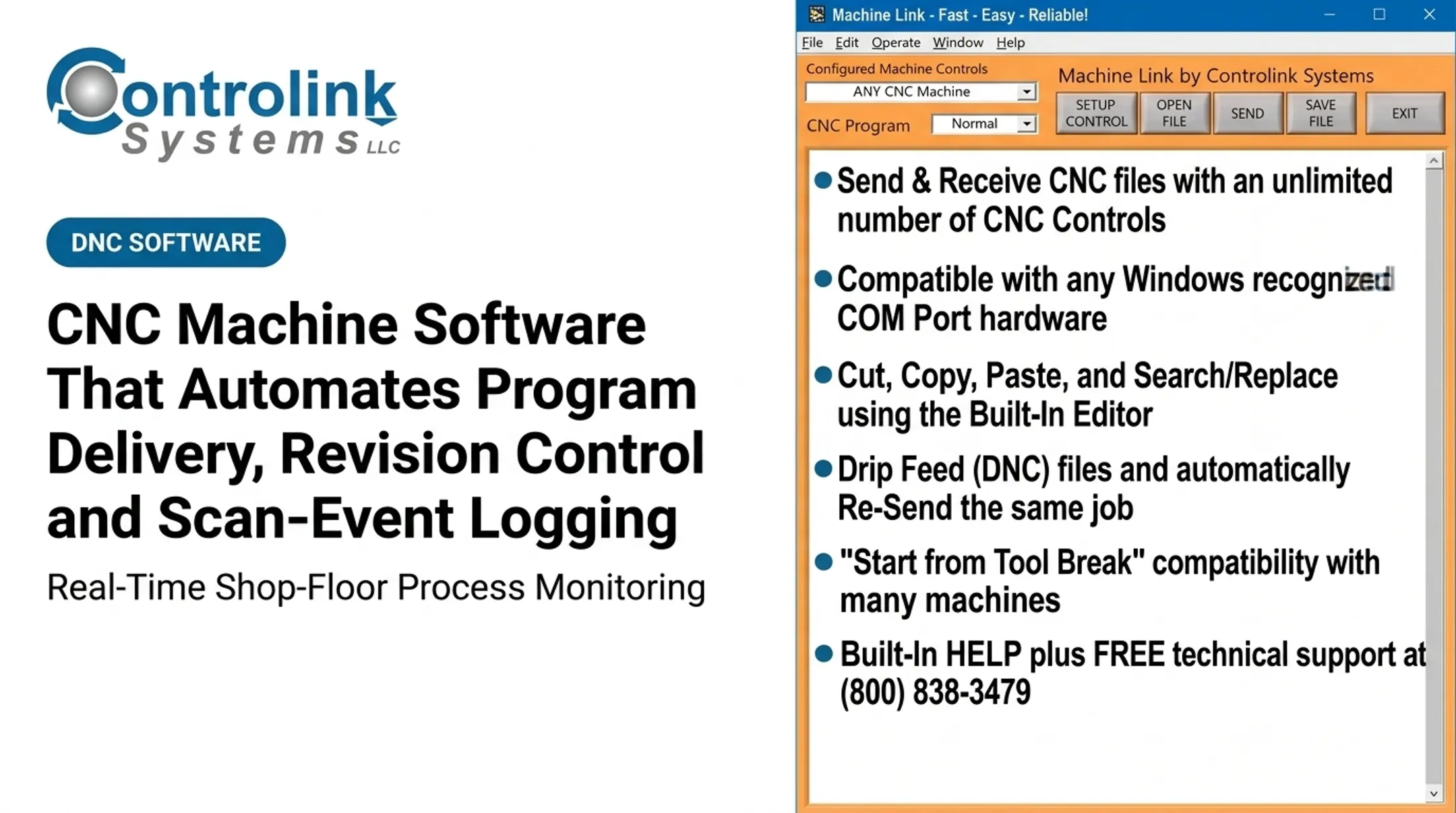
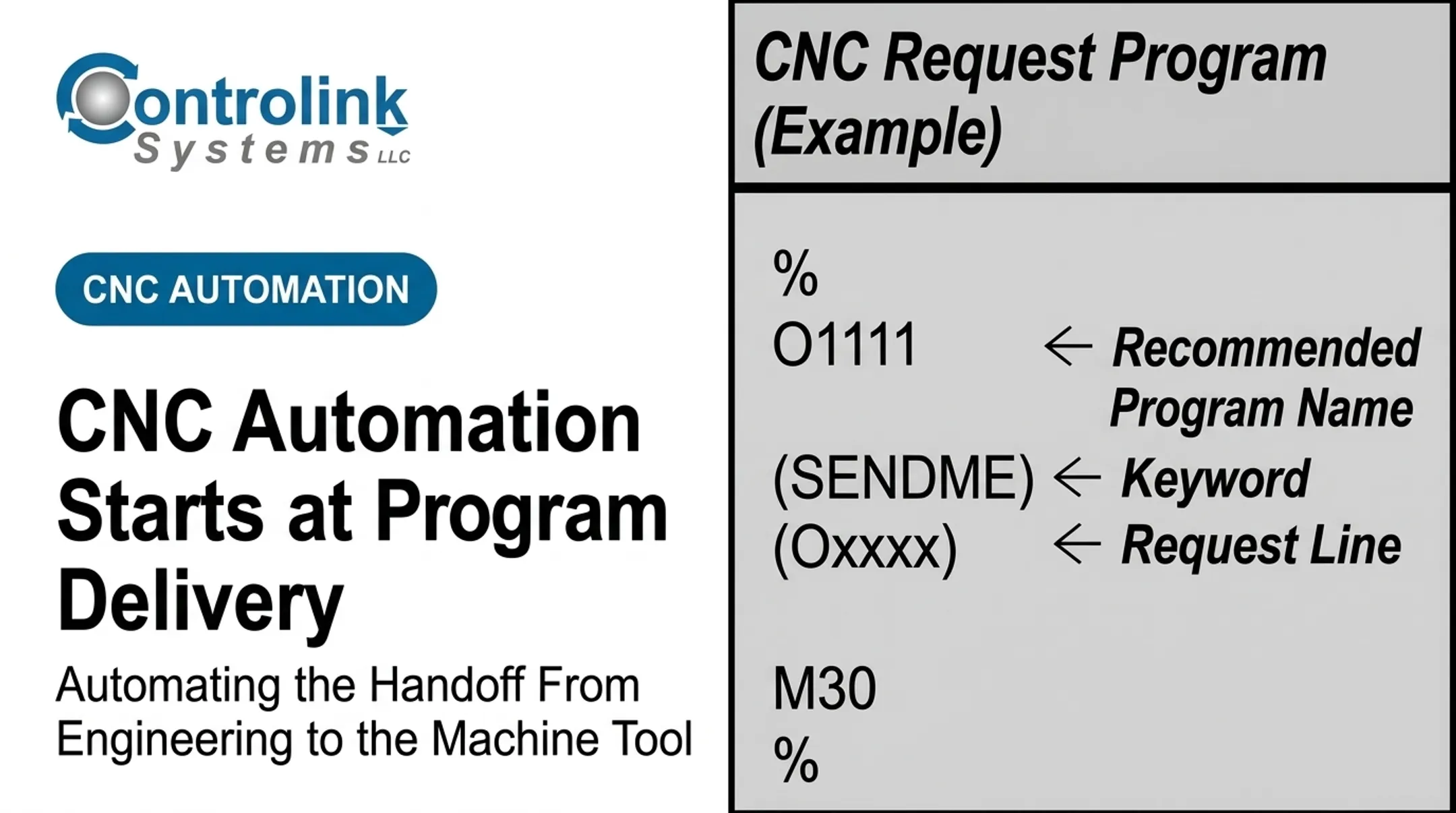
DNC and CNC communication tools move approved programs directly to the intended machine. That cuts dependence on manual copying, removable media, and files sitting in uncontrolled local folders. Machine Link™, developed by Controlink Systems LLC, is built around this function. It continuously monitors machines for file requests and serves the correct CNC file directly to the control, supporting standard RS-232 serial communication across an unlimited number of machine types. A real shop example shows the payoff. CIMCO's 2019 case study on M-1 Tool Works describes a facility running 50 machines with about 40 employees, where 80% of orders were for 10 parts or fewer. Programs used to be downloaded to flash drives and hand-carried between buildings. After centralizing DNC delivery, changed programs could be automatically versioned or quarantined, and internal non-conformance dropped noticeably.
Metadata, Compatibility, and Safeguards
Every file delivery should carry validation metadata:
- Part number and operation
- Revision and approval status
- Target machine and controller
- Material and tooling requirements Keep the master program distinct from machine-specific output. Post-processing, naming conventions, and file formats need clear governance so a program generated for one controller doesn't accidentally load on another. To prevent outdated or unauthorized files from running:
- Set permissions restricting who can release or modify approved programs
- Use check-in/check-out or release states for revision control
- Archive superseded revisions rather than deleting them
- Make approved files read-only at the machine Exceptions still happen. A program might need an emergency correction, a machine might go down mid-run, or an operator might spot a mismatch during setup. Machine Link™ QUICK Serve routes machine-side edits back to engineering for review before they become the starting point of the next download. Engineering stays in control without freezing the shop floor.
Benefits for CNC Shops
Connecting setup instructions to program delivery pays off in a few specific ways:
- Productivity: Less time walking the shop, searching for files, or waiting on engineering. Machine Link™ QUICK Serve lets machinists request files remotely without leaving the machine.
- Quality and repeatability: Every shift works from the same approved setup logic and program context.
- Workforce development: Digital visuals and captured setup knowledge help newer machinists follow proven practices without a veteran on every job.
- Traceability: Job records can show operator, setup revision, program revision, machine, and inspection results for audits and early pattern detection.
Siemens reports that when manufacturing work instructions stay associated with program data, instruction updates happen up to 90% faster. The figure is vendor-reported, but it matches what shops see once instructions leave disconnected documents.
Roscoe Chaney at The Timken Company reported reduced operator error after automating program loading this way—direct feedback from their floor.
Implementation and Measurement
Start with a Pilot
Pick one repeatable but error-prone process: a part family or machine cell where mismatches happen most often. Document the current workflow before touching it.
Involve the people who actually run it: machinists, CNC programmers, manufacturing engineers, quality personnel, and supervisors. If the job packet doesn't reflect how the floor actually works, it won't get used.
Create Governance Before Scaling
Before rolling this out shop-wide, define:
- Who authors setup instructions and who approves programs
- Who controls revisions and releases machine-specific files
- Who's authorized to make emergency changes
- Naming conventions, part/operation identifiers, and archival practices
- How affected shifts get notified when a file or instruction changes
Skip this step and you scale confusion instead of control.
Measure Operational Results
Track indicators that actually reflect what changed:
- Setup duration and first-piece approval time
- Wrong-program incidents and program search/retrieval time
- Scrap, rework, and unplanned downtime
- Repeat questions and adherence to inspection steps
Compare baseline numbers against pilot results, segmented by part family, machine, shift, and operator experience where practical. This is also where a technical partner matters. Controlink Systems LLC has spent over 25 years connecting CNC/DNC communications with SQL databases, PLCs, and motion systems. That integration work turns a pilot into a shop-wide system without starting from scratch.

Conclusion
Digital work instructions shouldn't sit in isolation, and CNC programs shouldn't be disconnected files nobody double-checks. The operator needs both, tied to the specific job in front of them.
The target state is one controlled workflow: the right setup, the right program, the right machine context, and the right quality checks — while recording exactly what happened.
Start small:
- Map where your setup instructions and programs currently live
- Find the most common mismatch or delay on your floor
- Pilot a synchronized digital job packet on one machine or part family before scaling further
Frequently Asked Questions
What is the shop floor?
The shop floor is the physical area where manufacturing, machining, inspection, and material handling actually happen. It's also where setup instructions and CNC programs have to match, every time, or the job stalls.
What is a shop floor management system?
It's the combination of processes and digital tools used to coordinate production, people, machines, quality, and information on the floor. CNC program delivery and digital work instructions are two of the pieces that make this system work in practice.
What is the difference between digital work instructions and a CNC program?
Digital work instructions guide setup, execution, and inspection. A CNC program directs actual machine movement. Linking them removes the guesswork about which file matches which setup.
How can a shop prevent machinists from using outdated CNC programs?
Combine revision control, approval workflows, and machine-specific delivery with strict permissions. Retire superseded files instead of leaving them accessible, and require operator confirmation before a job starts.
What should be included in a digital CNC setup packet?
Include part number and revision, setup sequence, tooling and workholding, offsets, material, the approved program, inspection requirements, safety notes, and sign-off records for traceability.