This article is written for CNC machine shops, manufacturing facilities, and the engineering or IT/OT teams responsible for program delivery, traceability, and protecting machines from unauthorized changes.
Many shops still rely on manual file transfers or untracked local copies. That habit contributes to outdated programs, setup delays, scrap, and downtime that nobody planned for.
We'll walk through the architecture, the workflow, the security controls, and the honest limitations of networking CNC machines for automated program delivery.
Key Takeaways
- Connected CNC systems push engineering-approved programs to the right machines and cut manual transfers.
- Secure delivery needs identity controls, version governance, audit logs, backups, and machine safeguards.
- Core architecture spans engineering/ERP, a DNC layer, shop-floor networking, interfaces, and operator controls.
- Legacy CNCs can join through adapters or protocol gateways—verify compatibility machine by machine.
What Is a Connected CNC Program Delivery System—and Why Use One?
Connected CNC program delivery is the controlled movement of NC programs and related manufacturing data from an approved source to the correct machine, through a managed network or DNC system. The operator at the control retrieves the current, authorized file. The organization keeps visibility into what was sent, when, and to which machine.
Program Delivery Isn't the Same as Machine Monitoring
These two things get confused often. Monitoring collects machine status and production data — cycle times, good and scrap counts, reject codes. Program delivery governs the transfer and use of the machining instructions themselves.
They can share the same network connection. A shop-floor link used for CNC program downloads can also carry monitoring data through the same DNC connection, which is why many shops build both capabilities on one platform rather than two separate systems.
This Isn't the Same as a Full Smart Factory
CNC networking builds a reliable data and control foundation. Predictive maintenance, automated scheduling, and advanced analytics are separate layers that can be added later, once that foundation is solid. Don't confuse the two when scoping a project.
Why Shops Actually Make This Switch
The business case usually comes down to a few recurring pain points:
- Fewer walks across the floor — operators request files remotely instead of tracking down a supervisor with a USB stick.
- Better machine-tool utilization — less idle spindle time waiting on a program.
- Fewer scrapped parts — machinists work from the latest engineering-approved file instead of a locally saved copy that may be several revisions old.
- Faster changeovers — setup doesn't stall while someone hunts for the right file version.
One documented case makes the stakes clear. Before a job shop introduced centralized DNC-based program and tooling-offset management, operators experienced up to 15% carbide-tool breakage during manual touch-off.
After the shop automated presetting through a DNC system, that breakage disappeared entirely. That's a case-specific figure, not a universal benchmark, but it illustrates what happens when program and offset data stop moving by hand.
After implementation, track:
- Program-transfer errors
- Setup delays tied to file location or version
- Unauthorized file changes
- Scrap linked to wrong or outdated program selection
- Time spent locating or transporting files
Controlink Systems LLC has built CNC/DNC communications and shop-floor automation tools since 1998. File-to-machine linkage is the core problem its Machine Link™ product line was designed around: connecting machines, databases, and shop-floor workflows without forcing a full overhaul.
How Secure CNC Program Delivery Works
Secure CNC program delivery follows a controlled path from engineering to the shop floor. A program is created or revised, submitted for review, approved and versioned, then released through the delivery layer. The intended CNC receives it, confirms receipt, and the full transaction is logged for audit.
Here's how that breaks down in practice:
- Map the equipment and data sources. Inventory every CNC make, model, and controller, along with ports, transfer methods, engineering workstations, and any legacy machine that will need an adapter or gateway.
- Establish program ownership and approval. Define who can create, edit, approve, release, supersede, archive, or recall a program. Operators should only see the files and functions their role requires.
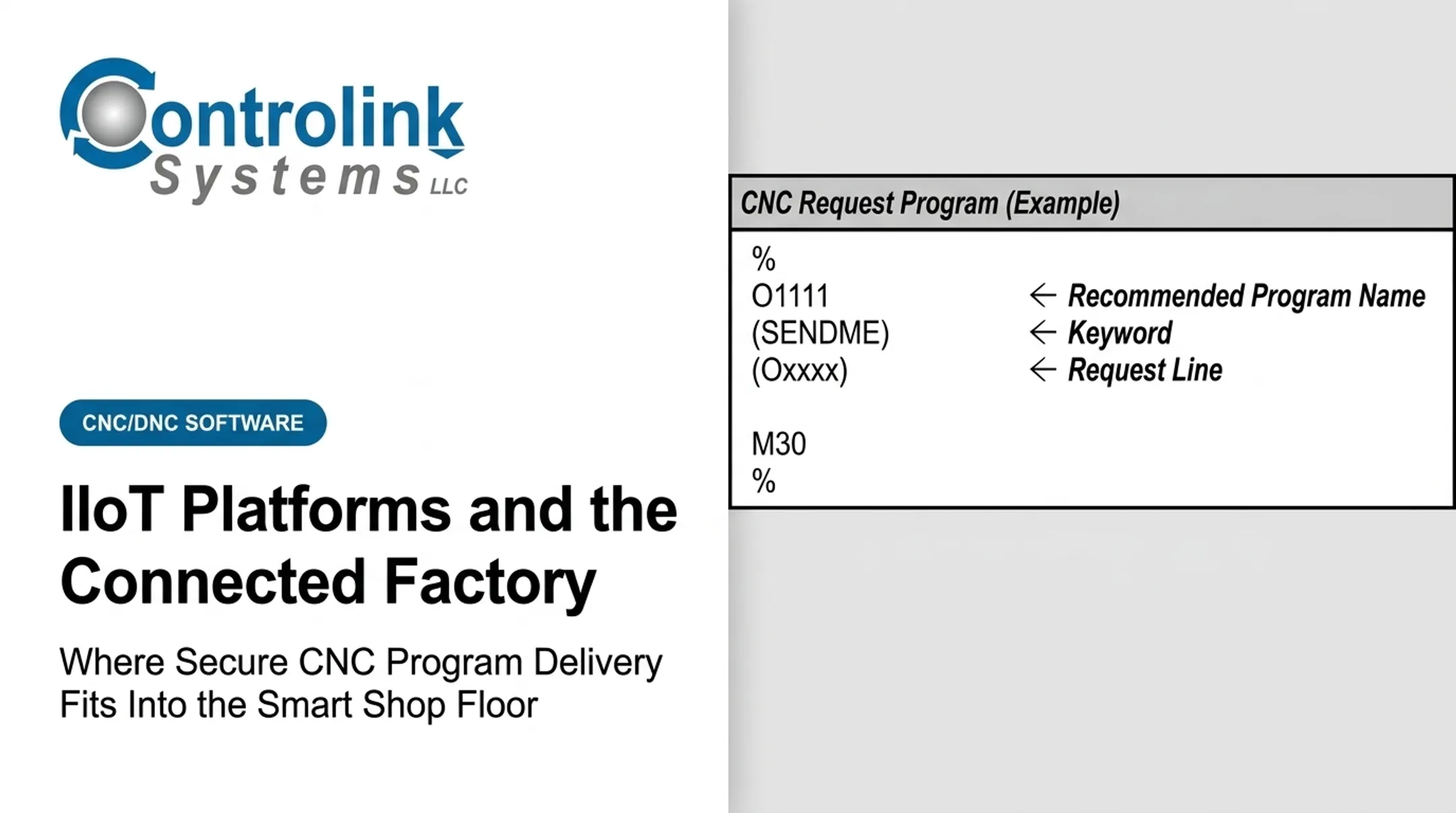
- Connect engineering systems to the delivery layer. A DNC or managed file-transfer system acts as the controlled intermediary between approved storage and individual machines. Controlink's Machine Link™ QUICK Serve, for example, continuously scans machines for file requests and serves the correct program directly to the control, so the operator never leaves the machine to get it.
- Deliver and validate at the machine. This covers machine identification, job/part matching, transfer confirmation, and a documented procedure for what happens if a transfer fails partway through.
- Record execution and change history. Log the program revision, approval status, user identity, destination machine, transfer time, and result. If an operator edits a program at the machine, that edit should route back to engineering for review rather than silently becoming the new standard.
- Maintain the system after go-live. Backups, controller testing, software updates, periodic access reviews, and recovery drills all belong on a recurring schedule, not a one-time checklist.

Real-time machine control and program delivery are not the same thing. Delivering a file is different from letting a system alter machine behavior on its own. Define clearly which actions are read-only, which require operator confirmation before execution, and which (if any) should never run without a human in the loop.
Network Architecture and Security Controls for CNC Machines
A practical layered architecture typically looks like this:
- Engineering and business systems at the top
- Centralized program/DNC management
- Plant or cell network
- Machine communication interface
- CNC controller
- Operator HMI or workstation
Legacy and Modern Machines Speak Different Languages
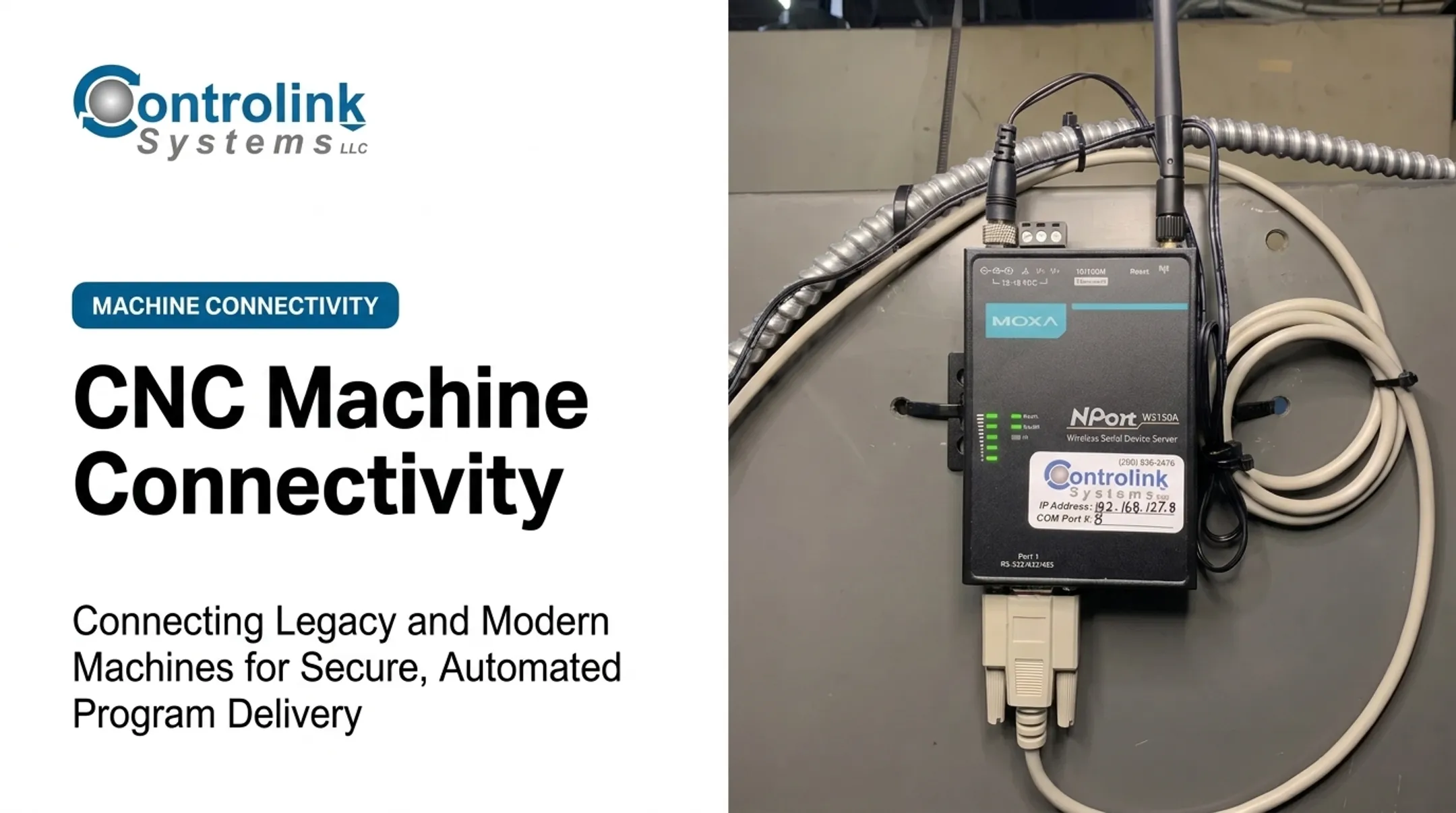
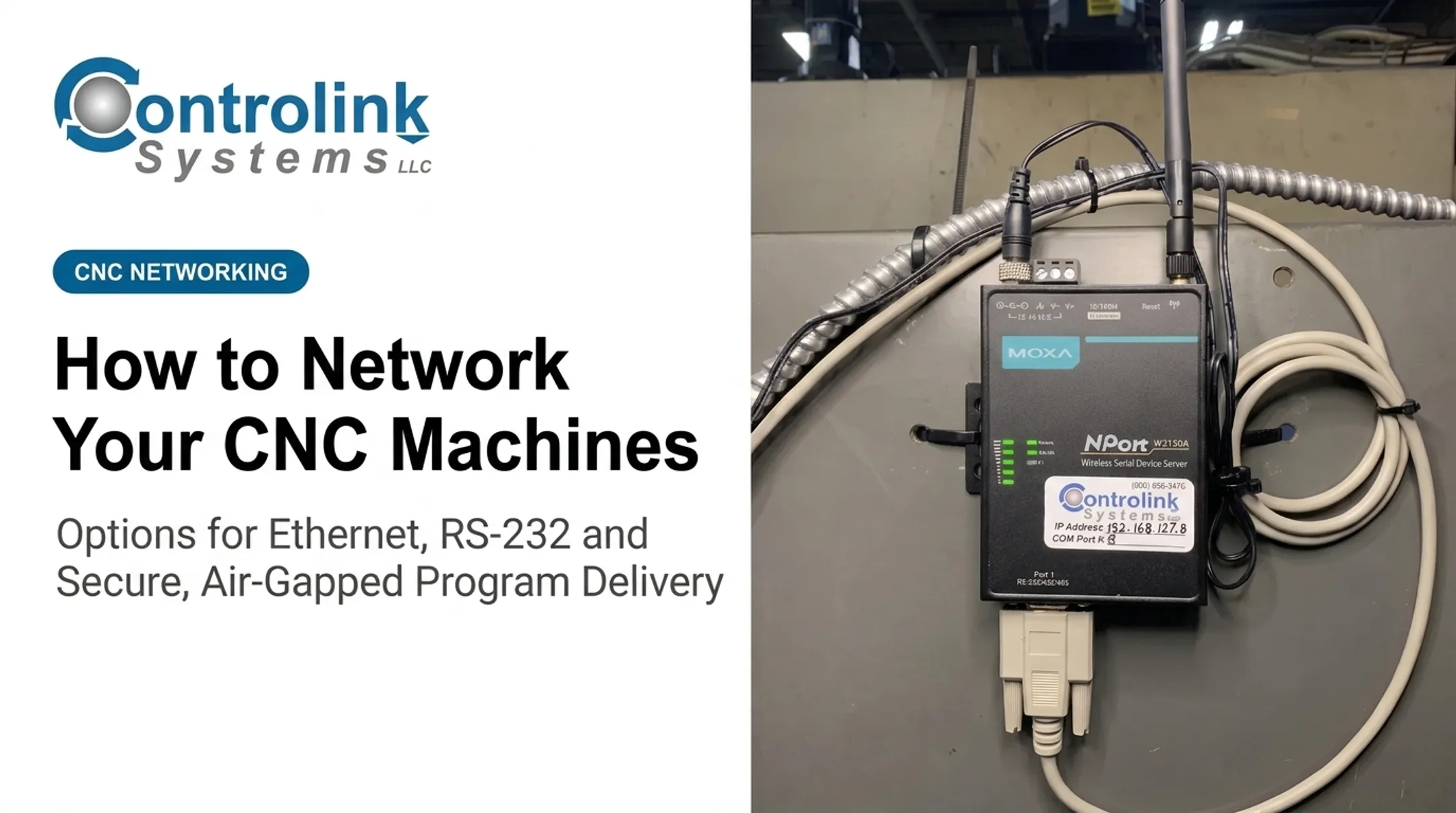
Older CNCs often communicate over RS-232 serial connections at fixed baud rates, while newer controllers may support Ethernet or controller-specific protocols. A wireless serial device server, such as a MOXA NPort unit, can bridge an older serial machine onto an IP network without replacing the controller.
Compatibility still has to be verified machine by machine. There's no such thing as universal connectivity out of the box.
Segmentation Isn't Optional
NIST's Guide to Operational Technology Security recommends organizing OT networks into segmented levels or zones, using switches, routers, firewalls, and sometimes unidirectional gateways to enforce those boundaries.
Firewall rules should permit only authorized connections between adjacent zones. A DMZ should separate operational technology from the general enterprise network.
Core controls to have in place:
- Unique user accounts and role-based, least-privilege permissions
- Strong authentication, with encrypted connections where the equipment supports it
- Endpoint protection and secure, tested backups
- Formal change approval before any program moves to production
Protecting Programs From Tampering and Loss
NC programs need protection from more than just typos. Version control, read-only release states, malware scanning, and defined retention rules all reduce the risk of tampering, accidental deletion, or ransomware reaching production files.
CISA's defense-in-depth guidance also calls for multifactor authentication and role-based access on remote connections into the plant network, layered on the multi-zone architecture above.
Governance shouldn't stop at the firewall. Centralized logs, alerts for unusual transfers or failed logins, periodic access reviews, and a documented incident response plan all matter. None of it works without IT, OT, engineering, and production actually talking to each other.

Where CNC Networking Fits, What Affects Results, and Common Pitfalls
Program delivery over a network shows up most often in a few recurring situations:
- Distributing approved programs to multiple CNCs from one source
- Supporting repeat jobs and high-mix, low-volume production
- Coordinating machining cells spread across a large floor
- Linking program versions to quality or production records when systems allow
In the production lifecycle, networking typically touches:
- Engineering release and changeover
- First-article work and production runs
- Revision changes and recovery after a machine issue
What Actually Affects the Outcome
A few practical factors determine whether this works well or becomes a headache:
- Controller compatibility and file formats
- Program size and communication speed
- Naming conventions and revision discipline
- Operator workflow — extra steps kill adoption fast
- Network reliability, especially for larger, multi-machine shops
Capacity should match the shop, not the other way around. Controlink's QUICK Serve tiers scale from a few machines up to dozens of simultaneous sessions, so throughput needs drive the choice.
Correcting a Few Common Misconceptions
Connecting a CNC to the network doesn't automatically make the factory secure. Connectivity without segmentation, access control, and monitoring can widen the attack surface instead of closing it.
A centralized file repository alone doesn't stop bad programs from reaching a machine. You still need approval states, revision control, job/machine matching, and a way to catch machine-side edits before they become permanent.
Other recurring problems worth watching for:
- Undocumented legacy interfaces nobody wrote down
- Inconsistent file naming and duplicate programs
- Unmanaged USB use that bypasses every control you just built
- Weak passwords and unclear ownership between engineering and IT
When Full Networking Doesn't Make Sense
Not every machine needs this. Isolated equipment with no compatible interface, temporary production setups, or low-value one-off jobs may not justify full controls.
Warning signs a project is happening by default rather than by need:
- No defined business problem
- No owner for program approval
- No plan for network downtime
If a shop isn't ready for a plant-wide rollout, start smaller — connect a single cell, tighten program governance first, or use a secure local transfer workflow as a bridge.

Conclusion
Networking CNC machines means more than cables and file transfers. Results come from compatible connectivity, controlled program governance, secure delivery, usable operator interfaces, and ongoing monitoring working as one system.
A practical path forward:
- Start with a defined production problem
- Pilot the workflow on representative equipment
- Validate security and recovery procedures before scaling
Manufacturers evaluating CNC/DNC communications and shop-floor automation can work with Controlink Systems LLC, which has been linking machines, databases, and controls since 1998.
Frequently Asked Questions
What is smart factory software?
Smart factory software connects factory assets, collects and contextualizes operational data, and supports monitoring or automation, often with analytics or decision support layered on top. CNC program delivery software is narrower — it focuses specifically on getting the right file to the right machine securely.
Can you give me an example of a smart factory?
Picture a facility where CNC mills, turning centers, inspection equipment, and engineering systems share data through a common protocol. An approved program reaches the correct machine automatically, and the resulting production and quality data flows back into the same system for review.
Is there a difference between IoT and IIoT?
IoT is a broad term covering any networked device that interacts with the physical world. IIoT refers specifically to industrial applications, where legacy equipment integration, safety, reliability, and process control carry much more weight than in consumer IoT.
What are the four types of IoT platforms?
Classifications vary by source — some analysts list four categories, others five. A commonly referenced grouping covers device connectivity, data management, application enablement, and analytics or control, which map to the layers in a connected CNC environment.