Introduction
A cross-domain solution is a controlled way to move authorized information—such as an engineering-approved CNC program—between security domains kept deliberately apart.
That definition stays abstract until a machinist needs the latest revision on a machine that must not touch the network everyone else uses.
This matters for CNC machine shops, aerospace and defense manufacturers, research labs, and the IT/OT teams that run air-gapped or restricted cells. Sensitive engineering data and operational technology still need protection.
The correct program still has to reach the correct machine. When it doesn't, operators fall back on USB sticks, informal copies, and other workarounds that skip approval and leave no audit trail.
"Air-gapped network" and "cross-domain solution" show up often in security talk. The day-to-day path from engineering server to machine control rarely does. This article walks through approval, transfer, validation, and audit so that movement stays defensible—not improvised.
Key Takeaways
- A cross-domain solution is a governed mechanism, not a shared folder, USB stick, or open network cable.
- Approved NC programs and tooling data still need carefully controlled movement on air-gapped machining networks.
- Confirm authorization, integrity, compatibility, destination, and revision status before any file reaches a machine.
- Air-gapping shrinks the attack surface but doesn't erase removable-media, insider, or process risk.
- CNC/DNC communications expertise helps connect approved workflows without quietly bypassing security controls.
What Is a Cross-Domain Solution for Air-Gapped Machining?
According to the NIST CSRC Glossary (CNSSI 4009), a cross-domain solution is a controlled interface for manually or automatically transferring information between different security domains. In a machine shop, that definition gets concrete.
The goal: let an authorized NC program or related manufacturing file move from an engineering or enterprise environment into a restricted machine network, while preserving confidentiality, integrity, traceability, and operational control the whole way.
That's a narrower definition than most people assume. A cross-domain solution is not:
- A VPN connection between two networks
- A basic DNC link that just moves bytes
- A shared folder both sides can reach
- Someone walking a USB drive across the shop floor
None of those establish authorization or enforce content policy on their own. Connectivity is not the same thing as control.
Defining the Security Boundary
A "security boundary" covers more ground than a firewall diagram suggests. It includes:
- Physically disconnected (air-gapped) networks
- Separated IT and OT zones
- Networks with different classification or sensitivity levels
- Systems with different access-control requirements
What "Approved" Should Mean
Operationally, "approved" means the file has cleared every check that applies to that environment:
- Engineering sign-off
- Quality release
- Cybersecurity screen
- Production hold, when one applies
Skip any of those and the file isn't approved. It's just present.
The exact architecture—a manual review station, a one-way transfer appliance, or a DNC layer with strict permissions—depends on security requirements, policy, data sensitivity, and machine controls. No single generic design fits every environment.
How Approved Programs Move Across a Security Boundary
The end-to-end flow runs from program creation through machine execution: identify the source file, complete engineering and production approvals, prepare the transfer, enforce boundary controls, validate at the destination, and keep a record of everything that happened.
NIST SP 800-53 Rev. 5 frames much of this at the control level. AC-4 requires enforcing approved authorizations that govern information flow within and between connected systems, and SC-7 requires managed interfaces and boundary-protection devices between networks with different security postures (NIST SP 800-53 Rev. 5). In a machining environment, those controls show up as five practical steps.
Establish the source of truth. Identify the current engineering-approved revision and tie it to the correct part, machine, material, tooling, and work order. Obsolete or unofficial copies should never get a path into production.
Apply pre-transfer checks. Confirm user identity, authorization, file type, revision status, and integrity before anything moves. Malware or content screening may also apply under policy—skipping this step is where most bad files sneak through.
Transfer only through the approved mechanism. Use an automated, manually mediated, or hybrid path that enforces a defined direction and data policy. A controlled CNC/DNC or shop-floor automation layer can deliver the authorized file to the intended machine.
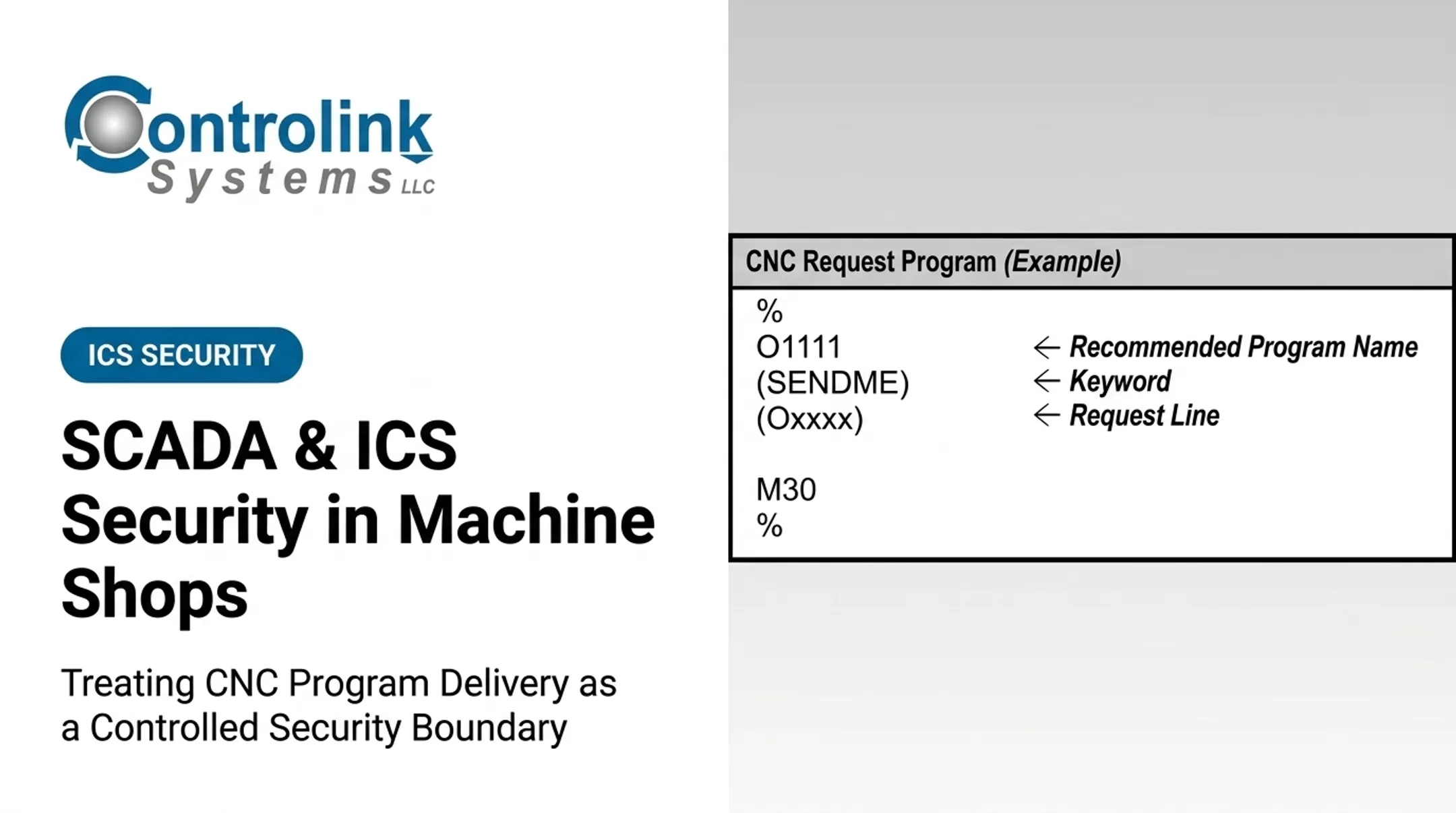
Controlink Systems LLC's Machine Link™ QUICK Serve, for example, scans machine tool controls for CNC Program Request files and returns the latest engineering-approved revision. It is a delivery mechanism for approved files, not a certified cross-domain security product—shops with formal boundary requirements should confirm that distinction against their own policy.
- Validate at the receiving environment. Confirm destination identity, file integrity, program compatibility, and matching units, coordinate systems, and tooling assumptions.
Machine Link™ QUICK Serve setup, for instance, recommends receiving a file before sending one so the machine COM port, workstation COM port, and cable configuration are confirmed first.
- Record and manage the result. Log who approved, transferred, received, and released the program, along with timestamps, revision IDs, exceptions, and any rollback or quarantine actions.

At Ametek, Inc., corrected programs returned from machines were held in an Engineering folder for CNC engineer review before entering the program library—a practical checkpoint of this type.
Where Cross-Domain Machining Workflows Are Applied and What Affects Them
This kind of governed transfer shows up wherever engineering-approved programs need to reach a restricted or segmented machine network. Common settings include:
- Aerospace and defense machining
- Medical device manufacturing
- Automotive production
- Precision mold work
- Industrial equipment manufacturing
- Repair centers and research laboratories
It isn't limited to one moment in a part's life, either. The workflow can trigger at:
- Engineering release of a new revision
- Prove-out and first-article runs
- Production scheduling and machine setup
- Rework, maintenance, or quality correction
- Controlled program revision after a machine reassignment or security incident
What Actually Affects the Outcome
Several inputs shape whether a transfer goes smoothly:
| Factor | Why it matters |
|---|---|
| NC program format | Must match the receiving controller's expectations |
| Controller type | Older and newer controls handle files differently |
| Tooling/fixture data | Wrong assumptions here cause scrap, not just failed transfers |
| Revision metadata | Confirms the file is current, not superseded |
| User permissions | Determines who can approve, send, or receive |
| Receiving network's security policy | Sets the rules the transfer has to follow |
Of these factors, controller compatibility matters more than people expect. Machine Link™ QUICK Serve is built to work with both older and newer CNC controls, which matters because a shop floor rarely runs one uniform fleet.
Snavely's Machine, for example, ran Machine Link™ across more than 30 CNC machine tools spanning 10 different control types. At that scale, manual, ad hoc transfer would fall apart fast.
Research environments carry their own version of this challenge. Two SBIR grants totaling $800,000 once supported specialized-steel machining research for U.S. Navy applications, including aircraft-carrier landing gear. That work depended on getting approved programs to the right research machine reliably, every time.
Scale and frequency change what the workflow needs, too. A one-time transfer for a single prototype doesn't need the queuing or exception handling that recurring, multi-machine production delivery requires. High-mix shops running many part numbers across different controls typically need more monitoring than a shop delivering the same few programs on repeat.

Common Issues, Misconceptions, and When a Cross-Domain Approach May Not Be Appropriate
The biggest misconception is that an air gap means nothing ever crosses. It doesn't.
NIST guidance on portable storage media in OT environments treats physical transfer of data—including firmware updates and log retrieval—as a legitimate, common way isolated systems get updated (NIST SP 1334). The transfer has to happen. The question is whether it's governed.
A USB drive isn't automatically safe just because it's offline. A 2012 ICS-CERT case makes the point: a supervisor at an energy company moved data from an HMI to a flash drive, left it in the port, and antivirus later found malware on the media.
Offline doesn't mean risk-free. It means the risks change:
- Malware introduced through removable media
- Outdated program revisions treated as current
- Lost or untracked media
- A chain of custody nobody can reconstruct
File Delivery Isn't the Same as a Correct Program
Getting a file to a machine proves the transfer worked. It does not prove the program matches that machine's tooling, workholding, material, or work order. Those are separate checks. Skipping them because "the transfer succeeded" is a common failure mode.

Human factors usually cause more trouble than the technology:
- Unclear ownership of who's allowed to approve a transfer
- Rushed approvals under schedule pressure
- Bypassed procedures because the formal path felt slow
- Poor naming conventions that let stale files look current
- No rollback plan when the wrong revision lands on a machine
When a Cross-Domain Workflow Isn't Needed
Not every file transfer needs a cross-domain workflow. Skip the complexity when:
- Both systems genuinely share the same security requirements
- The file should never leave one authorized environment in the first place
- The information is low-risk and a simpler, already-approved method covers it
Signs the setup needs a redesign, not more automation:
- Repeated manual exceptions
- Untracked workarounds
- Missing logs
- Incompatible controllers
- Unclear approval ownership
More automation on top of an unclear process just automates the confusion.
Conclusion
Moving an approved machining program across a security boundary is a workflow, not a single action. It runs through authorization, controlled transfer, integrity and compatibility checks, destination verification, and a record of what happened at each step.
Air-gapping reduces exposure. It doesn't remove the need for disciplined file governance, operator controls, machine validation, or a periodic look at whether the process still makes sense.
Before selecting or expanding a cross-domain architecture, manufacturing and IT/OT teams should first map their current CNC/DNC communications, shop-floor automation, and revision-control processes.
Controlink Systems LLC has spent over 25 years building CNC/DNC communications, shop-floor automation, and process-monitoring tools for machine shops facing this kind of connection challenge. That experience is a useful starting point for evaluating how manufacturing systems should link together—though it doesn't replace the cybersecurity authorization your environment requires.
Frequently Asked Questions
What is a cross-domain solution?
A cross-domain solution is a controlled combination of technology, policy, and procedures used to move authorized information between separate security domains. Applied to CNC work, it governs how an approved program crosses from engineering into a restricted machine network.
What does it mean when a network is air-gapped?
An air-gapped network has no physical connection and no automated logical connection to another network. Isolation doesn't remove the need for tightly controlled data transfer when a program genuinely needs to reach a machine on that network.
What is an example of an air-gapped network?
A restricted CNC or industrial control network kept separate from an enterprise or internet-connected network is a common example. Approved program transfer into that network is typically governed by defined authorization, integrity checks, and logging rather than open access.
How do approved machining programs cross an air gap?
The file passes authorization checks, then moves through a controlled transfer mechanism. It is validated for integrity and machine compatibility, confirmed at the destination, and logged to close the loop. The exact mechanism depends on the organization's security requirements.
Is an air-gapped network completely secure?
No. Air-gapping reduces certain remote attack paths but doesn't eliminate risk from removable media, insiders, compromised files, configuration errors, or unsafe handling procedures. Governance still matters even without a network connection.